EasyManua.ls Logo

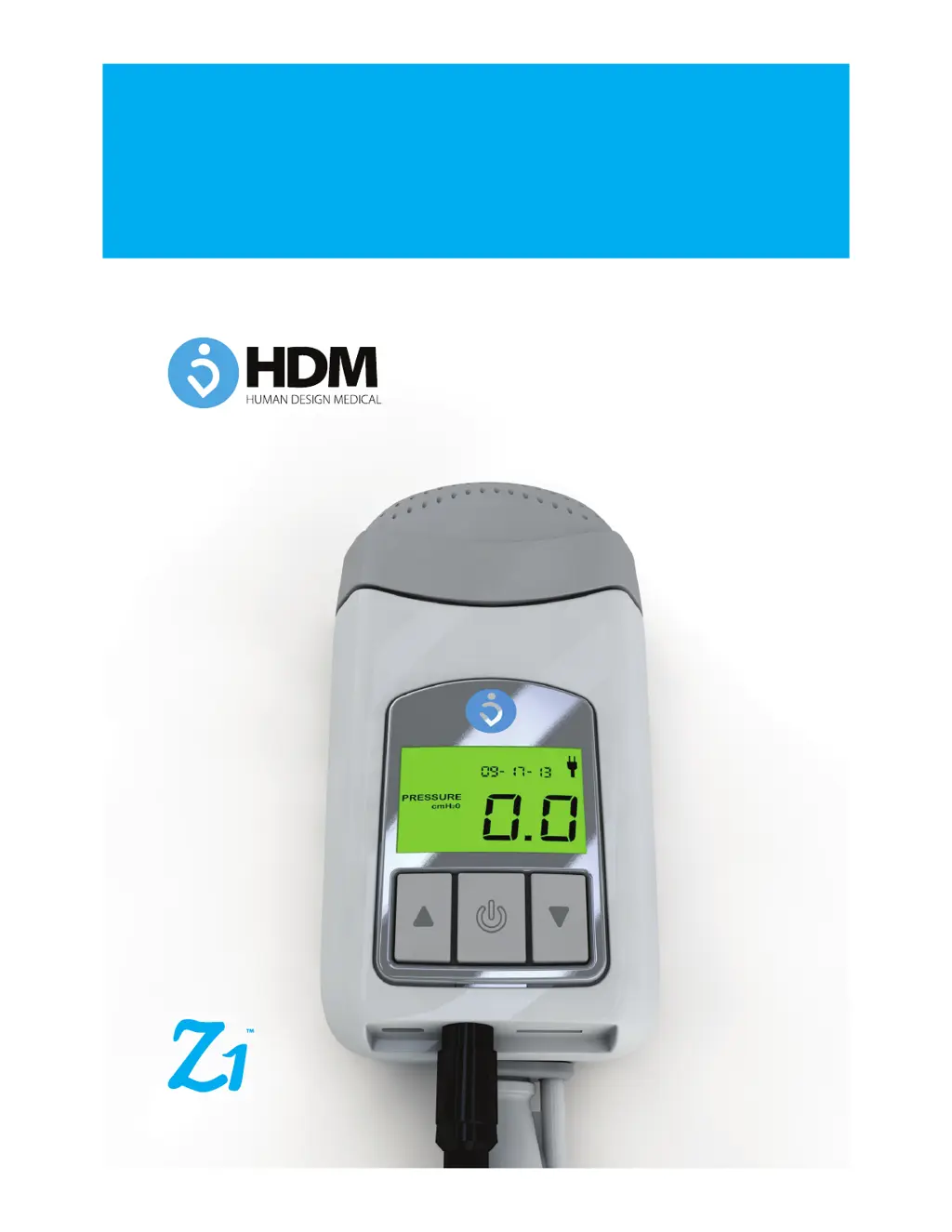
Z1 CPAP System - User Manual

Z1 CPAP System
30 pages
Print Icon
To Next Page IconTo Next Page
Loading...
Human Design Medical, LLC
Z1
CPAP System
CONTINUOUS POSITIVE AIRWAY PRESSURE SYSTEM
User Guide
User Guide
English

Questions and Answers

  • J
    James MartinAug 7, 2025
    How to fix Z1 CPAP System Personal Care Products when there is no display?
    • J
      Jeremiah FordAug 7, 2025
      If your Z1 Personal Care Products device shows no display, several factors could be at play. First, ensure that the power supply is properly connected and that the power outlet is functioning. Check all connections, including the power supply at the Z1 device and the power cord at the AC adapter. Also, make sure the Z1 and the battery are correctly locked into position in the PowerShell. The battery may also need charging. Finally, verify that you are using a Human Design Medical approved power supply.
  • D
    Darius House IIIAug 22, 2025
    Why my Z1 CPAP System Personal Care Products has no display?
    • T
      Thomas CaseAug 22, 2025
      Several reasons may cause a 'no display' issue on your Z1 Personal Care Products device. It could be due to a lack of power, so ensure the power supply is connected and the outlet works. Check for loose connections of the power supply at the Z1 or the power cord at the AC adapter. Verify that the Z1 and the battery are locked into position in the PowerShell. The battery might be uncharged, or an unapproved power supply might be in use. Replace any non-approved unit with a Human Design Medical approved one.
  • J
    Jack StanleyAug 29, 2025
    How to fix Z1 CPAP System when treatment will not start because of air leak?
    • S
      Sonya ToddAug 30, 2025
      If your Z1 Personal Care Products treatment isn't starting due to an air leak, make sure that your mask and headgear are positioned correctly. Also, check for leaks from improperly connected tubing, following the mask manufacturer’s instructions.
  • F
    fboltonNov 14, 2025
    What to do if treatment will not start on my Z1 CPAP System?
    • B
      Bailey DrakeNov 14, 2025
      If the treatment on your Z1 Personal Care Products device won't start, consider these potential causes. A dirty or clogged air filter could be the issue, so replace it. Ensure that the air intake isn't blocked and that the CPAP tube is correctly connected to your Z1 and mask. If Ramp Mode is active, either wait for the pressure to adjust or stop the treatment to adjust the ramp time. Make sure that the CPAP tube isn't blocked, pinched, or punctured. Ensure your mask and headgear are properly positioned to avoid leaks. Use only tubing recommended by your clinician, and breathe as normally as possible, avoiding talking with a nasal mask. Check for air leaks due to improperly connected tubing, following the mask manufacturer’s instructions. If the Z1 has been in a hot environment, allow it to...

Summary

Welcome and System Overview

Welcome to Your Z1 CPAP System

Introduction to the Z1 CPAP System and its features.

Owner;User Responsibility

Defines the user's accountability for correct operation and maintenance.

Replacement Parts and Supplies

Information on using genuine parts for optimal performance and warranty.

Medical Information

Indications for Use

Specifies the intended use of the Z1 CPAP System for adults with OSA.

Contraindications

Lists pre-existing conditions where CPAP therapy may be contraindicated.

Adverse Effects

Details potential side effects users may experience during CPAP therapy.

Z1 General Warnings and Cautions

Critical Safety Alerts

Key warnings about physician orders, oxygen use, and electrical hazards.

Handling and Usage Precautions

Cautions for safe operation, maintenance, and environmental factors.

Battery Warnings and Cautions

Battery Handling and Safety

Crucial warnings for handling Lithium Ion batteries to prevent hazards.

Battery Storage and Disposal

Guidelines for storing, charging, and disposing of the battery safely.

Z1 Operational Cautions

Placement and Airflow Cautions

Precautions regarding device placement, airflow blockage, and tripping hazards.

Maintenance and Filter Cautions

Guidance on cleaning, filter replacement, and securing the End Cap.

Z1 Environmental and System Cautions

Temperature and Operating Environment

Cautions on operating and storing the Z1 in various environmental conditions.

Tube Integrity and Air Leaks

Warnings about CPAP tube damage and ensuring proper connections.

Getting to Know Your Z1 CPAP System

Package Contents

Lists all items included in the Z1 CPAP System package.

Battery Disposal Caution

Caution for handling a worn-out battery before disposal.

Z1 CPAP Device Components

Z1 CPAP Device Description

Overview of the Z1 device and its function.

Power Supply and Accessories

Details on the power supply, tube adapter, CPAP tube, end cap, and filter.

Optional Accessories

Information on the PowerShell, battery, and Micro SD card.

Initial Set Up

Unpacking the Z1 Box

Step-by-step instructions for unpacking and inspecting the Z1 components.

Z1 Base Model Contents

Visual representation and list of components included in the Z1 Base Model.

Assembling and Powering Up

Filter and End Cap Assembly

Instructions for assembling the filter and end cap onto the Z1 device.

Tube Adapter, CPAP Tube and Mask Connection

Steps for connecting the CPAP tube and mask to the Z1.

Power Supply and PowerShell Setup

Power Supply Connection

Instructions for connecting the Z1 to the AC power supply.

PowerShell and Battery Installation

Steps for installing the battery and Z1 into the PowerShell.

Using Your Z1

LCD Display Overview

Explanation of the Z1's LCD display elements and indicators.

Ramp Progress and Time Remaining

Understanding ramp mode indicators for pressure acclimation.

Z1 Display Indicators and Treatment Control

Battery Status and AC Power Indicators

Explains battery charge levels and AC power connection status.

Fault and Reminder Indicators

Information on interpreting fault and reminder messages on the display.

Starting and Stopping Treatment

How to initiate and terminate CPAP therapy using the Start/Stop button.

Programming and Data Management

Programming Ramp Mode

Guide to setting up and adjusting ramp mode for comfortable therapy.

Setting Ramp Time and Start Pressure

Instructions for configuring ramp time and initial pressure settings.

Micro SD Data Card Usage

Procedures for inserting and removing the Micro SD card for data.

Data Management and Battery Charging

Micro SD Card Removal and Replacement

Steps for removing and replacing the Micro SD data card.

User Software Information

Reference to the Z1 Software Guide for data viewing.

Charging the Battery (PowerShell Only)

Instructions for charging the battery using the PowerShell.

Care and Maintenance

Inspections Before Use

Daily checks for wear, damage, or discoloration of device components.

Daily and Weekly Cleaning

Procedures for cleaning the CPAP tube, adapter, and mask.

Component Care and Replacement

Exterior Cleaning

How to clean the exterior of the Z1 device.

Filter Replacement

Guidelines for inspecting and replacing the Z1's air filter.

CPAP Tube Replacement

Information on when and how to replace the CPAP tube.

Troubleshooting and Fault Conditions

Fault Conditions Explained

Understanding fault codes displayed on the Z1's LCD screen.

Troubleshooting Common Problems

Solutions for issues like "No Display" or "Treatment Will Not Start".

Troubleshooting Common Issues

Insufficient Air Flow and Pressure Issues

Diagnosing and resolving problems with air flow and pressure delivery.

Mask Leak and Environmental Issues

Addressing mask leaks and issues related to environmental exposure.

Technical Specifications

30 W Power Adapter Specifications

Technical details for the Z1's power adapter.

PowerShell Battery Specifications

Technical details for the optional PowerShell battery.

Symbols and Compliance Information

Explanation of device symbols and compliance markings.

Servicing and Warranty

Servicing Recommendations

Guidance on when and how to service the Z1 system.

Limited Warranty Details

Information on the product's warranty coverage and terms.

FAA Compliance

FAA Compliance Statement

Confirmation of the Z1 CPAP System's FAA compliance for air travel.

Product Registration

Register Your New Device

Instructions and form for registering the Z1 device for support.

Z1 CPAP System Specifications

General IconGeneral
BrandZ1
ModelCPAP System
CategoryPersonal Care Products
LanguageEnglish