EasyManua.ls Logo

Zagg Cover-Fit - User Manual

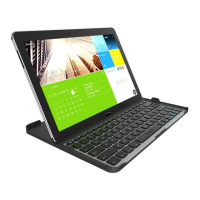
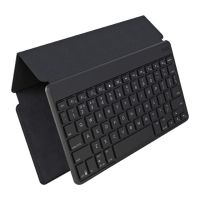
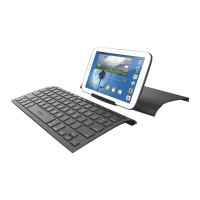
Zagg Cover-Fit
8 pages
Print Icon
To Next Page IconTo Next Page
Loading...
Keyboard Instructions
*WARRANTY REGISTRATION
Your ZAGG Cover-Fit Bluetooth® keyboard comes with a one-year manufacturer’s
warranty. Please keep your purchase receipt and register your Cover-Fit on our
website www.zagg.com (purchases made on our website are automatically registered).
Replacement products must be mailed back as soon as your new product arrives; you may
incur postage fees as a result. See our website FAQs for further details.
Question and Answer IconNeed help?

Do you have a question about the Zagg Cover-Fit and is the answer not in the manual?

Summary

Warranty Registration

Introduction to ZAGG Cover-Fit

Attaching and Removing Your Tablet

Positioning Your Tablet

Powering the Keyboard On and Off

Pairing Your Cover-Fit Keyboard

Charging Your Cover-Fit

Battery Information

Troubleshooting Common Issues

Troubleshooting Steps

Provides guidance on resolving common issues such as connectivity problems and non-responsive behavior.

Summary

Warranty Registration

Introduction to ZAGG Cover-Fit

Attaching and Removing Your Tablet

Positioning Your Tablet

Powering the Keyboard On and Off

Pairing Your Cover-Fit Keyboard

Charging Your Cover-Fit

Battery Information

Troubleshooting Common Issues

Troubleshooting Steps

Provides guidance on resolving common issues such as connectivity problems and non-responsive behavior.

Zagg Cover-Fit Specifications

General IconGeneral
CoverYes
CompatibilitySamsung Galaxy NotePRO 12.2
Product colorBlack
Brand compatibilitySamsung
Keyboard layoutQWERTY
Pointing deviceNo
Keyboard languageEnglish
Power sourceBattery
Device interfaceBluetooth
Connectivity technologyWireless
Weight and Dimensions IconWeight and Dimensions
Depth12.7 mm
Width295 mm
Weight- g

Related product manuals