EasyManua.ls Logo

Zagg Flex - User Manual

Zagg Flex
21 pages
Print Icon
To Next Page IconTo Next Page
Loading...
Keyboard Instructions
ex
®
*WARRANTY REGISTRATION
Your ZAGG Flex comes with a one-year manufacturers warranty. In order to activate the warranty,
you must register your Flex as well as keep your purchase receipt. If you purchased your ZAGG
Flex from ZAGG.com, ZAGG has already registered it and has a copy of your proof of purchase.
NEED MORE HELP? PLEASE SEE OUR FAQ SECTION AT: www.ZAGG.com/faq
See the important Health and Safety information on page 7 before using this product.
Question and Answer IconNeed help?

Do you have a question about the Zagg Flex and is the answer not in the manual?

Summary

Warranty Registration

Using and Operating the Flex Keyboard

Using the Stand

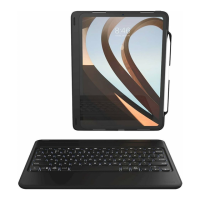
The Flex keyboard cover folds to form a stand for smartphones or tablets up to 10.5 inches.

Detaching the Cover

Instructions on how to magnetically detach the keyboard cover using its top corners.

Powering On and Off

The keyboard automatically turns on when the cover is folded back and off when folded over.

Pairing Your Flex Keyboard

Steps to pair the keyboard with a device via Bluetooth, including LED indicators and process abort.

Charging and Battery Life

Charging the Keyboard

Steps to charge the keyboard using a micro USB connector and a 5V USB outlet, with LED status.

Checking Battery Life

How to check battery status by pressing fn + battery key, indicated by LED flashes (green, yellow, red).

Special Function Keys

Bluetooth Pairing and Switching

Instructions for pairing and switching between two Bluetooth devices using specific keys.

Device Control Functions

Describes keys for home screen, sleep mode, app switching, keyboard show/hide, and media control.

Backlight and Color Control

Details on activating/deactivating backlights and changing backlight colors using function key combinations.

Troubleshooting

General Troubleshooting Steps

Steps to resolve issues like device unresponsiveness, dead battery, or pairing problems.

Contacting Customer Service

Guidance on when to contact ZAGG Customer Service for unresolved issues after troubleshooting.

Safety and Precautions

Health Warnings

Advises taking frequent breaks and consulting a physician for any discomfort during keyboard use.

Usage and Handling Precautions

Covers warnings against disassembly, crushing, immersion in water, and using unauthorized chargers.

Environmental and Electrical Safety

Details on avoiding heat sources, proper wiring, cleaning methods, and safe disposal/recycling.

Summary

Warranty Registration

Using and Operating the Flex Keyboard

Using the Stand

The Flex keyboard cover folds to form a stand for smartphones or tablets up to 10.5 inches.

Detaching the Cover

Instructions on how to magnetically detach the keyboard cover using its top corners.

Powering On and Off

The keyboard automatically turns on when the cover is folded back and off when folded over.

Pairing Your Flex Keyboard

Steps to pair the keyboard with a device via Bluetooth, including LED indicators and process abort.

Charging and Battery Life

Charging the Keyboard

Steps to charge the keyboard using a micro USB connector and a 5V USB outlet, with LED status.

Checking Battery Life

How to check battery status by pressing fn + battery key, indicated by LED flashes (green, yellow, red).

Special Function Keys

Bluetooth Pairing and Switching

Instructions for pairing and switching between two Bluetooth devices using specific keys.

Device Control Functions

Describes keys for home screen, sleep mode, app switching, keyboard show/hide, and media control.

Backlight and Color Control

Details on activating/deactivating backlights and changing backlight colors using function key combinations.

Troubleshooting

General Troubleshooting Steps

Steps to resolve issues like device unresponsiveness, dead battery, or pairing problems.

Contacting Customer Service

Guidance on when to contact ZAGG Customer Service for unresolved issues after troubleshooting.

Safety and Precautions

Health Warnings

Advises taking frequent breaks and consulting a physician for any discomfort during keyboard use.

Usage and Handling Precautions

Covers warnings against disassembly, crushing, immersion in water, and using unauthorized chargers.

Environmental and Electrical Safety

Details on avoiding heat sources, proper wiring, cleaning methods, and safe disposal/recycling.

Zagg Flex Specifications

General IconGeneral
Device interfaceBluetooth
Connectivity technologyWireless
Keyboard layoutQWERTY
Pointing deviceNo
Island-style keyboardYes
CertificationCE, FCC, RoHS
Compatibility-
Product colorSilver
Brand compatibilityAny brand
Battery typeBuilt-in battery
Power sourceBattery
Charging sourceUSB
Battery capacity510 mAh
Number of batteries supported1
Package typeBox
Mobile operating systems supportedAndroid, iOS
Sustainability certificatesRoHS
Weight and Dimensions IconWeight and Dimensions
Depth120 mm
Width242 mm
Height12 mm

Related product manuals