5
HDD Guide
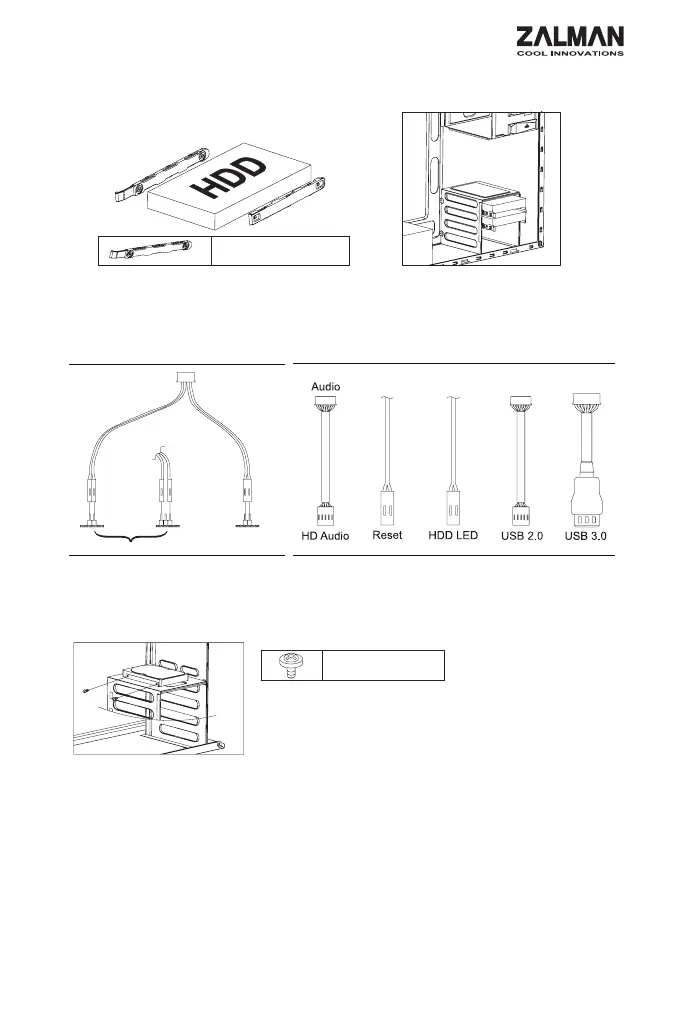
6) Cable Connection /
- Use the HDD Guide to install 3.5" HDD.
- HDD GUIDE 3.5" HDD .
5) 3.5 HDD Installation / 3.5 HDD
Power LED
Power
Motherboard /
Power Button /
or
Mother Board I/OMother Board
I/O Port
7) 2.5 HDD and SSD Optional / 2.5 HDD/SSD
- 2.5" HDD and SSDs can be installed on the right side of
case as shown in the diagram below.
- SSD
.
B Bolt


 To Next Page
 Loading...