4
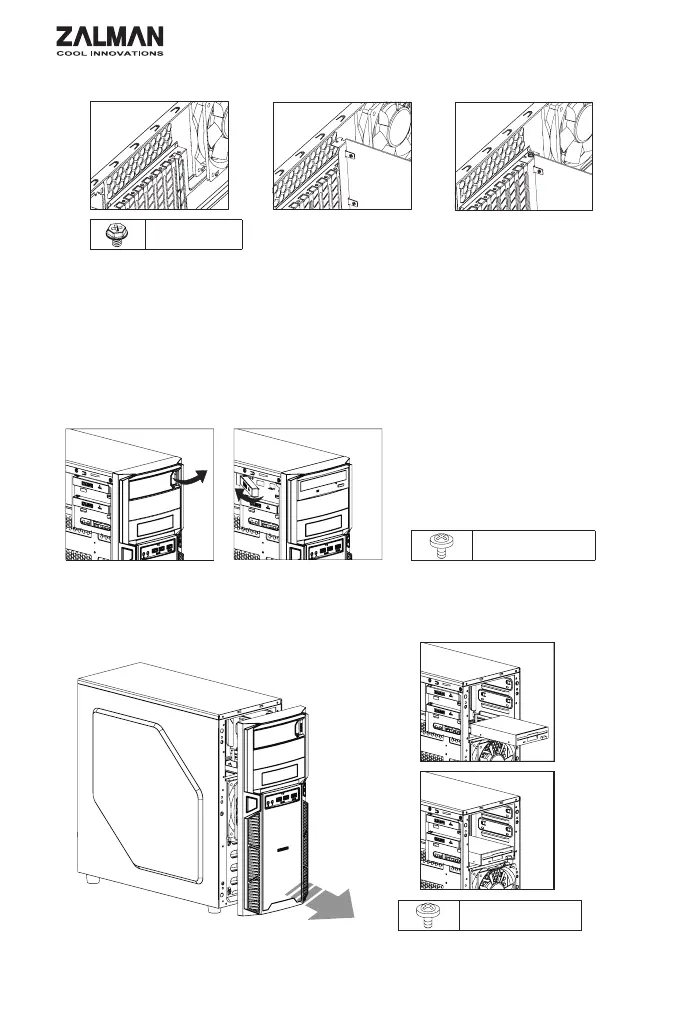
3) VGA Card Installation /
A Bolt
① PCI .
② PCI .
③ .
① Unfasten the Hand Screw holding the PCI Cover and disassemble the cover.
② Remove the PCI Slot Cover.
③ Install the VGA Card and fasten with a fixing screw.
B Bolt
B Bolt
4) 5.25 and 3.5 Drive Installation / 5.25 3.5
4-1) ODD Installation / ODD
ODD Bracket removal / ODD
2) 3.5 Installation / 3.5" 1) Front Cover Removal / Front cover
Pull
4-2) 3.5 Installation / 3.5"


 To Next Page
 Loading...