27
8 Electric controls
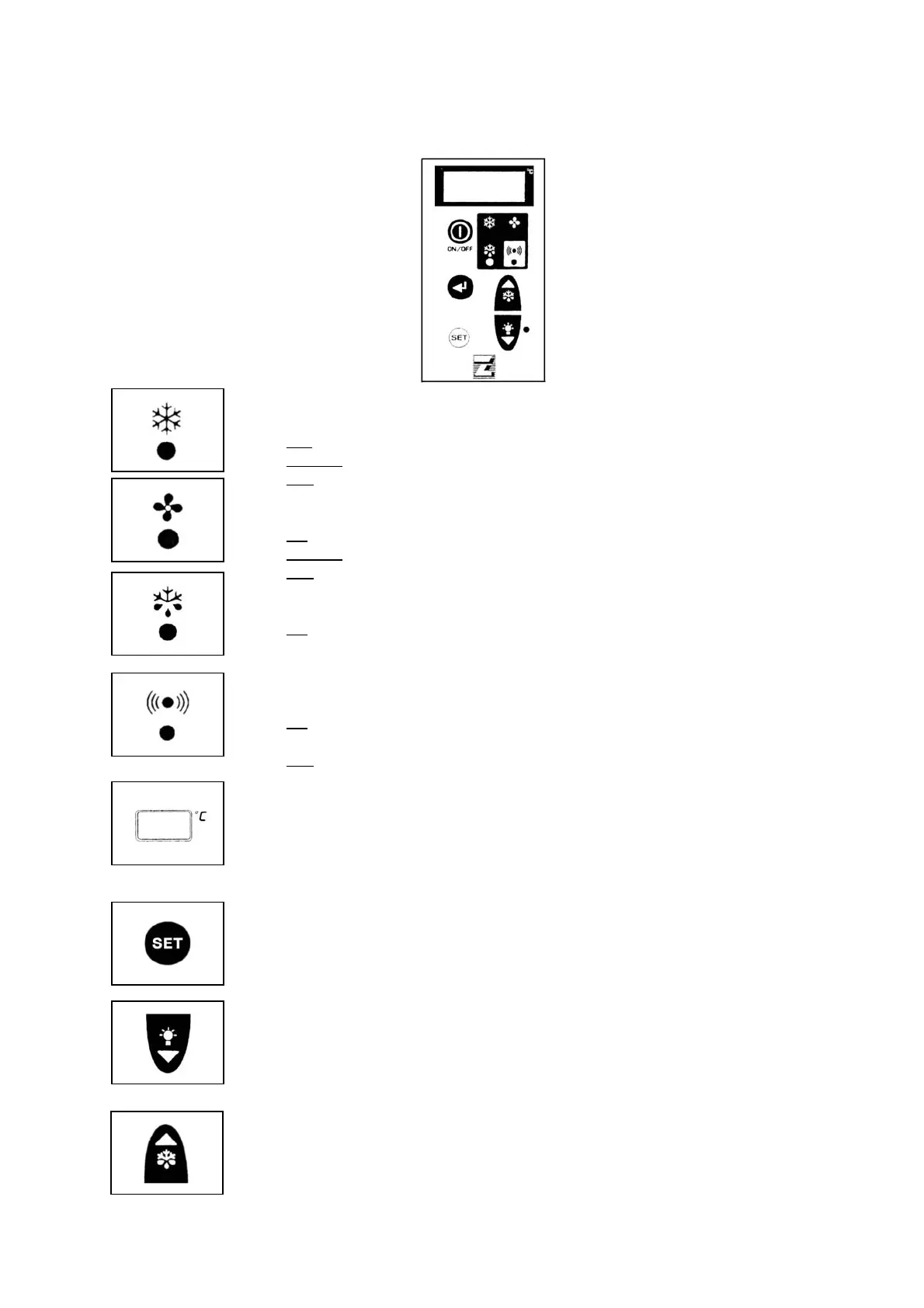
8.1 Control panel
1. Control LED (GREEN)
ON
: compressor is running, unit is refrigerating.
Flashing
: compressor is in start delay mode.
OFF
: compressor is off, room temperature is down to set value.
2. Control LED (GREEN)
ON
: evaporator fan is running.
Flashing
: evaporator fan is in start delay mode.
OFF
: evaporator fan is off. Defrost is in course.
3. Control LED (YELLOW)
ON
: Automatic or manual defrost is in course.
4. Alarm LED (RED)
ON
: alarm has been activated because of a malfunctioning sensor, or pressure
switch intervention, or cold room temperature exceeding allowed tolerances.
OFF
: Unit is operating normally.
5. DISPLAY : on connection to the mains it shows OFF to indicate the condition of
the unit. By pressing ON/OFF key for 3 seconds the unit is turned ON and the
display shows the cold room temperature. In programming mode the
parameters to be set are displayed; in alarm mode the alarm code is displayed.
6. "SET" key : when pressed for 3 seconds it lights up and allows room
temperature to be set. During programming it is used to pass from a submenu
to an upper one.
7. "DOWN/ROOM LIGHT" key: in programming mode or when setting room
temperature it is used to reduce the value displayed; otherwise it is used to
switch on/off the cold room light.
8. "SB.M./UP" key: in programming mode it is used to increase the values
displayed. If pressed for more than 4 seconds it enables manual defrost to be
carried out.



 To Next Page