EasyManua.ls Logo

Zanussi ZOHHE2X2 - User Manual

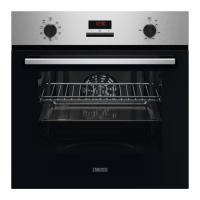
Zanussi ZOHHE2X2
24 pages
Print Icon
To Next Page IconTo Next Page
Loading...
GETTING
STARTED?
EASY.
User Manual
ZOHHE2X2
EN User Manual
Oven
Question and Answer IconNeed help?

Do you have a question about the Zanussi ZOHHE2X2 and is the answer not in the manual?

Summary

1. SAFETY INFORMATION

1.1 Children and vulnerable people safety

Appliance usage by children and vulnerable people, emphasizing supervision and safety.

1.2 General Safety

General safety guidelines for appliance usage, installation, and maintenance by qualified personnel.

2. SAFETY INSTRUCTIONS

2.1 Installation

Instructions for safe installation, including handling, placement, and ventilation requirements.

2.2 Electrical connection

Guidelines for safe electrical connections, earthing, and compatibility with mains supply.

2.3 Use

Safety precautions during appliance operation, including handling hot parts and avoiding flammable materials.

2.4 Care and cleaning

Procedures for cleaning the appliance, including safety warnings and recommended cleaning agents.

2.5 Internal lighting

Information about the oven's internal lighting, its purpose, and energy efficiency class.

2.6 Service

Guidance on contacting authorized service centers for repairs and using original spare parts.

2.7 Disposal

Instructions for safe disposal of the appliance, including electrical cable and door catch.

3. INSTALLATION

3.1 Building in

Technical diagrams and dimensions for building the oven into kitchen cabinets.

3.2 Securing the oven to the cabinet

Instructions on how to properly secure the oven within its cabinet using screws.

4. PRODUCT DESCRIPTION

4.1 General overview

Identification of oven components and their functions with a labeled diagram.

4.2 Accessories

Description of included accessories like wire shelf and roasting pan and their uses.

5. CONTROL PANEL

5.1 Sensor fields; Buttons

Explanation of sensor fields and buttons on the control panel and their functions.

5.2 Display

Explanation of the oven's display symbols (A: Clock functions, B: Timer).

6. BEFORE FIRST USE

6.1 Before first use

Steps for initial setup, including setting the clock, cleaning the oven, and preheating.

7. DAILY USE

7.1 How to set: Heating function

Step-by-step guide on selecting a heating function and setting the temperature.

7.2 Heating functions

Detailed descriptions of various heating functions and their applications.

7.3 Notes on: Moist Fan Baking

Specific notes and energy efficiency information related to the Moist Fan Baking function.

8. CLOCK FUNCTIONS

8.1 Clock functions

Overview of available clock functions: Time of Day, Duration, and Minute Minder.

8.2 How to set: Clock functions

Detailed instructions on setting Time of Day, Duration, and Minute Minder functions.

9. USING THE ACCESSORIES

9.1 Inserting accessories

Instructions on how to properly insert accessories like wire shelves and deep pans.

9.2 Trivet and Grill-; Roasting pan

Guidelines for using the trivet with a deep pan and for roasting/grilling.

10. ADDITIONAL FUNCTIONS

10.1 Cooling fan

Explanation of the cooling fan's operation and its role in keeping the appliance cool.

10.2 Safety thermostat

Information about the safety thermostat and its function to prevent overheating.

11. HINTS AND TIPS

11.1 Cooking recommendations

Tips for baking cakes, cooking meat/fish, and general cooking advice.

11.2 Moist Fan Baking - recommended accessories

Recommendations for accessories that enhance performance with the Moist Fan Baking function.

11.3 Moist Fan Baking

Detailed table of suggestions and cooking parameters for Moist Fan Baking.

11.4 Information for test institutes

Data for test institutes according to IEC 60350-1 standards.

12. CARE AND CLEANING

12.1 Notes on cleaning

Specific instructions and tips for cleaning the oven interior, exterior, and accessories.

12.2 How to use: Aqua Clean

Step-by-step guide for using the Aqua Clean function for cleaning the oven cavity.

12.3 How to remove and install: Door

Instructions for removing and reinstalling the oven door for cleaning purposes.

12.4 How to replace: Lamp

Safety warnings and steps for replacing the oven's internal lamp.

13. TROUBLESHOOTING

13.1 What to do if...

Table listing common problems, possible causes, and checks for the oven.

13.2 Service data

Information required for service calls, including model and serial numbers.

14. ENERGY EFFICIENCY

14.1 Product Information Sheet according to UK Ecodesign and Energy Labelling Regulations

Technical data sheet detailing energy efficiency metrics and appliance specifications.

14.2 Energy saving

Tips and features for saving energy during everyday cooking and operation.

15. ENVIRONMENTAL CONCERNS

Summary

1. SAFETY INFORMATION

1.1 Children and vulnerable people safety

Appliance usage by children and vulnerable people, emphasizing supervision and safety.

1.2 General Safety

General safety guidelines for appliance usage, installation, and maintenance by qualified personnel.

2. SAFETY INSTRUCTIONS

2.1 Installation

Instructions for safe installation, including handling, placement, and ventilation requirements.

2.2 Electrical connection

Guidelines for safe electrical connections, earthing, and compatibility with mains supply.

2.3 Use

Safety precautions during appliance operation, including handling hot parts and avoiding flammable materials.

2.4 Care and cleaning

Procedures for cleaning the appliance, including safety warnings and recommended cleaning agents.

2.5 Internal lighting

Information about the oven's internal lighting, its purpose, and energy efficiency class.

2.6 Service

Guidance on contacting authorized service centers for repairs and using original spare parts.

2.7 Disposal

Instructions for safe disposal of the appliance, including electrical cable and door catch.

3. INSTALLATION

3.1 Building in

Technical diagrams and dimensions for building the oven into kitchen cabinets.

3.2 Securing the oven to the cabinet

Instructions on how to properly secure the oven within its cabinet using screws.

4. PRODUCT DESCRIPTION

4.1 General overview

Identification of oven components and their functions with a labeled diagram.

4.2 Accessories

Description of included accessories like wire shelf and roasting pan and their uses.

5. CONTROL PANEL

5.1 Sensor fields; Buttons

Explanation of sensor fields and buttons on the control panel and their functions.

5.2 Display

Explanation of the oven's display symbols (A: Clock functions, B: Timer).

6. BEFORE FIRST USE

6.1 Before first use

Steps for initial setup, including setting the clock, cleaning the oven, and preheating.

7. DAILY USE

7.1 How to set: Heating function

Step-by-step guide on selecting a heating function and setting the temperature.

7.2 Heating functions

Detailed descriptions of various heating functions and their applications.

7.3 Notes on: Moist Fan Baking

Specific notes and energy efficiency information related to the Moist Fan Baking function.

8. CLOCK FUNCTIONS

8.1 Clock functions

Overview of available clock functions: Time of Day, Duration, and Minute Minder.

8.2 How to set: Clock functions

Detailed instructions on setting Time of Day, Duration, and Minute Minder functions.

9. USING THE ACCESSORIES

9.1 Inserting accessories

Instructions on how to properly insert accessories like wire shelves and deep pans.

9.2 Trivet and Grill-; Roasting pan

Guidelines for using the trivet with a deep pan and for roasting/grilling.

10. ADDITIONAL FUNCTIONS

10.1 Cooling fan

Explanation of the cooling fan's operation and its role in keeping the appliance cool.

10.2 Safety thermostat

Information about the safety thermostat and its function to prevent overheating.

11. HINTS AND TIPS

11.1 Cooking recommendations

Tips for baking cakes, cooking meat/fish, and general cooking advice.

11.2 Moist Fan Baking - recommended accessories

Recommendations for accessories that enhance performance with the Moist Fan Baking function.

11.3 Moist Fan Baking

Detailed table of suggestions and cooking parameters for Moist Fan Baking.

11.4 Information for test institutes

Data for test institutes according to IEC 60350-1 standards.

12. CARE AND CLEANING

12.1 Notes on cleaning

Specific instructions and tips for cleaning the oven interior, exterior, and accessories.

12.2 How to use: Aqua Clean

Step-by-step guide for using the Aqua Clean function for cleaning the oven cavity.

12.3 How to remove and install: Door

Instructions for removing and reinstalling the oven door for cleaning purposes.

12.4 How to replace: Lamp

Safety warnings and steps for replacing the oven's internal lamp.

13. TROUBLESHOOTING

13.1 What to do if...

Table listing common problems, possible causes, and checks for the oven.

13.2 Service data

Information required for service calls, including model and serial numbers.

14. ENERGY EFFICIENCY

14.1 Product Information Sheet according to UK Ecodesign and Energy Labelling Regulations

Technical data sheet detailing energy efficiency metrics and appliance specifications.

14.2 Energy saving

Tips and features for saving energy during everyday cooking and operation.

15. ENVIRONMENTAL CONCERNS

Overview

This document is a user manual for the Zanussi ZOHHE2X2 oven, providing comprehensive instructions for installation, operation, maintenance, and troubleshooting.

Function Description

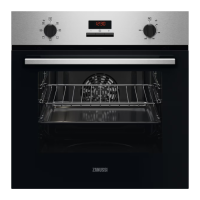
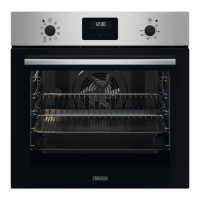
The Zanussi ZOHHE2X2 is a built-in electric oven designed for domestic cooking purposes. It offers various heating functions to cater to different cooking needs, including:

  • True Fan Cooking: Ideal for baking on up to two shelf positions simultaneously and drying food. It allows for lower temperature settings (20-40 °C below conventional cooking) to achieve desired results.
  • Moist Fan Baking: A function designed for energy-efficient cooking, particularly suitable for baking cakes with crispy bottoms and preserving food. The oven door should remain closed during this function for optimal energy efficiency.
  • Bottom Heat: Specifically for baking cakes with a crispy bottom and preserving food.
  • Turbo Grilling: Perfect for roasting large meat joints or poultry with bones on one shelf position, as well as making gratins and browning dishes.
  • Defrost: Used to defrost food such as vegetables and fruit. The defrosting time varies depending on the amount and size of the frozen food.
  • Conventional Cooking / Aqua Clean: For baking and roasting food on one shelf position. This function also ties into the Aqua Clean maintenance feature.
  • Grill: Designed for grilling thin pieces of food and toasting bread.
  • Light: Simply turns on the oven lamp.

The oven is equipped with a control panel featuring a display, sensor fields/buttons for setting the time and clock functions, and control knobs for selecting heating functions and temperature. It also includes a cooling fan that operates automatically to keep the oven surfaces cool during operation and continues to run until the oven cools down after use. A safety thermostat is integrated to prevent overheating by temporarily interrupting the power supply if temperatures become too high.

Usage Features

The ZOHHE2X2 oven is designed for ease of use with several practical features:

  • Clock Functions: The oven includes a "Time of Day" function to set, change, or check the current time. It also has a "Duration" function to program how long the oven will operate, automatically turning off when the set time ends. A "Minute Minder" allows users to set a countdown timer that does not affect oven operation, useful for timing other kitchen tasks.
  • Accessories: The oven comes with a wire shelf for cookware, cake tins, and roasts, and a grill-/roasting pan for baking, roasting, or collecting fat. A trivet is also included, specifically designed for use with the grill-/roasting pan for roasting and grilling. Instructions are provided for correctly inserting these accessories, ensuring the wire shelf's feet point down and the deep pan is placed on recommended shelf positions.
  • Cooking Recommendations: The manual offers hints and tips for optimal cooking results, such as not opening the oven door too early when baking cakes, keeping an empty level between two baking trays, and using a deep pan for fatty foods to prevent stains. It also advises leaving meat to rest before carving and adding water to the deep pan during roasting to prevent smoke.
  • Moist Fan Baking Accessories: For the best results with Moist Fan Baking, the manual recommends using dark and non-reflective tins and containers, as they absorb heat better than light-colored or reflective dishes.
  • Energy Saving Tips: To promote energy efficiency, users are advised to keep the oven door closed during operation, avoid opening it too frequently, ensure the door gasket is clean and properly fixed, use metal cookware, and avoid preheating the oven when possible. Utilizing cooking functions with a fan and leveraging residual heat for warming dishes or finishing cooking are also recommended.

Maintenance Features

Maintaining the Zanussi ZOHHE2X2 oven is straightforward with the following features and instructions:

  • Aqua Clean Function: This is a humidity-based cleaning procedure designed to help remove remaining fat and food particles from the oven cavity. To use it, 150 ml of water is poured into the cavity embossment, the "Conventional Cooking / Aqua Clean" function is set, and the oven operates at 90 °C for 30 minutes. After the cycle, the oven is turned off, allowed to cool, and then dried with a soft cloth.
  • General Cleaning: The oven's front, metal surfaces, and door gasket should be cleaned with a soft cloth, warm water, and a mild detergent. A cleaning solution can be used for metal surfaces. The cavity should be cleaned after each use to prevent fat accumulation. Accessories should also be cleaned with a soft cloth, warm water, and a mild detergent, but not in a dishwasher. Abrasive cleaners or sharp-edged objects should be avoided, especially for non-stick accessories and the glass door, to prevent damage.
  • Door Removal and Installation: The oven door, which has two glass panels, can be removed for thorough cleaning. The process involves opening the door halfway, lifting and pulling it from its seat, placing it on a soft surface, and then releasing the locking system to remove the internal glass panel. Fasteners are turned 90° to remove them, allowing the glass panel to be lifted out. After cleaning with water and soap, the glass panels are reinstalled, ensuring they click into place correctly.
  • Lamp Replacement: Instructions are provided for replacing the internal oven lamp. This involves turning off the oven, allowing it to cool, disconnecting it from the mains, and placing a cloth on the cavity bottom. The glass cover is then removed, the old lamp replaced with a suitable 300 °C heat-resistant lamp, and the glass cover reinstalled.
  • Troubleshooting: The manual includes a troubleshooting section to address common issues such as the oven not heating up (check fuse), a damaged door gasket (contact service), or the display showing "12.00" (power cut, reset time). For problems not covered, users are advised to contact an Authorised Service Centre, providing information from the rating plate.

Zanussi ZOHHE2X2 Specifications

General IconGeneral
GrillYes
Oven sizeMedium
Oven typeElectric
Grill typeFixed rate grill
Number of ovens1
Shelves materialChrome
Total oven power2090 W
Microwave cookingNo
Cleaning technologyAquaClean
Oven cooking methodFan-assisted
Oven thermostat range50 - 250 °C
Number of shelf positions5
Number of cooking programs8
Total oven(s) interior capacity58 L
Country of originPoland
UK Trade Tariff code85166080
Door hingedown
Knobs colorBlack
Noise level49 dB
Control typeButtons, Rotary
Display typeLED
Product colorStainless steel
Control positionTop front
Interior materialEnamel
Oven door openingDrop down opening
Appliance placementBuilt-in
Number of glass door panels2
Timer typeDigital
Current13 A
AC input voltage230 V
AC input frequency50 Hz
Power connection typePower plug
Energy consumption (conventional)0.89 kWh
Energy consumption (forced convection)0.75 kWh
Package depth670 mm
Package width635 mm
Package height654 mm
Package weight28900 g
Weight and Dimensions IconWeight and Dimensions
Depth560 mm
Width594 mm
Height590 mm
Weight28600 g
Installation compartment depth550 mm
Installation compartment height593 mm
Interior dimensions (W x D x H)409 x 406 x 351 mm

Related product manuals