EasyManua.ls Logo

Zanussi ZOHTC2X2 - User Manual

Zanussi ZOHTC2X2
24 pages
Print Icon
To Next Page IconTo Next Page
Loading...
GETTING
STARTED?
EASY.
User Manual
ZOHTC2X2
EN User Manual
Oven
Question and Answer IconNeed help?

Do you have a question about the Zanussi ZOHTC2X2 and is the answer not in the manual?

Summary

Safety Information

Children and Vulnerable People Safety

Safety precautions for children and vulnerable individuals using the appliance.

General Safety Guidelines

General safety guidelines for appliance operation and installation.

Safety Instructions

Installation Safety

Instructions for installing the appliance correctly and safely.

Electrical Connection Safety

Guidelines for safe electrical connections to the appliance.

Safe Usage Guidelines

Safe operating procedures and warnings during appliance use.

Care and Cleaning Safety

Procedures for maintaining and cleaning the appliance.

Internal Lighting Safety

Information about the appliance's internal lighting system.

Service Safety

Guidance on contacting service for repairs.

Disposal Safety

Instructions for safely disposing of the appliance.

Installation

Building In Instructions

Detailed instructions and diagrams for building the oven into cabinetry.

Securing Oven to Cabinet

Steps for securely fixing the oven within its cabinet.

Product Description

General Overview

An overview of the appliance's main parts and features.

Included Accessories

Description of included accessories like shelves and pans.

Control Panel

Retractable Knobs Operation

How to use the retractable control knobs on the panel.

Sensor Fields and Buttons

Explanation of the sensor fields and buttons on the control panel.

Display Information

Details on the appliance's digital display and its functions.

Before First Use

Initial Setup and Preparation

Initial steps and preparations before using the oven for the first time.

Daily Use

Setting Heating Functions

Step-by-step guide for setting a heating function.

Available Heating Functions

Description of various heating functions available on the appliance.

Moist Fan Baking Notes

Specific notes and recommendations for the Moist Fan Baking function.

Clock Functions

Clock Function Overview

Overview of the available clock functions like time of day and timer.

Setting Clock Functions

Detailed instructions on setting and managing clock functions.

Using Accessories

Inserting Accessories

Guidance on how to correctly insert various oven accessories.

Trivet and Grill Pan Usage

Instructions for using the trivet and grill/roasting pan.

Additional Functions

Cooling Fan Operation

Explanation of the cooling fan's operation and purpose.

Safety Thermostat Explained

Information about the safety thermostat and its function.

Hints and Tips

Cooking Recommendations

Tips and recommendations for optimal cooking results.

Moist Fan Baking Accessories

Recommended accessories for Moist Fan Baking.

Moist Fan Baking Guide

Suggestions and recipes for Moist Fan Baking.

Information for Test Institutes

Technical information for test institutes according to standards.

Care and Cleaning

Cleaning Notes and Methods

General advice and methods for cleaning the oven and accessories.

Removing Shelf Supports

Step-by-step guide to removing shelf supports for cleaning.

Aqua Clean Function

Instructions for using the Aqua Clean cleaning function.

Door Removal and Installation

Guide for removing and reinstalling the oven door and glass panels.

Lamp Replacement

Instructions for safely replacing the oven lamp.

Troubleshooting

Problem Solving Guide

Common problems and their solutions.

Service Data and Contact

Information needed for service calls and contact details.

Energy Efficiency

Energy Efficiency Product Sheet

Technical data sheet regarding energy efficiency.

Energy Saving Tips

Tips and features for saving energy during oven use.

Environmental Concerns

Summary

Safety Information

Children and Vulnerable People Safety

Safety precautions for children and vulnerable individuals using the appliance.

General Safety Guidelines

General safety guidelines for appliance operation and installation.

Safety Instructions

Installation Safety

Instructions for installing the appliance correctly and safely.

Electrical Connection Safety

Guidelines for safe electrical connections to the appliance.

Safe Usage Guidelines

Safe operating procedures and warnings during appliance use.

Care and Cleaning Safety

Procedures for maintaining and cleaning the appliance.

Internal Lighting Safety

Information about the appliance's internal lighting system.

Service Safety

Guidance on contacting service for repairs.

Disposal Safety

Instructions for safely disposing of the appliance.

Installation

Building In Instructions

Detailed instructions and diagrams for building the oven into cabinetry.

Securing Oven to Cabinet

Steps for securely fixing the oven within its cabinet.

Product Description

General Overview

An overview of the appliance's main parts and features.

Included Accessories

Description of included accessories like shelves and pans.

Control Panel

Retractable Knobs Operation

How to use the retractable control knobs on the panel.

Sensor Fields and Buttons

Explanation of the sensor fields and buttons on the control panel.

Display Information

Details on the appliance's digital display and its functions.

Before First Use

Initial Setup and Preparation

Initial steps and preparations before using the oven for the first time.

Daily Use

Setting Heating Functions

Step-by-step guide for setting a heating function.

Available Heating Functions

Description of various heating functions available on the appliance.

Moist Fan Baking Notes

Specific notes and recommendations for the Moist Fan Baking function.

Clock Functions

Clock Function Overview

Overview of the available clock functions like time of day and timer.

Setting Clock Functions

Detailed instructions on setting and managing clock functions.

Using Accessories

Inserting Accessories

Guidance on how to correctly insert various oven accessories.

Trivet and Grill Pan Usage

Instructions for using the trivet and grill/roasting pan.

Additional Functions

Cooling Fan Operation

Explanation of the cooling fan's operation and purpose.

Safety Thermostat Explained

Information about the safety thermostat and its function.

Hints and Tips

Cooking Recommendations

Tips and recommendations for optimal cooking results.

Moist Fan Baking Accessories

Recommended accessories for Moist Fan Baking.

Moist Fan Baking Guide

Suggestions and recipes for Moist Fan Baking.

Information for Test Institutes

Technical information for test institutes according to standards.

Care and Cleaning

Cleaning Notes and Methods

General advice and methods for cleaning the oven and accessories.

Removing Shelf Supports

Step-by-step guide to removing shelf supports for cleaning.

Aqua Clean Function

Instructions for using the Aqua Clean cleaning function.

Door Removal and Installation

Guide for removing and reinstalling the oven door and glass panels.

Lamp Replacement

Instructions for safely replacing the oven lamp.

Troubleshooting

Problem Solving Guide

Common problems and their solutions.

Service Data and Contact

Information needed for service calls and contact details.

Energy Efficiency

Energy Efficiency Product Sheet

Technical data sheet regarding energy efficiency.

Energy Saving Tips

Tips and features for saving energy during oven use.

Environmental Concerns

Overview

This document is a User Manual for a Zanussi oven, model ZOHTC2X2, providing instructions for installation, operation, maintenance, and safety.

Function Description

The Zanussi ZOHTC2X2 oven is designed for domestic cooking purposes, offering various heating functions to accommodate different cooking needs. It includes functions for fan cooking, turbo grilling, bottom heat, conventional cooking, Aqua Clean, grill, defrost, and moist fan baking. The oven is equipped with a cooling fan that operates automatically to keep surfaces cool during and after use. A safety thermostat is integrated to prevent overheating by interrupting the power supply if temperatures become dangerously high.

Important Technical Specifications

  • Model Identification: ZOHTC2X2 944068252
  • Energy Efficiency Index: 95.1
  • Energy Efficiency Class: A
  • Energy Consumption (Conventional Mode): 0.89 kWh/cycle
  • Energy Consumption (Fan-forced Mode): 0.78 kWh/cycle
  • Number of Cavities: 1
  • Heat Source: Electricity
  • Volume: 65 liters
  • Type of Oven: Built-In Oven
  • Mass: 27.1 kg
  • Built-in Dimensions:
    • Width of the front of the appliance: 594 mm
    • Width of the back of the appliance: 558 mm
    • Depth of the appliance: 561 mm
    • Built-in depth: 540 mm
    • Depth with open door: 1007 mm
    • Height of the front of the appliance: 589 mm
    • Height of the back of the appliance: 570 mm
    • Cabinet minimum height (under worktop): 580 (600) mm
    • Cabinet width: 560 mm
    • Cabinet depth: 550 (550) mm
  • Ventilation Opening (minimum size): 560x20 mm (placed on the bottom rear side)
  • Mains Supply Cable Length: 1100 mm (cable placed in the right corner of the back side)
  • Mounting Screws: 4x25 mm
  • Power Supply Cable Types (for Europe): H07 RN-F, H05 RN-F, H05 RRF, H05VV-F, H05 V2V2-F (T90), H05 BB-F
  • Recommended Cable Sections (based on total power):
    • Maximum 1380 W: 3 x 0.75 mm²
    • Maximum 2300 W: 3 x 1 mm²
    • Maximum 3680 W: 3 x 1.5 mm²
    • Earth cord (green/yellow) must be 2 cm longer than phase and neutral cables (blue and brown).

Usage Features

The oven features a control panel with retractable knobs for selecting heating functions and temperature, a display for clock functions and timer, and sensor fields/buttons for setting time and clock functions.

Heating Functions:

  • Off position (0): Oven is off.
  • Fan Cooking: For roasting and baking food on multiple shelf positions without flavor transference.
  • Turbo Grilling: For roasting large meat joints or poultry with bones, making gratins, and browning.
  • Bottom Heat: For baking cakes with a crispy bottom and preserving food.
  • Conventional Cooking / Aqua Clean: For baking and roasting on one shelf position. Also used for the Aqua Clean function.
  • Grill: For grilling thin pieces of food and toasting bread.
  • Defrost: For defrosting food (vegetables and fruit); defrosting time depends on food amount and size.
  • Moist Fan Baking: An energy-saving function where cavity temperature may differ from the set temperature, and heating power may be reduced.

Accessories:

  • Wire shelf: For cookware, cake tins, roasts. Features a small indentation for safety and anti-tip, and a high rim to prevent slipping.
  • Deep pan: For baking, roasting, or collecting fat.
  • Trivet: Used with the grill-/roasting pan for roasting and grilling.

Clock Functions:

  • Time of Day: To set, change, or check the current time.
  • Duration: To set how long the oven works, automatically turning off when the set time ends.
  • Minute Minder: To set a countdown timer that has no effect on oven operation.

Preheating: The oven should be preheated empty before first use to eliminate any odors or smoke.

Energy Saving Tips:

  • Keep the oven door closed during operation and avoid opening it too often.
  • Ensure the door gasket is clean and properly fixed.
  • Use metal cookware for better energy efficiency.
  • Do not preheat the oven when possible.
  • Minimize breaks between baking multiple dishes.
  • Utilize fan-assisted cooking functions for energy saving.
  • Residual Heat: For cooking durations longer than 30 minutes, reduce the oven temperature 3-10 minutes before the end of cooking to use residual heat.
  • Keep Food Warm: Use the lowest possible temperature setting to keep food warm with residual heat.

Maintenance Features

Cleaning:

  • General Cleaning: Clean the oven front, door gasket, and cavity with a soft cloth, warm water, and a mild detergent. Use a cleaning solution for metal surfaces.
  • Everyday Use: Clean the cavity after each use to prevent fat accumulation. Dry the cavity with a soft cloth after use.
  • Accessories: Clean all accessories after each use with a soft cloth, warm water, and mild detergent. Do not use abrasive cleaners or sharp-edged objects on non-stick accessories. Do not clean accessories in a dishwasher.
  • Aqua Clean Function: This function uses humidity to remove fat and food particles. Pour 150 ml of water into the cavity embossment, set the temperature to 90 °C, and let the oven work for 30 minutes. After cooling, dry the cavity with a soft cloth.

Removable Parts for Cleaning:

  • Shelf Supports: Easily removable by pulling the front and then the rear end away from the side walls. Reinstall in the opposite sequence.
  • Oven Door and Glass Panels: The oven door has two glass panels that can be removed for cleaning.
    1. Open the door fully and hold both hinges.
    2. Lift and turn the levers fully on both hinges.
    3. Close the door halfway, then lift and pull it forward to remove it from its seat.
    4. Place the door on a soft cloth on a stable surface.
    5. Release the locking system to remove the internal glass panel.
    6. Turn fasteners by 90° and remove them.
    7. Carefully lift and remove the glass panel.
    8. Clean glass panels with water and soap, then dry carefully. Do not clean them in a dishwasher.
    9. Reinstall the glass panel and oven door, ensuring the door trim clicks and the internal glass panel is correctly seated.

Lamp Replacement:

  • Safety Precaution: Turn off the oven, wait until it's cold, and disconnect it from the mains before replacing the lamp to avoid electric shock and burns.
  • Procedure:
    1. Put a cloth on the bottom of the cavity.
    2. Turn the glass cover to remove it.
    3. Clean the glass cover.
    4. Replace the lamp with a suitable 300 °C heat-resistant lamp.
    5. Install the glass cover.

Troubleshooting: The manual provides a basic troubleshooting guide for common issues like the oven not heating up, a damaged door gasket, the display showing "12.00," or the lamp not working. For issues not covered, users are advised to contact an Authorised Service Centre.
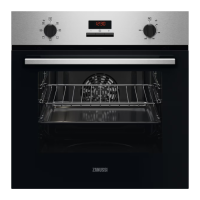
Zanussi ZOHTC2X2 Specifications

General IconGeneral
BrandZanussi
ModelZOHTC2X2
CategoryOven
LanguageEnglish

Related product manuals