EasyManua.ls Logo

Zanussi ZVENM6K3 - User Manual

Zanussi ZVENM6K3
28 pages
Print Icon
To Next Page IconTo Next Page
Loading...
zanussi.com\register
ZVENM6K3
EN User Manual | Microwave combi-oven
zanussi.com\register
Question and Answer IconNeed help?

Do you have a question about the Zanussi ZVENM6K3 and is the answer not in the manual?

Summary

Safety Information

Children and Vulnerable People Safety

Safety guidelines for children and vulnerable individuals using the appliance.

General Safety Precautions

General safety precautions for using the appliance, including intended use and installation.

Safety Instructions

Installation Safety

Instructions and warnings related to the safe installation of the appliance.

Electrical Connection Safety

Details on safe electrical connections, including earthing and cable replacement.

Safe Appliance Use

Guidelines for safe operation of the appliance, including warnings and precautions.

Care and Cleaning

Instructions for cleaning and maintaining the appliance safely.

Glassware Usage Safety

Guidelines for using glassware safely with the appliance to prevent breakage.

Internal Lighting Information

Information about the appliance's internal lighting and its specifications.

Service and Support

Guidance on seeking professional service and using original spare parts.

Appliance Disposal

Instructions for safely disposing of the appliance and its packaging.

Product Description

Product Overview

An overview of the appliance's main components and their identification.

Included Accessories

Description of the included accessories and their intended uses.

Control Panel Guide

Control Panel Layout

A comprehensive overview of the appliance's control panel layout and functions.

Display Screen Information

Detailed explanation of the appliance's display screen and its indicators.

Before First Use Procedures

Initial Cleaning

Instructions for initial cleaning of the appliance before its first use.

Daily Operation

Setting Heating Functions

Step-by-step guide on setting various heating functions for the appliance.

Using Microwave Functions

Instructions for using the microwave function, including power and duration settings.

Microwave Combi Functions

Guide on how to use the microwave combi functions, setting temperature and power.

Available Heating Functions

Details on different heating functions and their specific applications.

Assisted Cooking Setup

Instructions for using the Assisted Cooking feature with recommended settings.

Assisted Cooking Guide

Detailed steps and legends for using the Assisted Cooking program.

Clock Functions Guide

Clock Function Details

Explanation of available clock functions like Minute minder, Cooking time, Time Delay, and Uptimer.

Setting Clock Functions

Step-by-step instructions for setting the time of day and minute minder.

Using Accessories

Accessory Insertion

Guidance on how to correctly insert the appliance's accessories.

Additional Functions

Child Lock Function

Explanation of the lock function to prevent accidental changes to appliance settings.

Automatic Switch-Off

Information about the automatic switch-off feature for safety and energy saving.

Cooling Fan Operation

Details about the cooling fan operation during and after use.

Cooking Hints and Tips

General Cooking Recommendations

General guidelines for optimal cooking results, including temperature and time.

Microwave Cooking Tips

Specific tips and recommendations for using the microwave function effectively.

Microwave Cookware Guide

A guide to selecting appropriate cookware and materials for microwave use.

Microwave Power Settings

Recommended microwave power settings for various food types.

Test Institute Cooking Data

Data tables for test institutes regarding microwave function performance.

Appliance Care and Cleaning

Cleaning Notes

General notes and recommendations for cleaning the appliance and its components.

Shelf Support Removal

Instructions on how to remove shelf supports for cleaning.

Lamp Replacement Guide

Step-by-step guide on how to safely replace the internal lamp.

Troubleshooting Guide

Troubleshooting Common Issues

Common problems and their solutions, covering appliance not turning on or heating.

Service Data Information

Information required for service requests, including model and serial numbers.

Energy Efficiency Tips

Energy Saving Practices

Tips and practices for saving energy while using the appliance.

Menu Structure Navigation

Menu Navigation Guide

Overview of the appliance's menu structure and navigation steps.

Environmental Concerns

Summary

Safety Information

Children and Vulnerable People Safety

Safety guidelines for children and vulnerable individuals using the appliance.

General Safety Precautions

General safety precautions for using the appliance, including intended use and installation.

Safety Instructions

Installation Safety

Instructions and warnings related to the safe installation of the appliance.

Electrical Connection Safety

Details on safe electrical connections, including earthing and cable replacement.

Safe Appliance Use

Guidelines for safe operation of the appliance, including warnings and precautions.

Care and Cleaning

Instructions for cleaning and maintaining the appliance safely.

Glassware Usage Safety

Guidelines for using glassware safely with the appliance to prevent breakage.

Internal Lighting Information

Information about the appliance's internal lighting and its specifications.

Service and Support

Guidance on seeking professional service and using original spare parts.

Appliance Disposal

Instructions for safely disposing of the appliance and its packaging.

Product Description

Product Overview

An overview of the appliance's main components and their identification.

Included Accessories

Description of the included accessories and their intended uses.

Control Panel Guide

Control Panel Layout

A comprehensive overview of the appliance's control panel layout and functions.

Display Screen Information

Detailed explanation of the appliance's display screen and its indicators.

Before First Use Procedures

Initial Cleaning

Instructions for initial cleaning of the appliance before its first use.

Daily Operation

Setting Heating Functions

Step-by-step guide on setting various heating functions for the appliance.

Using Microwave Functions

Instructions for using the microwave function, including power and duration settings.

Microwave Combi Functions

Guide on how to use the microwave combi functions, setting temperature and power.

Available Heating Functions

Details on different heating functions and their specific applications.

Assisted Cooking Setup

Instructions for using the Assisted Cooking feature with recommended settings.

Assisted Cooking Guide

Detailed steps and legends for using the Assisted Cooking program.

Clock Functions Guide

Clock Function Details

Explanation of available clock functions like Minute minder, Cooking time, Time Delay, and Uptimer.

Setting Clock Functions

Step-by-step instructions for setting the time of day and minute minder.

Using Accessories

Accessory Insertion

Guidance on how to correctly insert the appliance's accessories.

Additional Functions

Child Lock Function

Explanation of the lock function to prevent accidental changes to appliance settings.

Automatic Switch-Off

Information about the automatic switch-off feature for safety and energy saving.

Cooling Fan Operation

Details about the cooling fan operation during and after use.

Cooking Hints and Tips

General Cooking Recommendations

General guidelines for optimal cooking results, including temperature and time.

Microwave Cooking Tips

Specific tips and recommendations for using the microwave function effectively.

Microwave Cookware Guide

A guide to selecting appropriate cookware and materials for microwave use.

Microwave Power Settings

Recommended microwave power settings for various food types.

Test Institute Cooking Data

Data tables for test institutes regarding microwave function performance.

Appliance Care and Cleaning

Cleaning Notes

General notes and recommendations for cleaning the appliance and its components.

Shelf Support Removal

Instructions on how to remove shelf supports for cleaning.

Lamp Replacement Guide

Step-by-step guide on how to safely replace the internal lamp.

Troubleshooting Guide

Troubleshooting Common Issues

Common problems and their solutions, covering appliance not turning on or heating.

Service Data Information

Information required for service requests, including model and serial numbers.

Energy Efficiency Tips

Energy Saving Practices

Tips and practices for saving energy while using the appliance.

Menu Structure Navigation

Menu Navigation Guide

Overview of the appliance's menu structure and navigation steps.

Environmental Concerns

Overview

This document is a user manual for the Zanussi ZVENM6K3 Microwave Combi-Oven, providing comprehensive instructions for its installation, safe operation, maintenance, and various cooking functions.

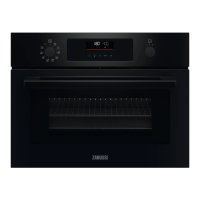
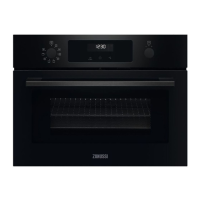
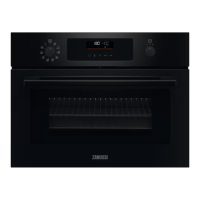
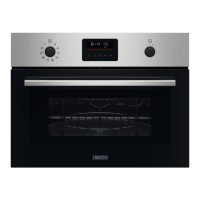
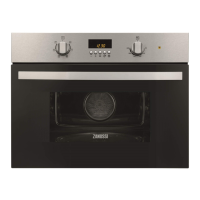
The Zanussi ZVENM6K3 is a versatile kitchen appliance designed for cooking and heating food and beverages in a domestic indoor environment. It combines traditional oven heating functions with microwave capabilities, offering a wide range of cooking options. The appliance features retractable knobs for a sleek design and easy cleaning, a clear display with key functions and indicators, and a control panel for intuitive operation.

Function Description:

The oven offers several heating functions, including:

  • True Fan Cooking: Ideal for baking on up to two shelf positions simultaneously and drying food. It recommends setting the temperature 20-40°C lower than for Conventional Cooking.
  • Conventional Cooking: Suitable for baking and roasting food on a single shelf position.
  • Turbo Grilling: Designed for roasting large meat joints or poultry with bones on one shelf position, making gratins, and browning dishes.
  • Pizza Function: Specifically for baking pizza, achieving intensive browning and a crispy bottom.
  • Turbo Grilling + MW: Combines grilling with microwave boost (power range: 100-600 W) for roasting large meat pieces on one level, making gratins, and browning.
  • True Fan Cooking + MW: Combines fan cooking with microwave boost (power range: 100-600 W) for baking on one shelf position.
  • Defrost: For defrosting meat, fish, and cakes, with a power range of 100-200 W.
  • Reheat: For heating up pre-prepared meals and delicate food, with a power range of 300-700 W.
  • Microwave: A standalone microwave function for heating up and cooking, with a power range of 100-1000 W.

The oven also includes an Assisted Cooking submenu, which provides a set of additional functions and pre-programmed dishes with recommended heating functions, temperatures, and times. This feature allows users to quickly prepare dishes using default settings, which can also be adjusted during cooking. Some dishes in Assisted Cooking may offer "Weight Automatic" functionality, simplifying the cooking process by automatically adjusting settings based on food weight.

Usage Features:

The appliance is operated via a control panel with retractable knobs and a digital display.

  • Setting Heating Functions: Users select a heating function by turning the knob and then set the temperature using the control knob, confirming with "OK." A "Fast Heat Up" function is available for some oven functions by pressing and holding the relevant button.
  • Setting Microwave Functions: For microwave cooking, all accessories must be removed, and the microwave bottom glass plate inserted. Users select the microwave function, adjust the duration and microwave power using the control knob, and confirm with "OK." The maximum microwave time varies depending on the power setting (e.g., 59:55 for 100-600 W, 7 minutes for >600 W). Opening the door pauses the microwave function, which resumes upon closing the door and pressing "OK."
  • Setting Microwave Combi Functions: Similar to microwave functions, accessories are removed, and the microwave bottom glass plate is inserted. Users select a combi function, adjust temperature and microwave power, and confirm with "OK" to start.
  • Clock Functions: The oven includes several clock functions:
    • Minute Minder: A timer that signals when the set time ends.
    • Cooking Time: Sets the duration for a heating function, stopping it when the time elapses.
    • Time Delay: Allows users to postpone the start and/or end of cooking.
    • Uptimer: A stopwatch function that tracks the duration of an operation, with a maximum of 23 hours and 59 minutes.
  • Accessories: The manual details the proper use of accessories such as the wire shelf (for cookware, cake tins, roasts), baking tray (for cakes and biscuits), and the microwave bottom glass plate (for microwave mode only, not combi functions). The wire shelf has anti-tip devices and a high rim for safety.
  • Lock Function: This feature prevents accidental changes to the appliance's settings. It can be activated whether the appliance is on or off, locking the control panel.
  • Automatic Switch-off: For safety, the appliance automatically turns off after a certain period if no settings are changed during a heating function. This feature does not apply to "Light" or "Time Delay" functions.
  • Cooling Fan: A cooling fan operates automatically during use to keep surfaces cool and may continue running after the appliance is turned off until it cools down.
  • Energy Saving Tips: The manual provides advice on saving energy, such as keeping the door closed, avoiding frequent opening, ensuring a clean door gasket, using metal cookware (for non-microwave functions), avoiding preheating when possible, minimizing breaks between baking multiple dishes, using fan cooking functions, and utilizing residual heat to keep food warm or continue cooking. Turning off the lamp during cooking is also suggested.

Maintenance Features:

Regular care and cleaning are essential for the appliance's longevity and safe operation.

  • Initial Cleaning: Before first use, the empty appliance should be cleaned, and the time set.
  • Everyday Cleaning: The cavity should be cleaned after each use to prevent fat and food residue accumulation, which can cause fire or electric arcing during microwave operation. The appliance ceiling should also be cleaned carefully. The cavity should be dried with a microfibre cloth after each use.
  • Cleaning Agents: The front of the appliance should be cleaned with a microfibre cloth, warm water, and a mild detergent. Metal surfaces can be cleaned with a specific cleaning solution. Stains should be cleaned with a mild detergent. Abrasive products, cleaning pads, solvents, or metal objects should not be used. If using oven spray, follow its safety instructions.
  • Accessory Cleaning: All accessories should be cleaned after each use with warm water and a mild detergent and allowed to dry. Non-stick accessories should not be cleaned with abrasive cleaners or sharp-edged objects, and accessories should not be cleaned in a dishwasher.
  • Shelf Supports: The shelf supports are removable for easier cleaning of the oven cavity. Instructions are provided for their removal and reinstallation.
  • Lamp Replacement: The manual provides instructions for replacing the internal lamp, emphasizing safety precautions such as turning off the oven, waiting for it to cool, disconnecting from the mains, and using a cloth to handle the halogen lamp to prevent grease residue. Only lamps with the same specifications and a 300°C heat-resistant rating should be used.
  • Troubleshooting: A troubleshooting section helps users identify and resolve common issues, such as the appliance not turning on or heating up, or the lamp not working. It also addresses error codes, advising users to contact an Authorised Service Centre if issues persist.
  • Service Data: Users are advised to record the model, product number, and serial number from the rating plate for service purposes.

Zanussi ZVENM6K3 Specifications

General IconGeneral
Oven sizeSmall
Oven typeElectric
Steam cookingNo
Microwave power1000 W
Number of ovens1
Total oven power- W
Microwave cookingYes
Number of shelves2 shelves
Oven net capacity43 L
Full surface grill-
Oven thermostat range30 - 230 °C
Current16 A
Connected load3000 W
Power plug typeType F
AC input voltage220-240 V
Energy consumption (conventional)- kWh
Door hingedown
Cord length1.5 m
Noise level53 dB
Control typeRotary, Touch
Display typeLCD
Product colorBlack
Control positionFront
Interior materialEnamel
Oven door openingDrop down opening
Appliance placementBuilt-in
Effective tray surface area1424 cm²
Lamp typeHalogen
Illumination locationTop
Weight and Dimensions IconWeight and Dimensions
Depth567 mm
Width595 mm
Height455 mm
Weight39800 g
Installation compartment depth550 mm
Installation compartment width560 mm
Installation compartment height450 mm

Related product manuals