11
English
Storage and maintenance
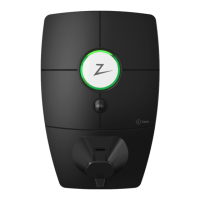
• Wipe down the charging station
with a damp cloth.
• Check that the charging connector
is free of all foreign materials.
• Check that the charging station
has no external, physical damage.
In the case of publicly accessible
installations, an annual inspection
must be carried out by qualified
personnel in accordance with local
legislation and regulations.
At the end of its life, the product must
be recycled as electronic equipment,
in accordance with local legislation.
Before installation, keep the product dry and avoid exposure to extreme temperatures.
The following periodic maintenance is recommended:
Every Zaptec charging station is designed
to provide the highest possible level of
security.
Your charging station is configured with a
security PIN to control access to certain
functions. You should keep this PIN safe
and not reveal it to anyone you do not
trust.
To ensure your charging station remains
secure, Zaptec will continue to provide
software updates for a minimum of five
years from the date of purchase. You can
check for updates and install them using
the Zaptec app or Zaptec Portal.
Please visit zaptec.com/request to notify
us of any concerns regarding the security
of your charging station or request the
removal of any personal data.
Keeping you secure



 To Next Page