HFA3 Instructions for Use 2660021166131 Rev. A 2018-11
Go to Contents Data, Tests & Reports
6-3
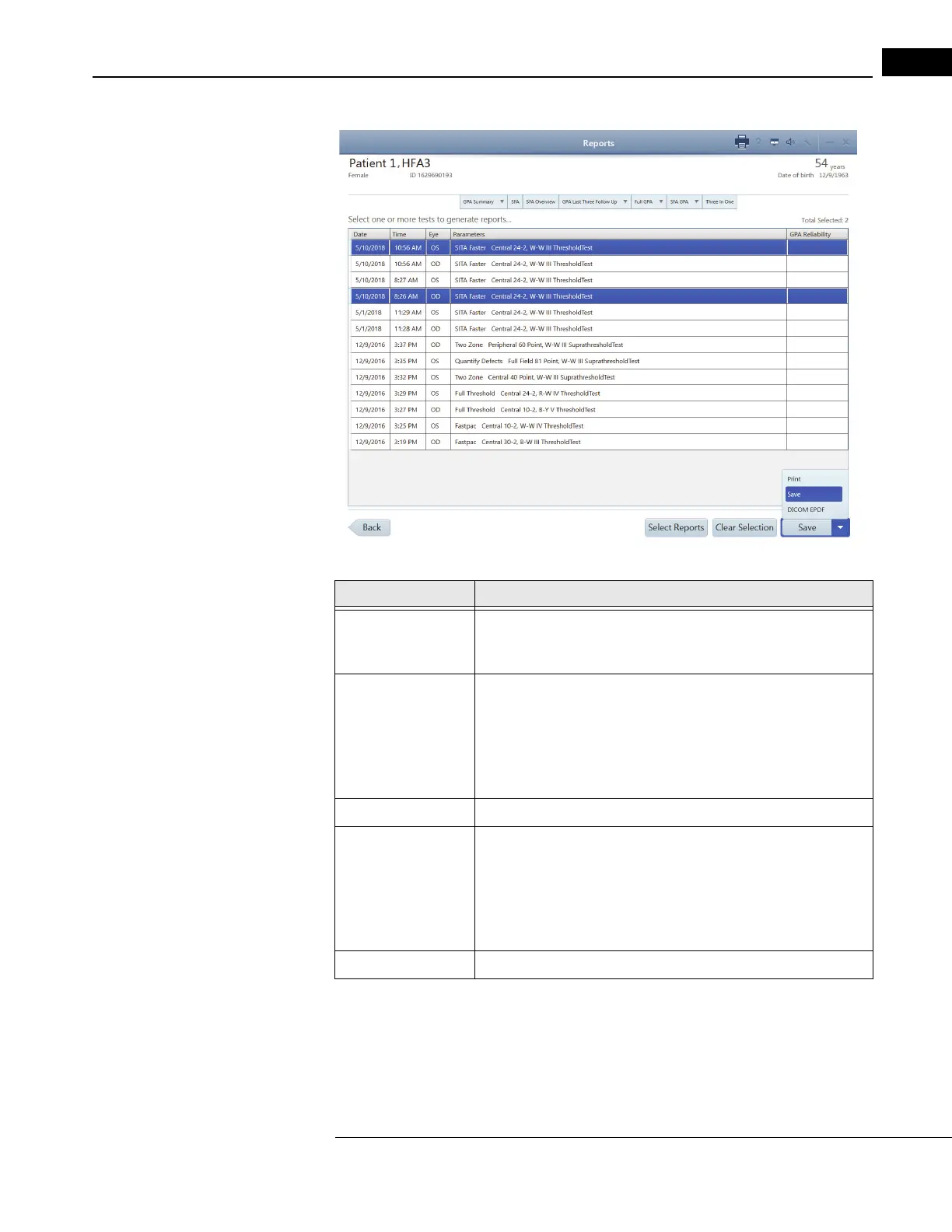
Settings Option Description
Reports The list shows tests sorted on Date, Tim
e, Eye, and Parameters GPA
Reliability. Click in the row to highlight a test. You can select one or
more tests to generate reports.
Select Reports Once the desired tests are highlighted, click on S
elect Reports.
A menu appears at the top with the following choices (the choices vary
depend
ing on the kind of tests that were created):
• GPA-Qualified
• SFA-Qualified
• Kinetic Tests
Clear Selection Clear the selection.
Save Save selected reports.
Click on the drop-down menu and choose the format to save
selected
reports. Format choices:
•Print
•Save
•DICOM EPDF
Back Go back to the previous screen.









 To Next Page