83GW28-035_v01
Self-cleaning
This function removes the scales and minerals built up in the Steam Cham-
ber. The iron will remain in the best condition if this function is performed
at least once a month or more regularly depending on the hardness of the
water used.
Fill the water tank with demineralised water, or distilled water. (See How –
To Fill Water)”. Fill it up to the half.
Put the iron in vertical position. –
Connect the iron to a suitable mains supply outlet (See the item „Prepa- –
ration for operation”).
Turn the Temperature Dial in clockwise direction to ●●● position. –
Control light glows, indicating that the iron is on. Control light goes off –
when the required temperature is reached. The iron is now ready for
use.
Wait for one more cycle; pilot light glows and goes off. –
After nishing move the Temperature Dial in anti-clockwise direction to –
„MIN” position.
Disconnect the iron from mains supply outlet. –
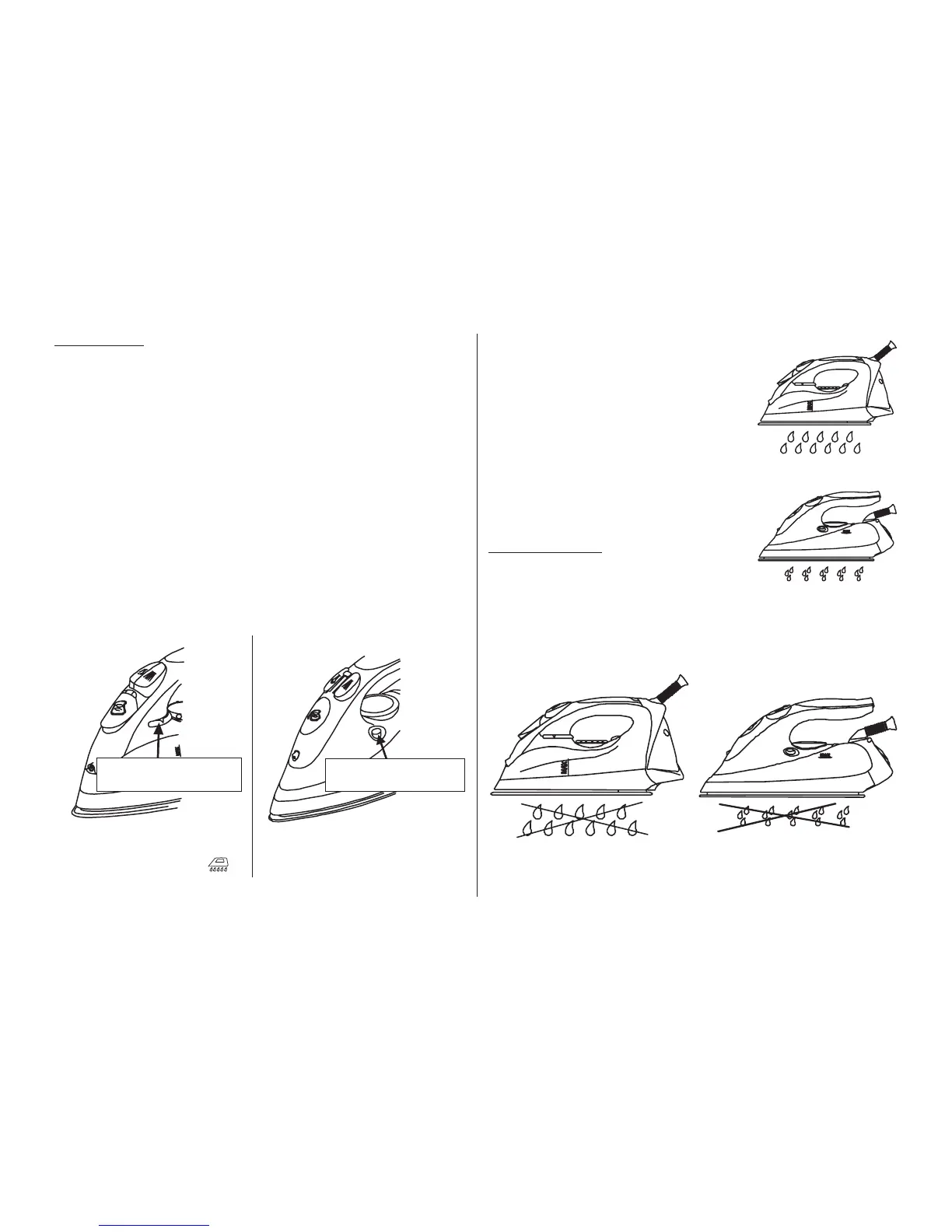
Hold the iron horizontally over a sink. –
Steam and boiling hot water will drain from –
the holes on the soleplate washing away the
scales and minerals that have built up inside
the Steam Chamber.
Gently move the iron back and forth until the –
water tank is empty.
When Self-Cleaning is complete, release –
the Self-Cleaning Knob.
Rest your iron back on its heel rest and al- –
low to fully cool down.
Wipe the soleplate with a cold damp cloth. –
Caution!
Keep skin/body away from the hot water.
Anti-drip system
The system, which is designed to prevent –
water escaping from the soleplate when the
iron is too cold automatically.
During use, the anti – drip system may emit a loud clicking sound, par- –
ticularly during heat-up or whilst cooling down. This is perfectly normal
and indicates that the system is functioning correctly.
Type 28Z010 Type 28Z011
SELF-CLEANING
KNOB
SELF-CLEANING
BUTTON
Turn Steam Control / self- –
cleaning Knob left as much
as possible and hold in
position.
Press and hold the self cleaning –
button.
Type 28Z010
Type 28Z011
Type 28Z010 Type 28Z011
Anti-scale
cartridge


 To Next Page
 Loading...