EasyManua.ls Logo

Zenith 12 - Page 11

Zenith 12
28 pages
Print Icon
To Next Page IconTo Next Page
To Previous Page IconTo Previous Page
Loading...
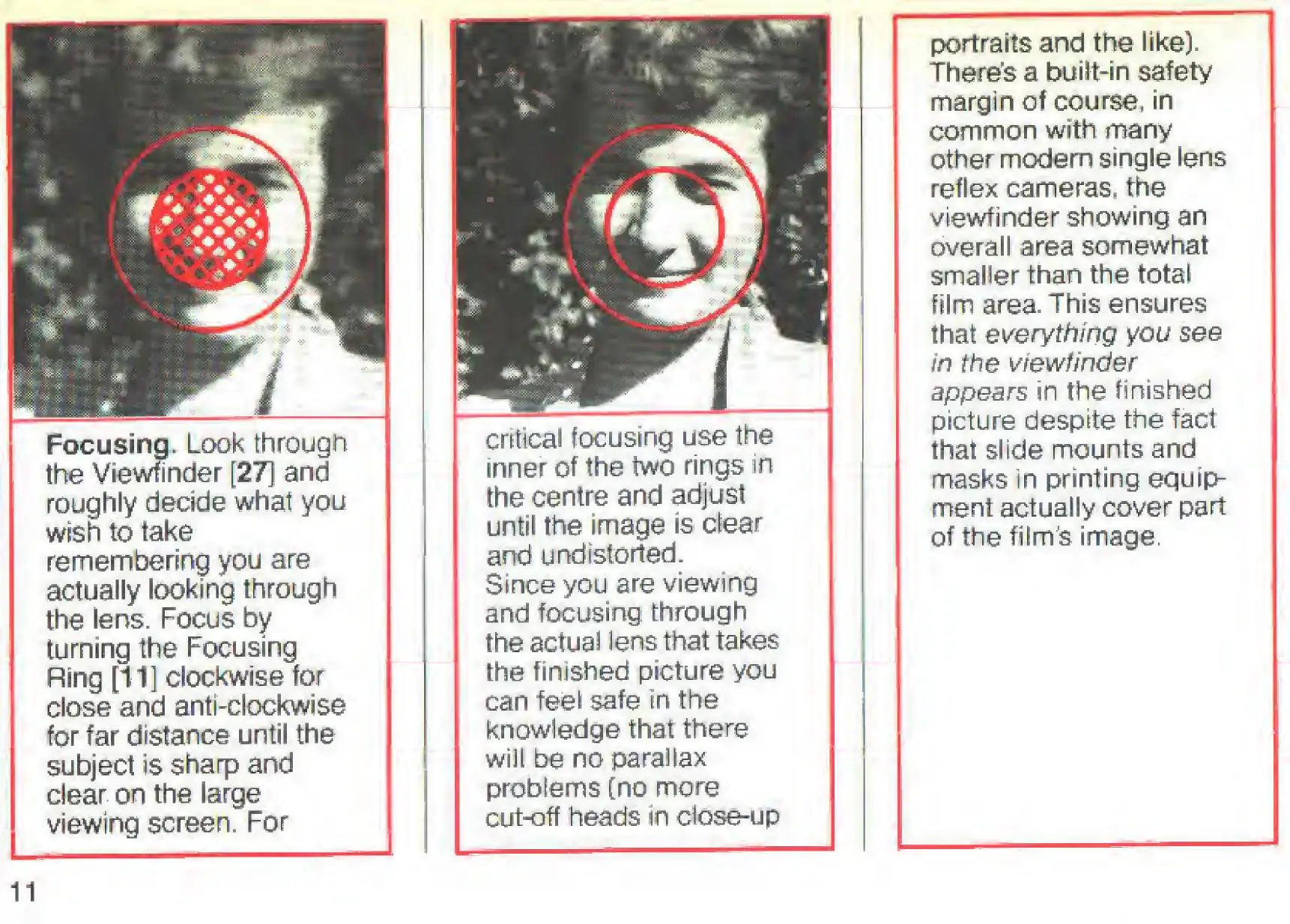
Focusing.
Look
through
the
Viewfinder
[27]
and
roughly
decide
what
you
wish
to
take
remembering
you
are
actually
looking
through
the
lens.
Focus
by
turning
the
Focusing
Ring
[11]
clockwise
for
close
and
anti-clockwise
for
far
distance
until
the
subject
is
sharp
and
clear
on
the
large
viewing
screen.
For
critical
focusing
use
the
inner
of
the
two
rings
in
the
centre
and
adjust
until
the
image
is
clear
and
undistorted.
Since
you
are
viewing
and
focusing
through
the
actual
lens
that
takes
the
finished
picture
you
can
feel
safe
in
the
knowledge
that
there
will
be
no
parallax
problems
[no
more
cut-off
heads
in
close-up
portraits
and
the
like).
There's
a
built-in
safety
margin
of
course*
in
common
with
many
other
modem
single
lens
reflex
cameras,
the
viewfinder
showing
an
overall
area
somewhat
smaller
than
the
total
film
area
This
ensures
that
everything
you
see
in
the
viewfinder
appears
in
the
finished
picture
despite
the
fact
that
slide
mounts
and
masks
in
printing
equips
ment
actually
cover
part
of
the
film's
image.
11

Related product manuals