EasyManua.ls Logo

Zenith 12 - Using the Exposure Meter

Zenith 12
28 pages
Print Icon
To Next Page IconTo Next Page
To Previous Page IconTo Previous Page
Loading...
Using
the
Meter
V_
y
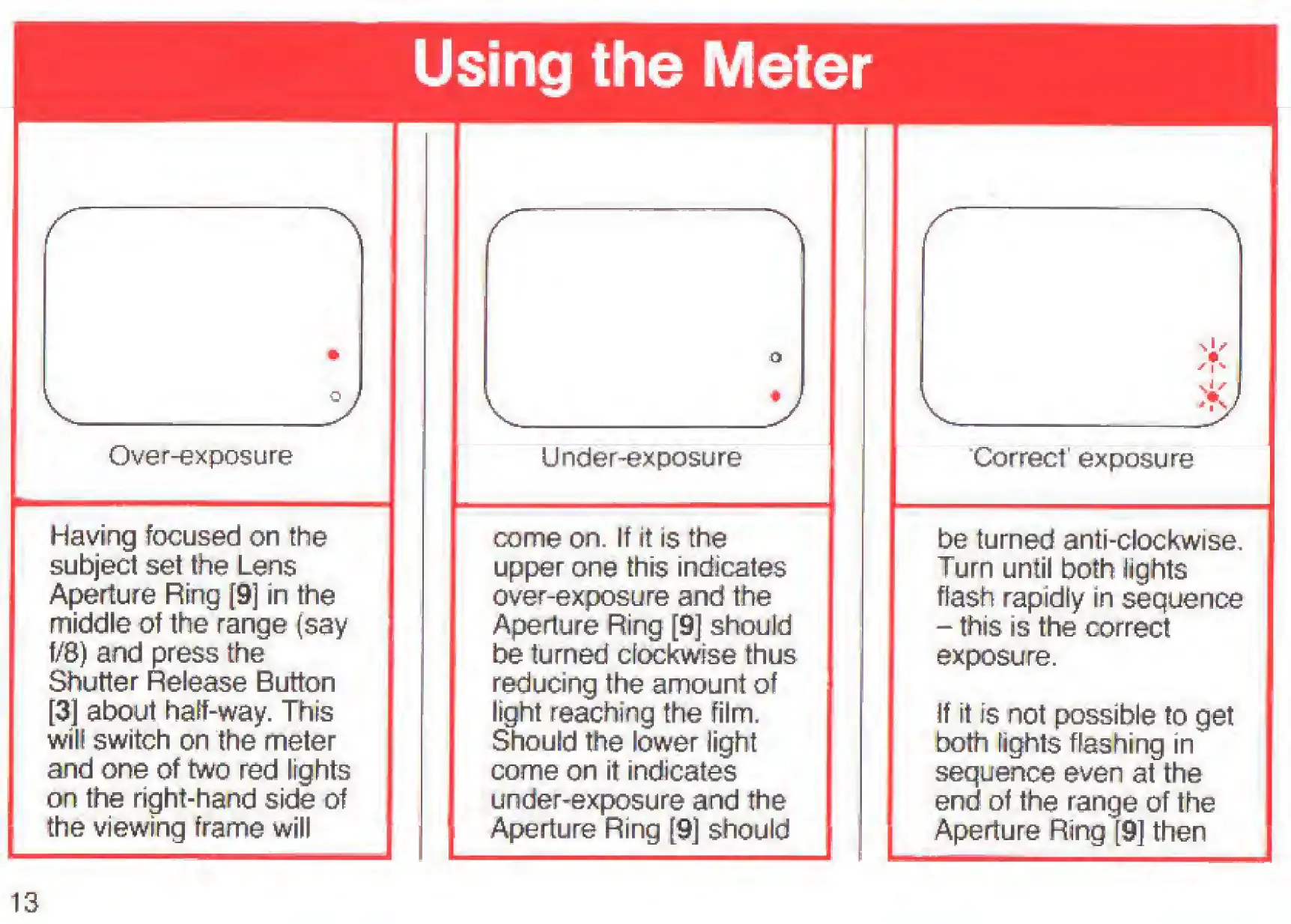
Over-exposure
Having
focused
on
the
subject
set
the
Lens
Aperture
Ring
[9]
in
the
middle
of
the
range
(say
f/8)
and
press
the
Shutter
Release
Button
[3]
about
half-way.
This
wilt
switch
on
the
meter
and
one
of
two
red
lights
on
the
right-hand
side
of
the
viewing
frame
will
Under-exposure
come
on.
If
it
is
the
upper
one
this
indicates
over-exposure
and
the
Aperture
Ring
[9]
should
be
turned
clockwise
thus
reducing
the
amount
of
light
reaching
the
film.
Should
the
lower
light
come
on
it
indicates
under-exposure
and
the
Aperture
Ring
[9]
should
Correct'
exposure
be
turned
anti-clockwise.
Turn
until
both
fights
flash
rapidly
in
sequence
-
this
is
the
correct
exposure.
If
it
is
not
possible
to
get
both
fights
flashing
in
sequence
even
at
the
end
of
the
range
of
the
Aperture
Ring
[9]
then
13

Related product manuals