EasyManua.ls Logo

Zenith 12 - Page 22

Zenith 12
28 pages
Print Icon
To Next Page IconTo Next Page
To Previous Page IconTo Previous Page
Loading...
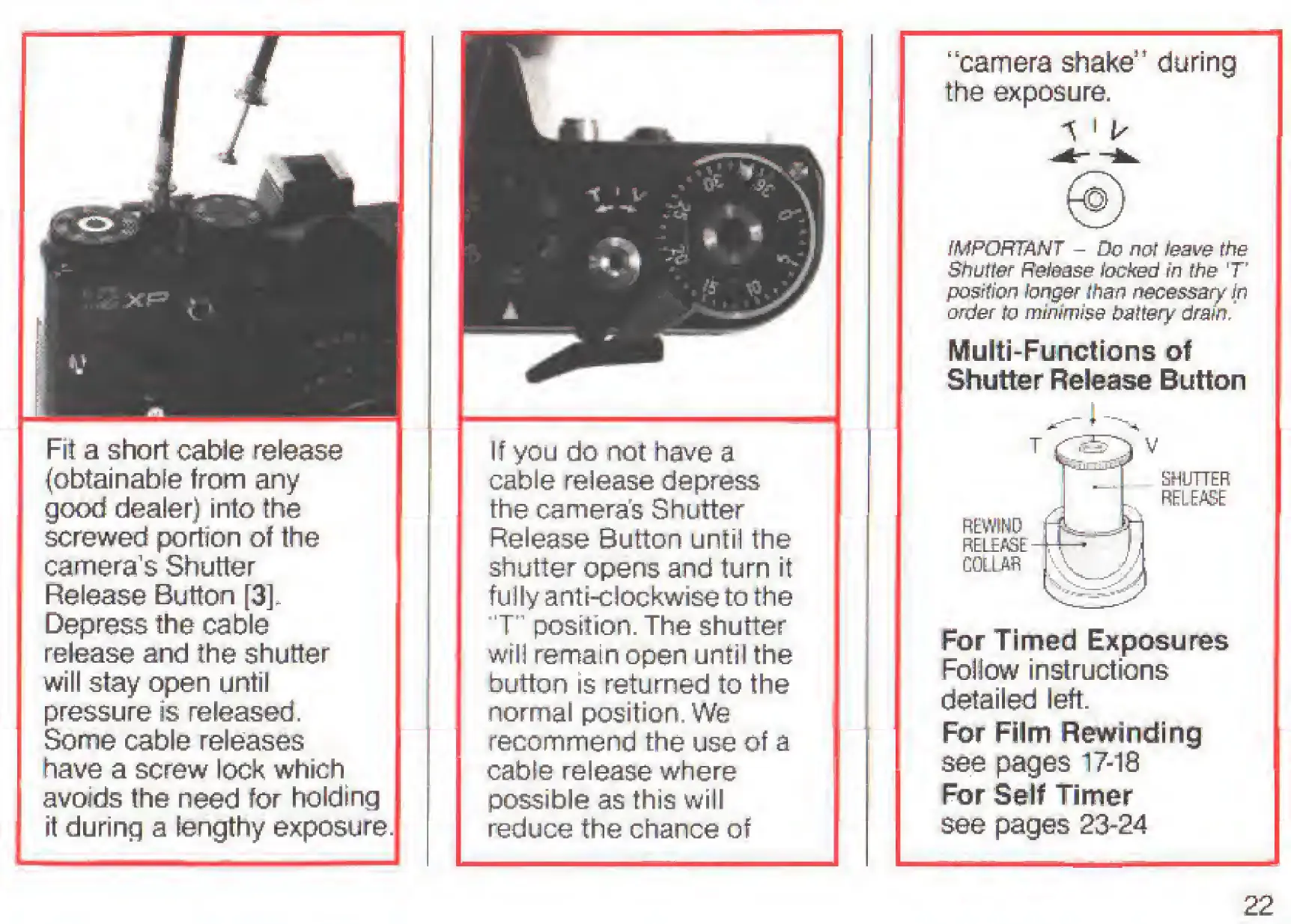
Fit
a
short
cable
release
(obtainable
from
any
good
dealer)
into
the
screwed
portion
of
the
camera’s
Shutter
Release
Button
[3].
Depress
the
cable
release
and
the
shutter
will
stay
open
until
pressure
is
released.
Some
cable
releases
have
a
screw
lock
which
avoids
the
need
for
holding
it
during
a
lengthy
exposure.
If
you
do
not
have
a
cable
release
depress
the
cameras
Shutter
Release
Button
until
the
shutter
opens
and
turn
it
fully
anti-c!ockwiseto
the
’T’
position.
The
shutter
will
remain
open
until
the
button
is
returned
to
the
normal
position.
We
recommend
the
use
of
a
cable
release
where
possible
as
this
will
reduce
the
chance
of
‘'camera
shake"
during
the
exposure.
fMPOHTANT
-
Do
not
teov&
the
Shutter
Release
locked
in
the
T"
po&tiof7
larger
than
necessary
ip
order
to
minimise
battery
drainJ
Multi-Functions
of
Shutter
Release
Button
REWIND
RELEASE
COLLAR
SHUTTER
RELEASE
For
Timed
Exposures
Foliow
instructions
detailed
left.
For
Film
Rewinding
see
pages
17-18
For
Self
Timer
see
pages
23-24
22

Related product manuals