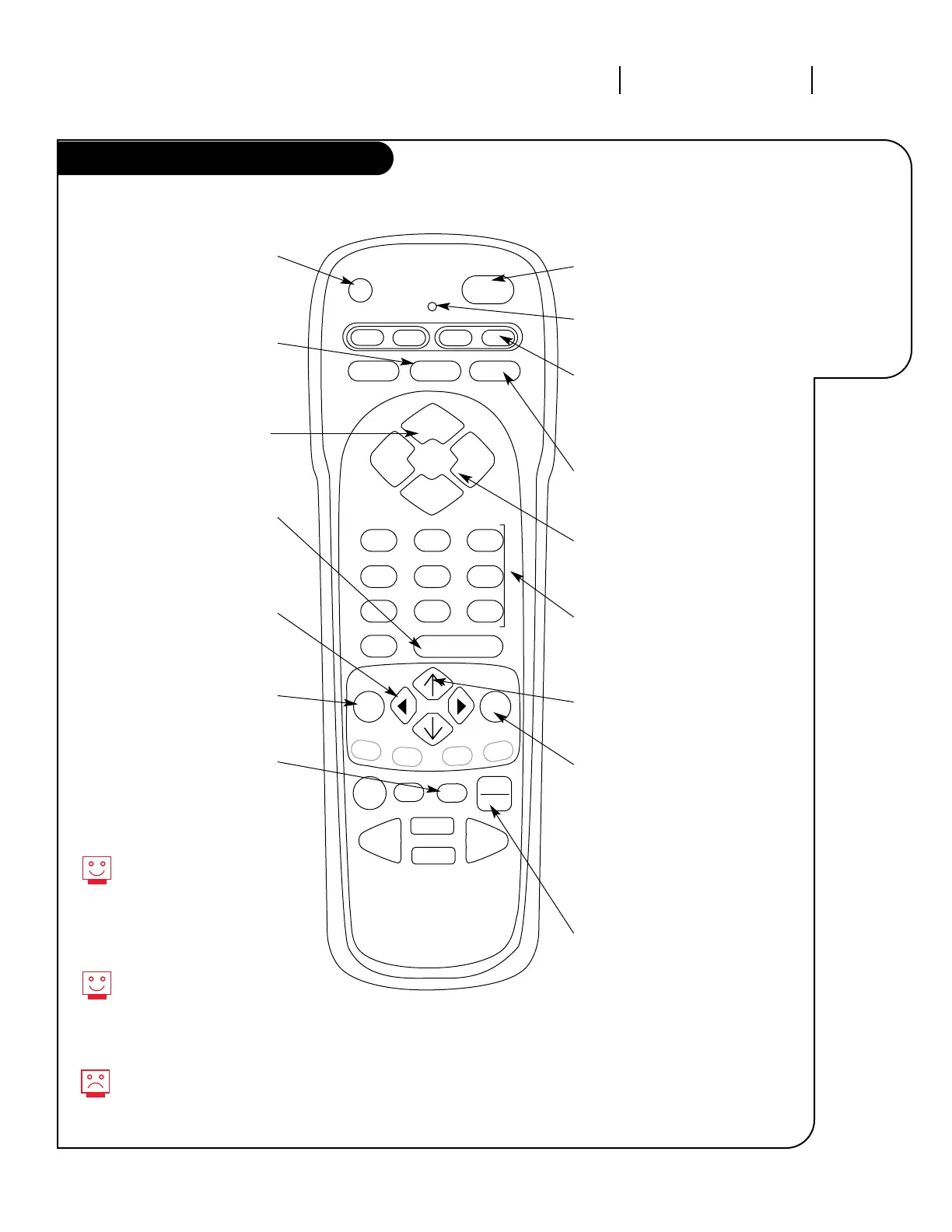
PRG (PROGRAM)
Programs your remote to
operate other products.
See page 23.
FLASHBK
(FLASHBACK)
Return to the
last channel viewed.
POWER
Turns TV On or Off
.
CABLE/VCR/AUX/TV
Switch between available input
sources. AUX is for any optional
device.
CHANNEL
(UP/DOWN)
Flip through
available channels.
MUTE
Turns sound Off and On
while the picture remains.
ENTER
Shows the Channel/Time
display. Press after channel
numbers for instant selection.
NUMBER KEY PAD
Selects channels directly and
enters numeric values for
some options
.
MENU
Displays on-screen
menus for TV mode.
UP/DOWN ARROWS
The Up/Down arrows select options.
remote control part number
MBR3446
TIMER
Displays the Sleep Timer
Menu. See “Timer Setup”
on page 18 for
more information.
VOLUME LEFT/RIGHT
Adjusts the sound levels on
your Entertainment Machine.
QUIT
Remove on-screen display from
view. If no display is on, switches
front speaker surround sound
On and Off from some TVs.
TV/VCR-SOURCE
Switches between watching TV
through your antenna/cable, or
through your VCR.
Your remote has Night Vision
Glow-In-The-Dark keys! It must
be exposed to light before the
keys will glow in the dark.
Longer exposure—longer glow.
Keys dedicated to VCR
functions will still operate your
VCR while the remote is in TV
mode.
Grey keys indicate that they may
not function on your model of
TV.
LEFT/RIGHT ARROWS
The Left/Right arrows
adjust options.
LED INDICATOR LIGHT
Lights when keys are pressed.



 To Next Page