o,..,,,o.I ,u,o,.oo.,.IP,oE,,
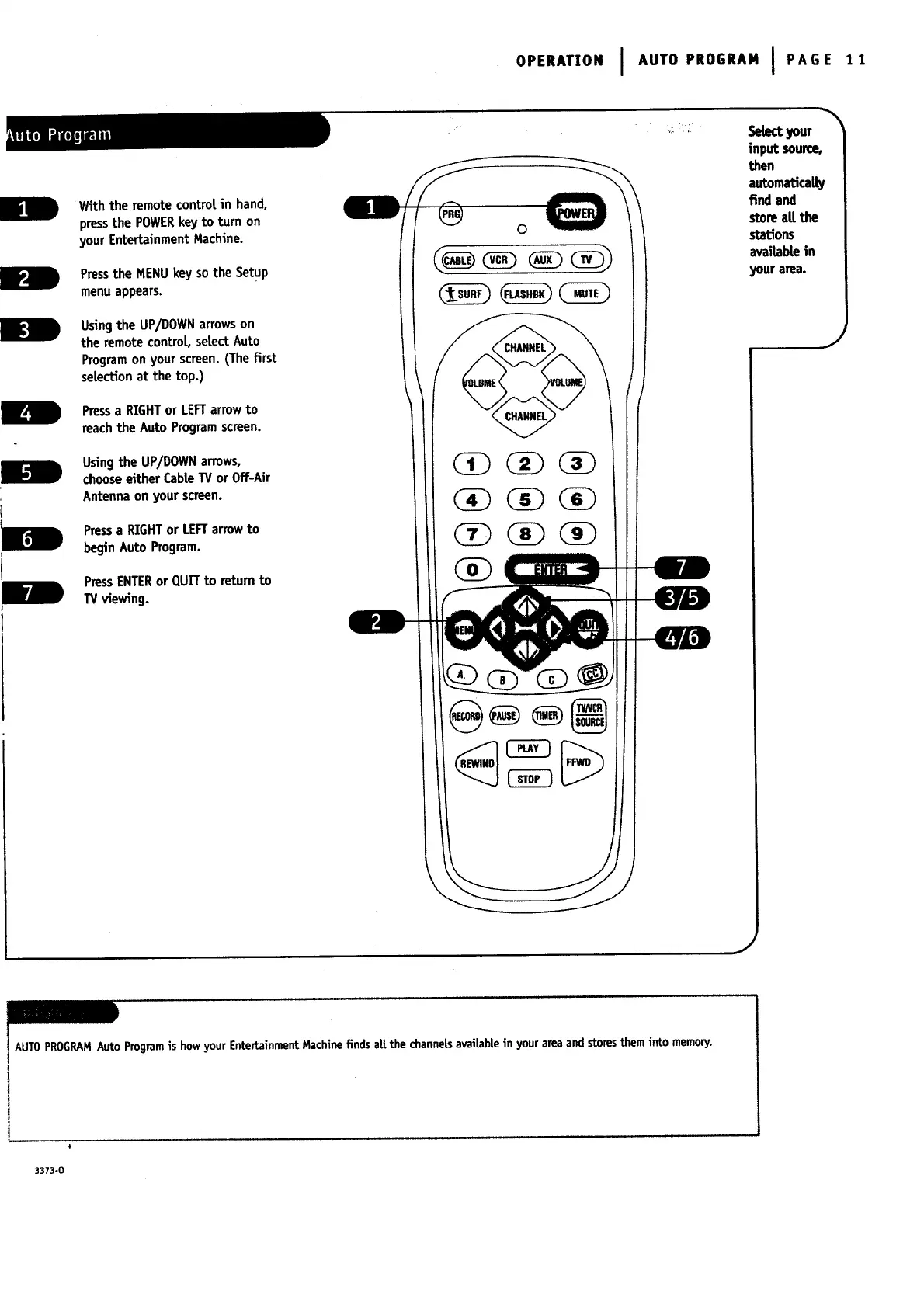
With the remotecontm!in hand,
pressthe POWERkey to turn on
your Entertainment Machine.
Pressthe MENUkey so the Setup
menuappears.
Usingthe UP/DOWNarrowson
the remotecontrol setectAuto
Programon your screen.(Thefirst
selectionat the top.)
Pressa RIGHTor LEFTarrowto
reach the Auto Programscreen.
Usingthe UP/DOWNarrows,
chooseeither CaMeW or Off-Air
Antenna on your screen.
Pressa RIGHTor LEFTarrowto
begin Auto Program.
PressENTERor QUITto returnto
TV viewing.
0
._ i" !¸
Selectyour
input source,
then
automatically
find and
storeaE the
stations
availablein
your area.
J
AUTOPROGRAMAuto Programis howyour EntertainmentMachine finds aE the channelsavailablein yourarea and storesthem into memonj.
3373-0




 To Next Page