P,°Ei81S_TUPI ,_.us
f
Turnon dosed
captioning
that appears
at the bottom
of your
$cTeerlo
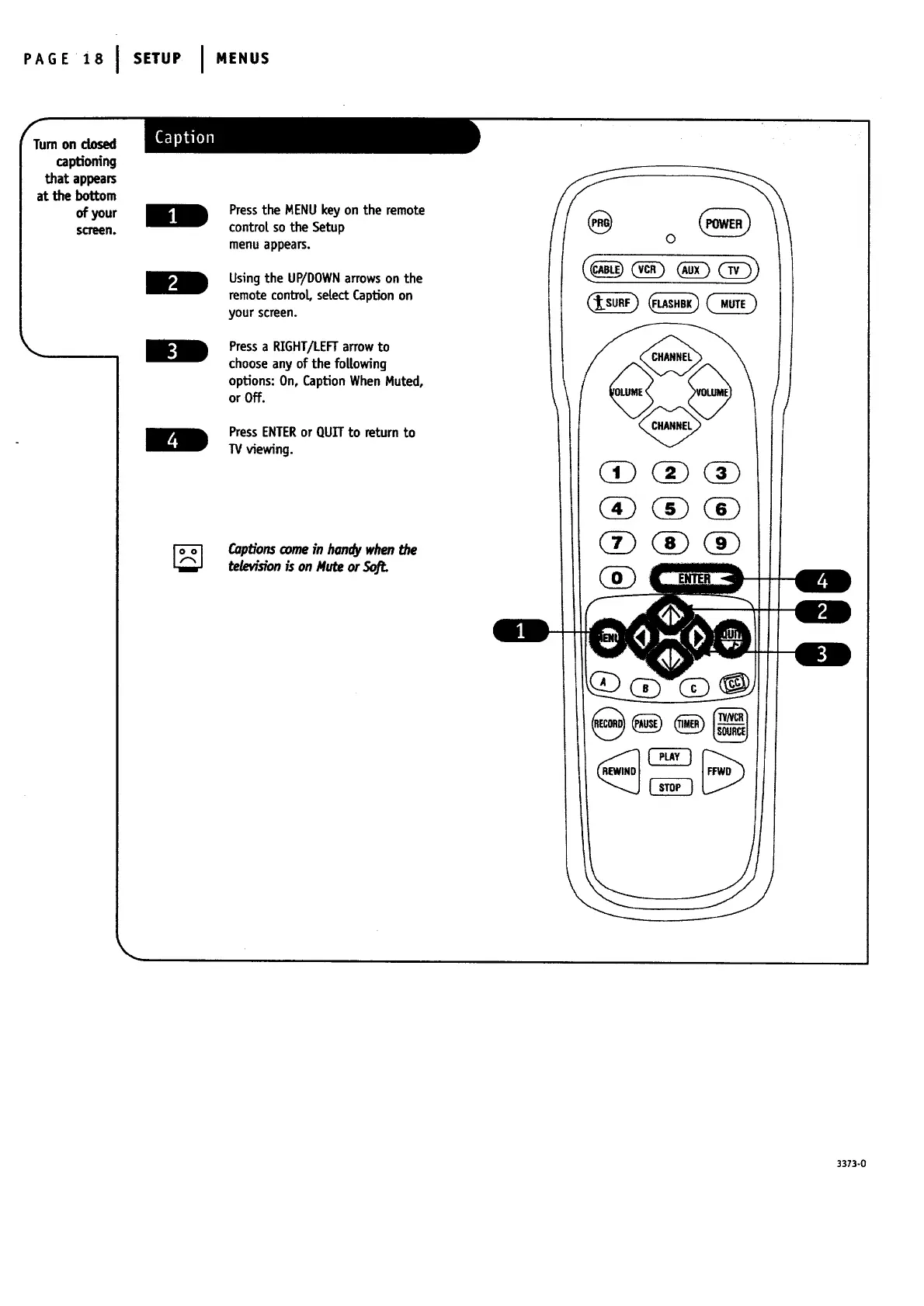
Pressthe MENUkeyon the remote
controtso the Setup
menuappears.
Using the UP/DOWN arrows on the
remote conbo[, setect Caption on
your screen.
Press a RIGHT/LEFT arrow to
choose any of the fo[|owing
options: On, Caption When Muted,
or Off.
PressENTERor QUITto return to
TVviewing.
[_ Captionscomeinhondywhenthe
tetew_ionis onMuteor
/
3373-0




 To Next Page