S,TU,I , NUSIP,OE1,
Caption/Textis a featurewhich aUowsyour
EntertainmentHachineto receivevariousdosed cap-
tion and text optionsprovidedby yourbroadcaster.
Avaitabi|i_ andfunctionati_ of Caotion!Textfeature is
determinedontyby your broadcasterand may not be
avai_bte in your area.
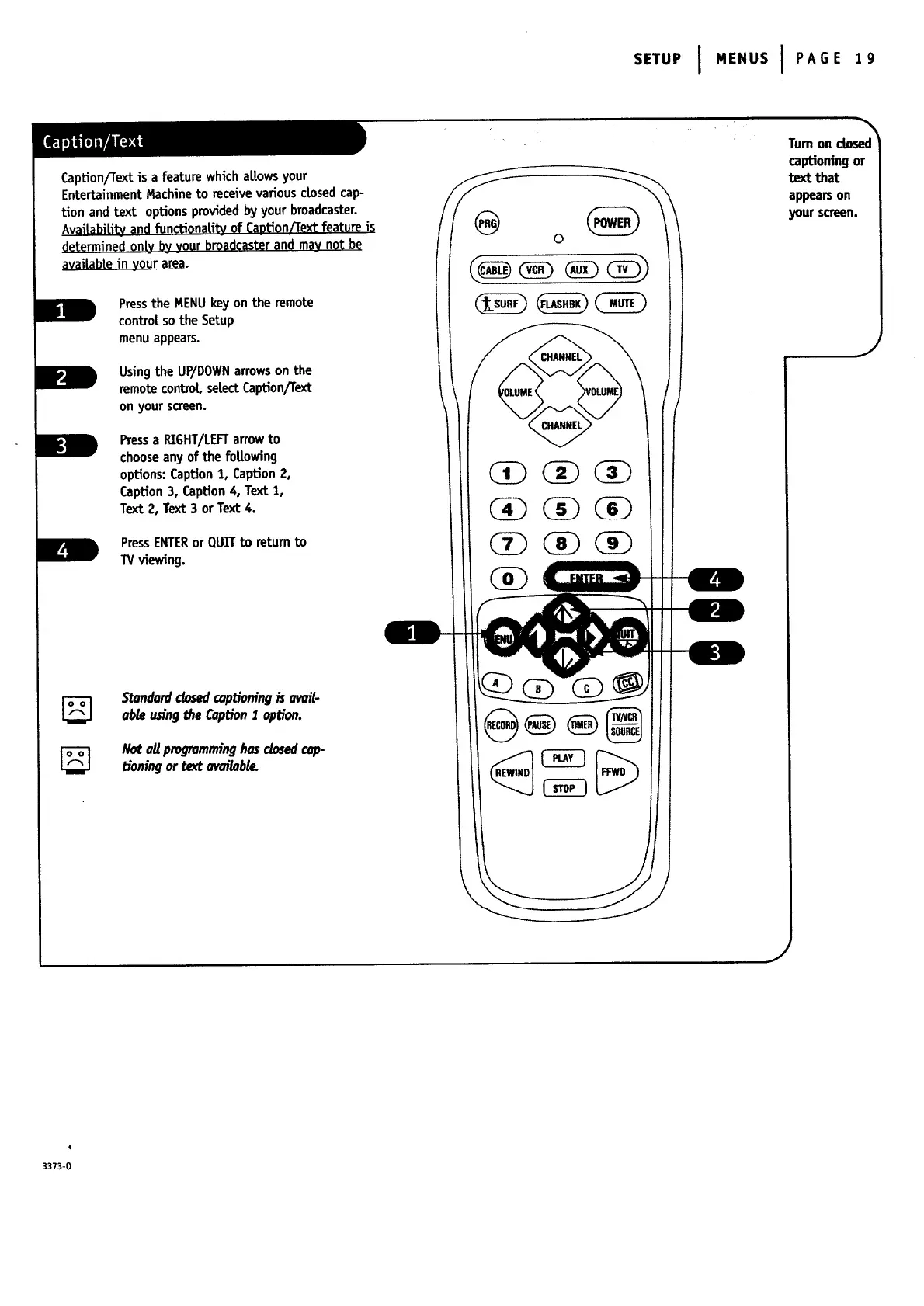
Press the MENU key on the remote
contro[ so the Setup
menu appears.
Using the UP/DOWN arrows on the
remote control se|ect Caption/Text
on your screen.
Pressa RIGHT/LEFTarrowto
chooseanyof the foUowing
options:Caption 1, Caption2,
Caption3, Caption4, Text 1,
Text 2, Text 3 orText 4.
PressENTERor QUITto returnto
W viewing.
0
Tum on closed
captioning or
text that
appearson
your screen.
J
Stondordclosedo_pt_oningis owil-
oble usingthe Oxption1 option.
Not ollprogromminghosdosed cop-
tioningor text ow_ilobte.
+
3373-0




 To Next Page