p,oE2oI, .usI v,oEo, .us
f
Usethe Vfdeo
menuto
customize
howyour
picturelooks.
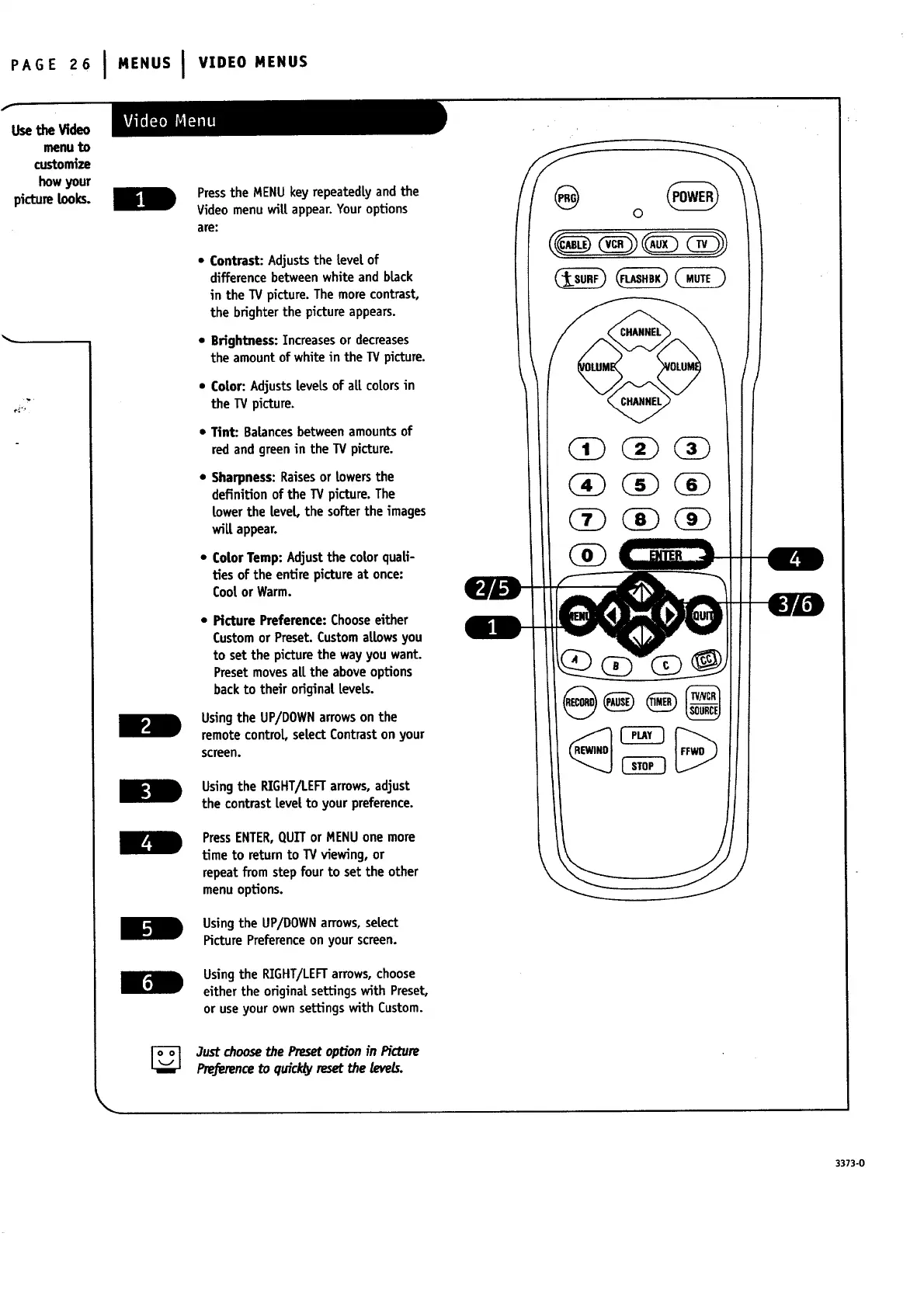
Press the MENU key repeatedly and the
Video menu wilt appear. Your options
are:
• Contrast: Adjuststhe level of
differencebetweenwhite and black
in the TV picture.Themore contrast,
the brighterthe pictureappears.
• Brightness:Increasesor decreases
the amountof white in the TV picture.
• Color: AdjustsleveLsof all colorsin
the TV picture.
• Tint: Balancesbetweenamountsof
red and greenin the TV picture.
• Sharpness:Raisesor lowers the
definition of the TV picture.The
lower the level the softer the images
wilt appear.
• ColorTemp: Adjustthe cotorquali-
ties of the entire pictureat once:
Cootor Warm.
• Picture Preference: Choose either
Custom or Preset. Custom allows you
to set the picture the way you want.
Preset moves alL the above options
back to their original levels.
Usingthe UP/DOWNarrowson the
remotecontrol, select Contraston your
screen.
Usingthe RIGHT/LEFTarrows,adjust
the contrast level to your preference.
PressENTER,QUETor MENUone more
time to returnto TVviewing, or
repeat fromstep four to set the other
menu options.
Using the UP/DOWN arrows, select
Picture Preference on your screen.
Using the RIGHT/LEFT arrows, choose
either the original settings with Preset,
or use your own settings with Custom.
3ustchoosethePresetoptionin Picture
Preferenceto quid@resetthe levels.
o
3373-0


 To Next Page
 Loading...


