WHAT YOU SHOULD DO FIRST
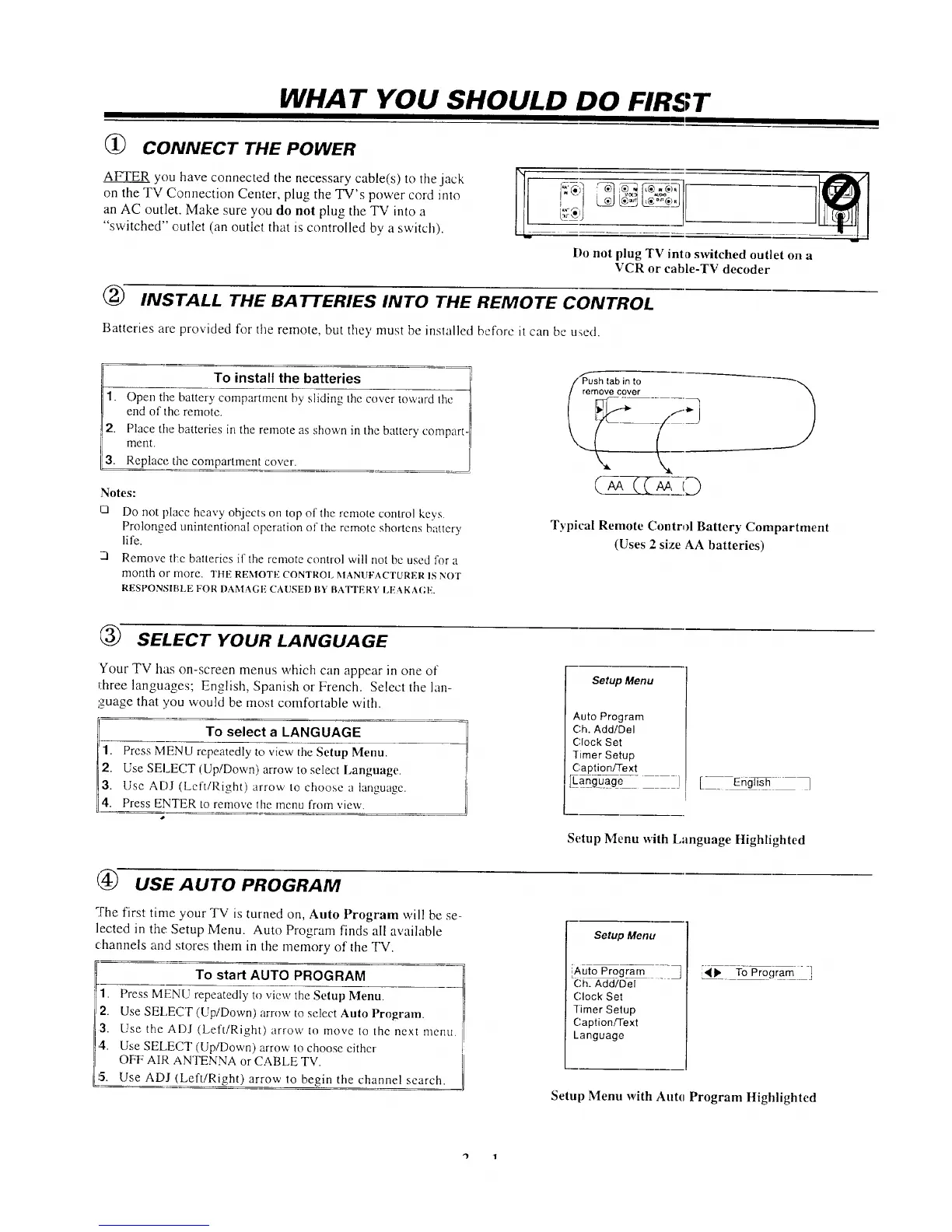
(_ CONNECT THE POWER
AFTER you have connected the necessary cable(s) to tile jack
on the TV Connection Center, plug the TV's power cord into
an AC outlet. Make sure you do not plug the TV into a
"switched" cutlet (an outlet that is controlled by a switch).
Do not plug TV into switched outlet on a
VCR or cable-TV decoder
(_ INSTALL THE BATTERIES INTO THE REMOTE CONTROL
Batteries are provided for tile remote, but they must be installed before it can be u_e(t.
qTq
TO install the batteries /'
------_ 4i
1.
Open tile battery compartment by shdmg the cover toward tile J]
end of the remote. /I
/I
2. Place the batteries in the remote as shown in the battery compart-[
merit.
3. Replace the compartment cover.
Notes:
Q
Do not place heavy objects oil top of the remote control keys.
Prolonged unintentional operation of the remote shortens bauery
life.
Remove tke batteries if the remote control will not be used for a
month or more. THE REMOTE CONTROl. MANUFACTURER 1S NOT
RESPONSIBLE FOR DAMAGE CAUSEI) BY BAT'rERY LE,%KA(;E.
\
Typical Remote Control Battery Compartment
(Uses 2 size AA batteries)
SELECT YOUR LANGUAGE
Your TV has on-screen menus which can appear in one of
three languages; English, Spanish or French. Select tile lan-
guage that you would be most comfortable with.
l!i
To select a LANGUAGE
Press MENU repeatedly to view the Setup Menu.
Use SELECT (Up/Down) arrow to select Language.
Use ADJ (Left/Right) arrow to choose a language.
Press ENTER to remove tile menu from view.
Setup Menu
Auto Program
Ch. Add/Del
Clock Set
Timer Setup
Caption/Text
Lang}7__age j
[ English ]
(_ USE AUTO PROGRAM
The first time your TV is turned on, Auto Program will be se-
lected in the Setup Menu. Auto Program finds all available
channels and stores them in the memory of the TV.
To start AUTO PROGRAM
1. Press MENU repeatedly to view the Setup Menu.
2. Use SELECT (UptDown) arrow to select Auto Program.
3. Use the ADJ (Left/Right) arrow to move to the next menu.
,4. Use SE[,ECT (Up/Down) arrow to choose either
OFF AIR ANTENNA or CABLE TV.
15. Use ADJ (Left/Right) arrow to begin the channel search.
Setup Menu with Language Highlighted
L,II_ To Program ]
Setup Menu
iAuto Program _
Ch. Add/Del
(;lock Set
Timer Setup
Caption/Text
Language
Setup Menu with Alltll Program Highlighted
"} 1




 To Next Page