PAGE 24 I OPERATION
Recordingwhat you are watching onW.
Options You Can Use While Recording
Instant recordinglets you recorduntil you reachthe end of
tape or you pressSTOPto stoprecording.
_i_ TurnTVand VCRon.
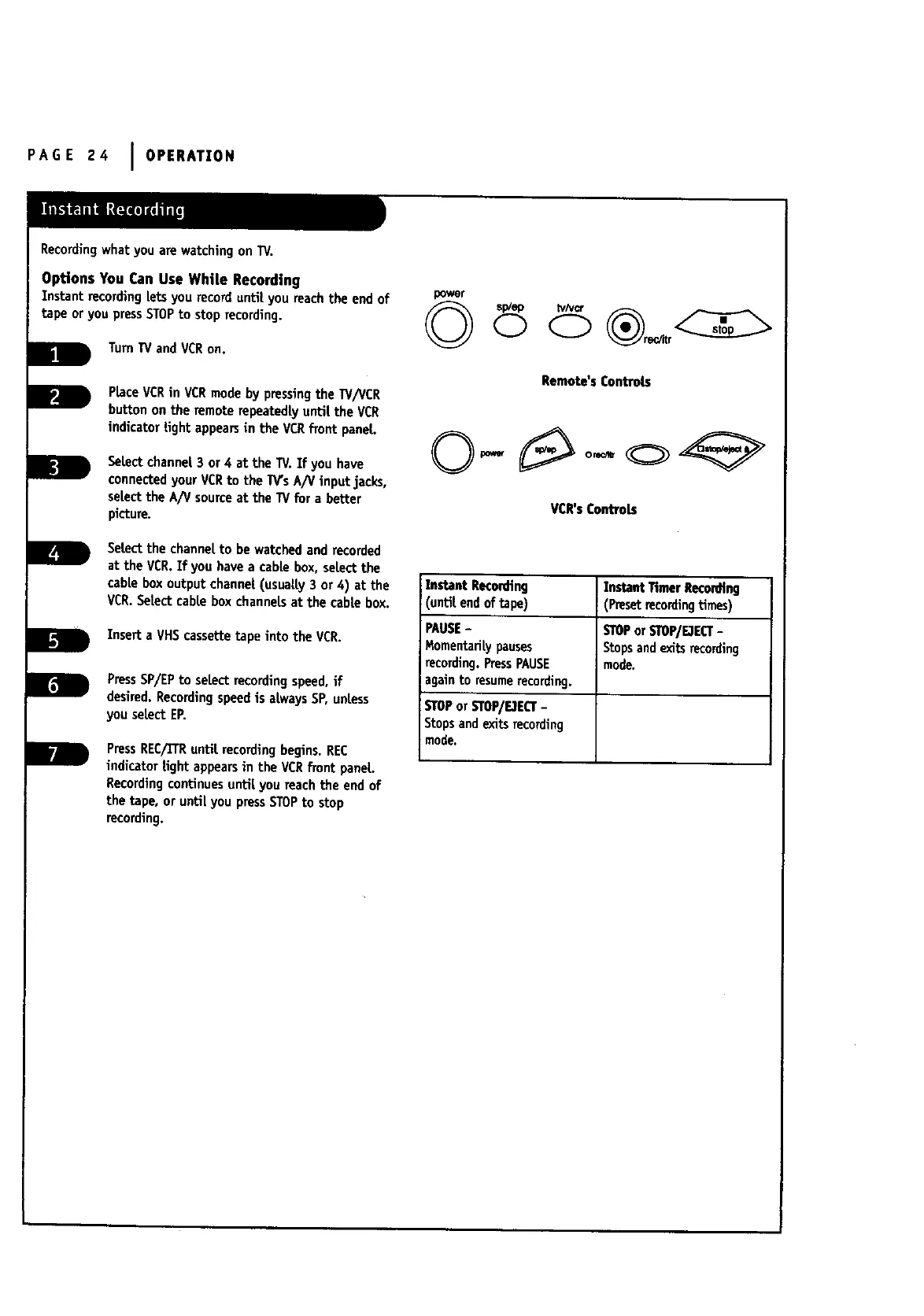
PlaceVCRin VCRmode by pressingthe TV/VCR
button onthe remote repeatedly until the VCR
indicatortight appearsin the VCRfront panel.
SeLectchannel3 or 4 at the TV.If you have
connectedyour VCRto the W's A/V input jacks,
sel.ectthe A!V sourceat the W for a better
picture.
Selectthe channelto be watchedand recorded
at the VCR.If you have a cable box, selectthe
cabtebox output channet(usuatty3 or 4) at the
VCR.Setectcabte box channelsat the cabtebox.
InsertaVHS cassettetapeintotheVCR.
PressSP/EPto select recordingspeed,if
desired.Recordingspeedis al.waysSP,unless
you select ER
PressREC/TrRuntil recordingbegins. REC
indicator tight appearsin the VCRfront panel
Recordingcontinues until you reach the end of
the tape, or until you pressSTOPto stop
recording.
power
Remote'sControls
VCR'sControLs
InstantRecom'in9
'until.endof tape)
PAUSE-
Momentarily pauses
recording. PressPAUSE
againto resumerecording.
STOPor STOWFJEQ"-
Stopsandexitsrecording
mode,
InstantTimerReco_n9
(Presetrecordingtimes)
STOPorSTOP/FJECT-
Stopsand exitsrecording
mode.



 To Next Page