EN
14
5 Using your freezer
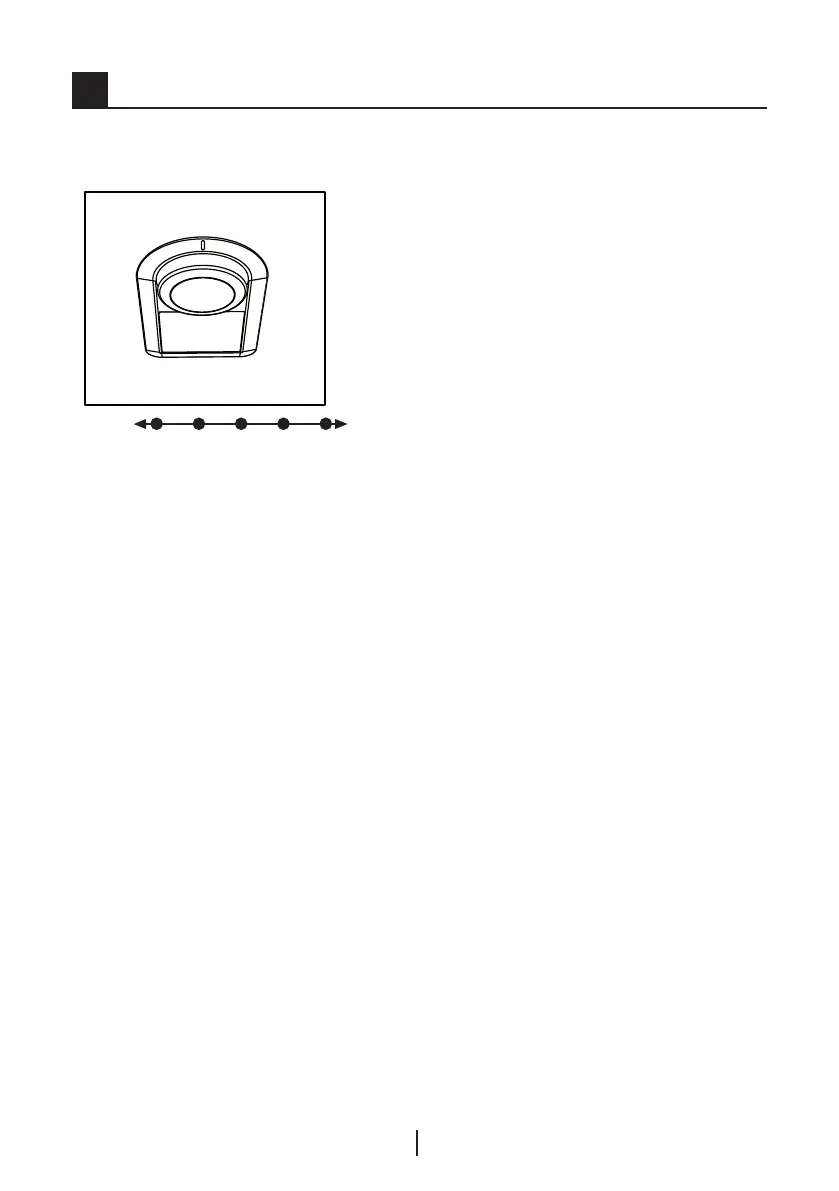
The operating temperature is
regulated by the temperature control.
1 2 3 4 5
0=System cooling is off.
1=Lowest cooling setting
(Warmest setting).
5=Highest cooling setting (Coldest
setting).
The average temperature inside the
fridge should be around +5°C.
Please choose the setting according
to the desired temperature.
Please note that there will be
different temperatures in the cooling
area.
The coldest region is immediately
above the vegetable compartment.
The interior temperature also
depends on ambient temperature,
the frequency with which the door is
opened and the amount of foods kept
inside.
Frequently opening the door causes
the interior temperature to rise.
For this reason, it is recommended
to close the door again as soon as
possible after use.
The interior temperature of your
refrigerator changes for the following
reasons;
• Seasonal temperatures,
• Frequent opening of the door and
leaving the door open for long
periods,
• Food put into the refrigerator
without cooling down to the room
temperature,
• The location of the refrigerator in
the room (e.g. exposing to sunlight).
• You may adjust the varying interior
temperature due to such reasons
by using the thermostat.
Coolng
Food storage
The frdge compartment s for the
short-term storage of fresh food and
drnks.
Store mlk products n the ntended
compartment n the cooler/freezer.
Bottles can be stored n the bottle
holder or n the bottle shelf of the
door.
Raw meat s best kept n a
polyethylene bag n the compartment
at the very bottom of the cooler/
freezer.
Allow hot foods and beverages to
cool to room temperature pror to
placng them n the cooler/freezer.


 To Next Page