EasyManua.ls Logo

Zephyr PRB24C01AS-OD - User Manual

Zephyr PRB24C01AS-OD
68 pages
Print Icon
To Next Page IconTo Next Page
Loading...
WWW.ZEPHYRONLINE.COM
APR20.0101
PRB24C01AS-OD
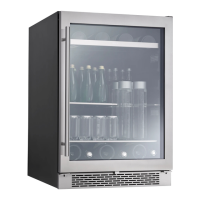
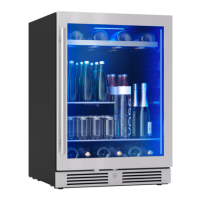
Presrv Single Zone Outdoor Beverage Cooler
EN Use, Care, and Installation Guide
FR Guide d’utilisation, d’entretien et d’installation

Table of Contents

Questions and Answers

  • J
    josephtaylorAug 1, 2025
    How to fix a Zephyr Accessories that does not operate?
    • C
      Cory RamosAug 1, 2025
      If your Zephyr accessory isn't operating, start by ensuring it's properly plugged into a functioning power outlet. If it's still not working, check if the appliance is turned on. Also, examine the circuit breaker or fuse, replacing it if necessary. Finally, verify whether Sabbath mode is enabled and disable it if needed.
  • J
    Joshua CookAug 5, 2025
    What to do if my Zephyr PRB24C01AS-OD Accessories is not cold enough?
    • D
      Dr. Kyle GilesAug 5, 2025
      If your Zephyr accessory isn't getting cold enough, try these steps: First, adjust the temperature control to a cooler setting. Ensure the appliance is away from direct sunlight or heat sources. Avoid opening the door too often or for extended periods. Check that the door gasket is sealing properly. Verify that Demonstration mode is disabled. Ensure proper ventilation around the cooler, and avoid overfilling it to allow for sufficient airflow. Lastly, make sure the ambient temperature is between 50ºF and 115ºF for optimal operation.
  • K
    Kristie LambertAug 9, 2025
    Why does my Zephyr PRB24C01AS-OD Accessories turn on and off frequently?
    • W
      William CarterAug 9, 2025
      If your Zephyr accessory is turning on and off frequently, it could be due to several reasons. Ensure the room temperature is appropriate for the appliance. Check that the door gasket is sealing correctly and that the door is fully closed after each use. Insufficient ventilation can also cause this issue, so ensure the appliance has adequate space around it.
  • M
    Mark Cordova MDAug 13, 2025
    How to fix a Zephyr PRB24C01AS-OD Accessories door that will not close properly?
    • M
      Monica JosephAug 14, 2025
      If the door of your Zephyr accessory won't close properly, start by making sure the appliance is on a level surface. Check that the door gasket is correctly installed and clean. Also, ensure the shelves are properly positioned.
  • J
    Jordan GarzaAug 18, 2025
    Why is my Zephyr PRB24C01AS-OD making so much noise?
    • M
      Michelle RichmondAug 18, 2025
      If your Zephyr accessory is making too much noise, keep in mind that some noise is normal. Rattling or gurgling sounds can occur due to the flow of refrigerant, and popping or cracking noises may be caused by the expansion and contraction of the inside walls due to temperature changes. However, if the noise seems excessive, ensure the unit is level and not touching any other appliances or furniture.
  • A
    Andrew McdonaldAug 23, 2025
    What to do if frost is forming in my Zephyr PRB24C01AS-OD?
    • C
      Carol RuizAug 23, 2025
      If you notice frost forming in your Zephyr accessory, it might be due to a humid environment. While the unit uses an auto-defrost system, manual defrosting might be needed in certain conditions. You can try running the refrigerator at a slightly warmer temperature, reducing how often you open the door, or unplugging the unit to allow the frost to melt.
  • M
    Melanie JamesAug 27, 2025
    What to do if the body of my Zephyr PRB24C01AS-OD Accessories is electrified?
    • N
      Nathaniel GoldenAug 27, 2025
      If the body of your Zephyr accessory is electrified, it indicates a grounding issue. Contact a qualified electrician to inspect your electrical grounding system.

Summary

Safety Information and Precautions

Safety Alert Symbol Explanation

Explains hazard symbols and levels (DANGER, WARNING, CAUTION) for potential risks.

General Safety Precautions

Basic precautions for electrical appliances to reduce risks of fire, electric shock, and injury.

California Proposition 65 Warning

Warning about chemicals known to cause cancer, birth defects, or reproductive harm.

Electrical Safety and Cord Handling

Safe practices for electrical connections, including grounding and cord safety.

Proper Disposal of Old Appliance

Guidelines for environmentally sound disposal of refrigeration equipment.

Pre-Operation and Installation

Before Using Your Appliance

Steps before initial operation, including unpacking, standing, and cleaning.

Installation of Your Appliance

Guidance on appliance placement, leveling, and avoiding heat/sunlight.

Installation Requirements

Specifies clearance, ventilation, and ambient temperature requirements.

Electrical Connection Procedures

Details on grounding, outlet requirements, and power cord safety.

Product Overview and Specifications

Introduction and Product Records

Welcomes the user and guides on recording product details.

List of Materials Supplied

Lists all parts included with the appliance for installation and use.

Product Summary and Specifications

Technical details, model, voltage, capacity, and temperature range.

Parts Identification

Diagram labeling external and internal components of the appliance.

Product Dimensions

Visual representation of the appliance's physical measurements.

Installation Instructions

Installation Clearance Requirements

Specifies minimum clearances for under-counter installation.

Component Installation Procedures

Guides for installing carbon filter and door handle.

Reversing the Door Swing

Detailed instructions for reversing the door opening direction.

Aesthetic and Shelf Installation

Instructions for installing logo and removing shelves.

Installing Optional Caster Wheels

Instructions for attaching optional caster wheels for mobility.

Appliance Operation

Using the Control Panel

Explanation of control panel buttons, temperature settings, and indicators.

Operational Features Overview

Details on internal lighting, special modes, and alarms.

Appliance Functions and Safety

Information on defrosting, child safety lock, and foot lock.

Care and Maintenance

Normal Sounds and Interior Cleaning

Describes normal operating sounds and provides steps for interior cleaning.

Exterior Cleaning

Guidance on cleaning the stainless steel exterior safely.

Cleaning the Condenser

Instructions for cleaning the condenser coil to maintain efficiency.

Operational Tips

Advice for power outages, moving, and energy saving.

Extended Non-Use Procedures

Steps for preparing the unit for periods of extended non-operation.

Troubleshooting Common Issues

Appliance Operation Problems

Solutions for issues like appliance not operating or not cooling.

Frequent Cycling and Door Seal Issues

Troubleshooting for frequent on/off cycles and door gasket problems.

Electrocution Hazard and Frost

Addresses body electrification risk and frost formation issues.

Noise and Door Closure Issues

Solutions for unusual noises and doors not closing properly.

Warranty and Registration

Limited Warranty Details

Details the duration, scope, and exclusions of the product warranty.

Obtaining Service Under Warranty

Procedures and requirements for requesting warranty service.

Product Registration Process

Encourages registration for warranty, ownership verification, and product updates.

Zephyr PRB24C01AS-OD Specifications

General IconGeneral
BrandZephyr
ModelPRB24C01AS-OD
CategoryAccessories
LanguageEnglish

Related product manuals