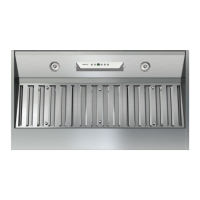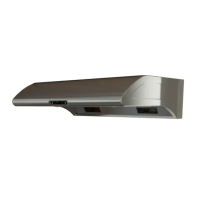
EasyManua.ls Logo

Zephyr Typhoon AK2100CS - User Manual

Zephyr Typhoon AK2100CS
80 pages
Print Icon
To Next Page IconTo Next Page
Loading...
WWW.ZEPHYRONLINE.COM
SEP20.0701
Typhoon
AK2100CS, B, W
AK2136CS, B, W
AK2142CS
AK2148CS
EN Use, Care, and Installation Guide
FR Guide d’utilisation, d’entretien et d’installation
Hurricane
AK2500BS, B, W
AK2536BS, B, W
Cyclone
AK6500BS, B, BS, W
AK6536BS, B, BS, W
AK6542BS
Airflow Control Technology
TM
C
C
Airflow Control Technology
TM
C
C

Questions and Answers

  • J
    Jeremy NealAug 18, 2025
    Why does my Zephyr Ventilation Hood turn on by itself?
    • R
      Rachael SantosAug 18, 2025
      If your Zephyr Ventilation Hood turns on by itself, it may be because a spotlight or kitchen lamp is shining directly onto the switch controls. The switch controls are light sensitive, and a direct light source may disrupt their function.
  • K
    Kim SantiagoAug 20, 2025
    What to do if my Zephyr Ventilation Hood doesn't work after installation?
    • D
      David GarciaAug 20, 2025
      If your Zephyr Ventilation Hood doesn't work after installation, check the following: Ensure the power source is turned ON by verifying the circuit breaker and unit's power are ON. Check that the power line and cable locking connector are properly connected to the unit. Make sure the wirings at the switch board and control board are connected correctly. If the switch board or control board is defective, it should be replaced.
  • C
    Casey HoustonAug 23, 2025
    What to do if my Zephyr Typhoon AK2100CS Ventilation Hood is not venting out properly?
    • A
      Austin RobertsAug 23, 2025
      If your Zephyr Ventilation Hood isn't venting out properly, several factors could be the cause. Ensure you're using solid, rigid metal ducting, as flexible ducting can significantly reduce airflow. Check that the hood is positioned correctly, maintaining a distance between 24” and 32” from the cooktop. Eliminate any external wind by closing nearby windows and doors. Finally, inspect the ductwork and opening for any blockages.
  • T
    Tamara SmithAug 26, 2025
    Why is my Zephyr Ventilation Hood not working after installation?
    • A
      Alicia FischerAug 26, 2025
      If your Zephyr Ventilation Hood isn't working after installation, start by ensuring that the circuit breaker and the unit's power are turned ON. Then, check the power connection to confirm it's properly connected. Also, verify that the wirings at the switch board and control board are securely connected. If the issue persists, the switch board or control board might be defective and require replacement.
  • N
    nweberAug 28, 2025
    What to do if my Zephyr Ventilation Hood light works, but the blower isn't turning?
    • V
      Vickie TaylorAug 28, 2025
      If the light on your Zephyr Ventilation Hood is working, but the blower isn't turning, there are several potential causes. First, check the blower cable to ensure it is properly connected. Next, inspect the motor for any debris or obstructions that may be preventing it from turning. If those aren't the issue, the motor or capacitor may be defective and require replacement. Finally, the switch board or control board could be defective, requiring you to change the defective part.
  • R
    Rebecca MooreAug 30, 2025
    What to do if the blower is working, but the lights are not on my Zephyr Ventilation Hood?
    • T
      Thomas TravisAug 30, 2025
      If the blower in your Zephyr Ventilation Hood is working, but the lights are not, start by checking the LED light connector to ensure it is properly connected. If the connection is secure, the LED light itself may be defective and need replacing. Finally, the switch board or control board could be defective, requiring replacement.
  • K
    Kim DuranSep 2, 2025
    What to do if Zephyr Typhoon AK2100CS light works, but the blower isn't turning?
    • R
      rodriguezchaseSep 2, 2025
      If the light works but the blower isn't turning on your Zephyr Ventilation Hood, there could be several reasons: * The blower cable might be disconnected, so check and connect it. * There might be debris or an obstruction in the motor, which you should remove. * The motor could be defective or seized, requiring you to change the blower. * A damaged capacitor could also be the cause, so replace the capacitor. * Lastly, the switch board or control board might be defective, requiring you to change the defective part.
  • T
    Tammy BriggsSep 4, 2025
    How to fix lights if the blower is working on Zephyr Typhoon AK2100CS Ventilation Hood?
    • S
      Steven GarciaSep 4, 2025
      If the blower is working, but the lights are not on your Zephyr Ventilation Hood, check these potential issues. First, the LED light connector might be disconnected; ensure it is properly connected. Second, the LED light itself could be defective and need replacement. Finally, the switch board or control board might be defective, and you would need to change it.
  • M
    Maria SimpsonSep 7, 2025
    Why is my Zephyr Typhoon AK2100CS vibrating?
    • J
      James JimenezSep 7, 2025
      If your Zephyr Ventilation Hood is vibrating, it could be due to a few reasons. Check that the blower is securely tightened in place. Another cause may be a damaged blower wheel, which would need to be replaced. Also ensure that the hood itself is properly secured in place by verifying its installation.
  • W
    Wesley RobertsSep 9, 2025
    How to fix a vibrating safety grille on my Zephyr Typhoon AK2100CS Ventilation Hood?
    • J
      Jennifer MorrisSep 9, 2025
      If the safety grille on your Zephyr Ventilation Hood is vibrating, it is likely because the safety grille is loose. To resolve this, simply tighten the safety grille screw.

Summary

Safety Information

General Safety and Operation

Essential safety guidelines, operating precautions, and electrical requirements for safe use.

Fire Safety Warnings

Specific warnings for grease fires and procedures to prevent injury.

Installation and Ducting Safety

Hazards related to installation, electrical work, and ducting options.

Electrical Requirements and Precautions

Detailed information on electrical supply, grounding, and safety measures.

List of Materials

Parts Supplied

List of components included with the range hood package.

Parts Not Supplied

List of necessary parts and tools not included with the hood.

Installation Instructions

Ducting Calculation Sheet

Worksheet to calculate total duct length for optimal airflow.

Mounting Height, Clearance, & Ducting

Guidelines for proper hood placement, clearance, and ducting requirements.

Ducting Options

Various methods for venting exhaust air from the hood to the outside.

AK21 Hood Specifications

Detailed dimensions and technical specifications for the AK21 model.

AK25 Hood Specifications

Detailed dimensions and technical specifications for the AK25 model.

AK65 Hood Specifications

Detailed dimensions and technical specifications for the AK65 model.

Electrical Supply and Cable Lock

Requirements for power connection, grounding, and cable securing.

Rectangular Vertical Ducting Preparation

Steps for preparing the hood for vertical rectangular duct connections.

Rectangular Horizontal Ducting Preparation

Steps for preparing the hood for horizontal rectangular duct connections.

Mounting the Hood

Step-by-step instructions for physically mounting the range hood under a cabinet.

Features & Controls

AK21 Capacitive Touch Controls

Explanation of the touch-sensitive controls for the AK21 model.

AK25 Electronic Touch Controls

Explanation of the electronic touch controls for the AK25 model.

AK65 Mechanical Slide Controls

Explanation of the mechanical slide controls for the AK65 model.

Maintenance

Hood and Filter Cleaning

Instructions for cleaning the hood, including its self-cleaning feature.

LED Light Strip Maintenance

Guidance on replacing or maintaining the hood's LED lighting components.

ACT Conversion

Airflow Control Technology (ACT) Overview

Explanation of the ACT™ feature for controlling maximum fan CFM.

Enabling and Verifying ACT

Steps to enable, configure, and verify ACT™ settings for CFM reduction.

Accessing PC Board

Procedures for accessing the internal circuit board for technical adjustments.

Wiring Diagram

Model-Specific Wiring Schematics

Electrical schematics detailing the wiring for AK21, AK25, and AK65 models.

Troubleshooting

Common Problems and Solutions

Guide to diagnosing and resolving common issues encountered with the hood.

List of Parts & Accessories

Replacement Parts and Optional Accessories

Catalog of available replacement parts and optional accessories for purchase.

Notes

Limited Warranty

Product Registration

Zephyr Typhoon AK2100CS Specifications

General IconGeneral
Colorstainless steel
Hood Typeunder cabinet
Venting Typeducted, external
Temperature Sensorno
Number of Fan Speeds6
CFM850 cubic feet per minute
Sones5 sones
Control Typetouch pad
Delay Startyes
Interior Lightyes
Remote Controlno
Voltage120 volts
Weight and Dimensions IconWeight and Dimensions
Depth20 3/4 inches
Height7 7/8 inches
Width29 3/4 inches
Net Weight36.5 pounds

Related product manuals