Controls and Components
3.14
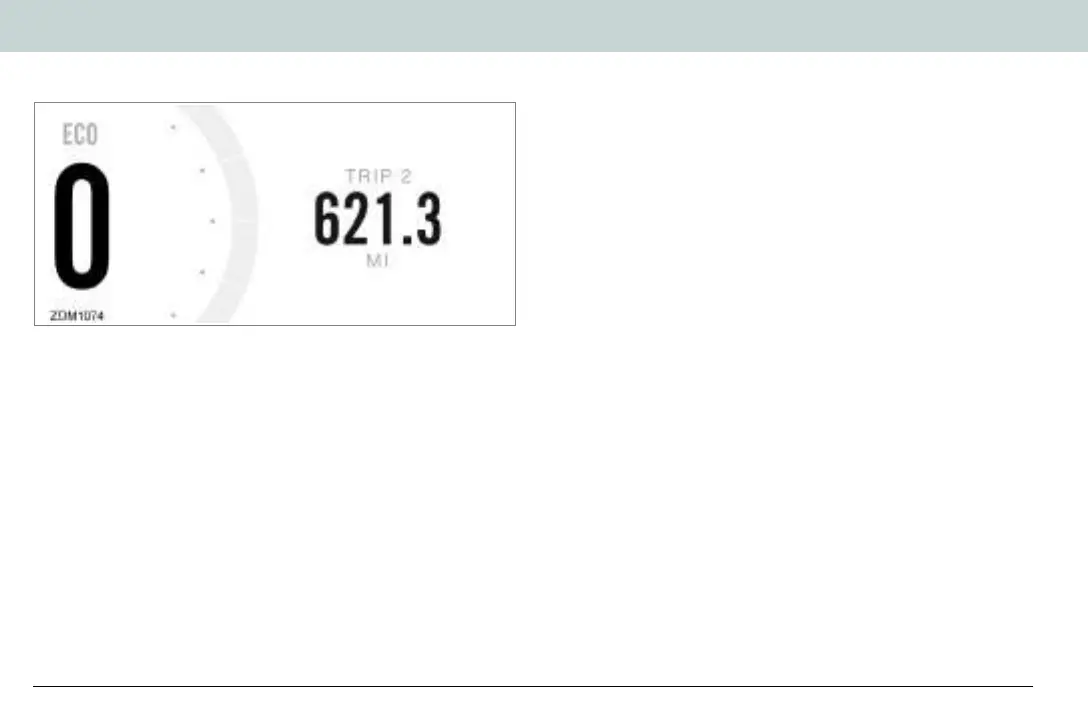
Display B
To select Display B with the dash in its normal operating mode,
momentarily press the SEL button twice. Press the ADJ button
to toggle through the following fields:
• TRIP 2 - Displays individual trip mileage and is reset by
pressing and holding the ADJ button for 2 seconds.
• INSTANT - Displays the current energy usage in watt hours
(Wh), per mile (mi), or kilometer (km), depending on the
currently selected display unit.
• AVERAGE - Displays the average energy usage during
duration of Trip 1 in watt hours (Wh), per mile (mi), or
kilometer (km), depending on the currently selected display
unit.
Note: The average energy use is reset each time the battery
is recharged to 100%.
• LIFE - Displays the average energy usage over the life of the
motorcycle in watt hours (Wh), per mile (mi), or kilometer
(km), depending on the currently selected display unit.
• MOTOR - Displays the temperature of the motor in Fahrenheit
(F) or Celsius (C).
Note: The temperature may not read accurately during the
first 5 miles of a ride while the application is calibrating itself.
Zero Owner's Manual (FX and FXS).book Page 14 Thursday, May 13, 2021 10:53 AM


 To Next Page