EN | 13
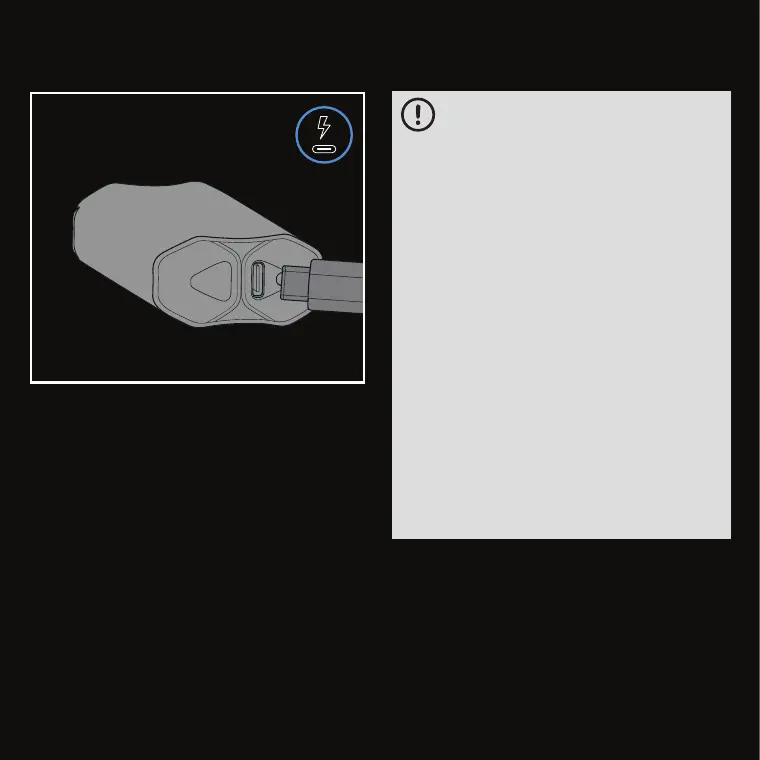
Plug the provided
USB Charging Cable
into a USB
charge adapter with the rating not higher than
5 V ⎓ 2.5 A and connect to the
USB-C Charging
Port
. When the ZEUS ARC S™ has finished
charging, all LED lights will be solid red.
CHARGING THE ARC S
• Do not use a charger with non-standard
voltage and current ratings. Use a
charge adapter with a rating not higher
than 5 V ⎓ 2.5 A, that complies with all
currently applicable official regulations.
• Do not use any damaged equipment to
charge the device (including damaged
adapters, anything with frayed wires,
etc.).
• Do not bend or damage the charger
area.
• Do not charge a defective device.
• Do not plug in the ZEUS ARC S™
directly after use or if the device is
warm from heating.
• Do not place on surfaces that insulate
the temperature build-up of the unit
from dissipating (do not place the unit
on beds, couches, pillows, clothing, etc.
while charging or if still hot from use),
or cover the device.



 To Next Page