Page 8 Decoder-Update-and-Sound-Loading-device MXULFA, Test and Connection boards MXTAPS, -V, MSTAPK, -G
10. Programming/ reading CVs SERV PROG / OP PROG
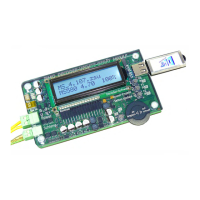
The MXULFA not only is a module too update ZIMO decoders, but also to read-out and program CVs.
The MXULFA provides two ways of communication with the decoder:
- PROGramming on the SERVice track: the decoder connected to “Schiene” responds with motor pulses
to requests by the MXULFA. This method is slow, but in many cases effective.
- OPerational PROGramming: more than one decoder can be connected to “Schiene”, but only the de-
coder selected by its address will respond to the MXULFA’s request. This method is also called PoM (Pro-
gramming on the Main).
To activate one of the programming modes, press and hold the R-key (3 sec) to open the menu, scroll to
“SERV PROG” or “OP PROG” and press the R-key to change to the programming method.
SERV PROG
SERV PROG After selection by R-key: Wait to enter CV number
CV .
SERV PROG enter CV number with scrolling wheel, R-key
CV 122 = .
SERV PROG enter CV value with scrolling wheel, R-key, ack. by motor current-
CV 122 =136 ACK . . Feedback by sending „ACK“
SERV PROG enter CV value with scrolling wheel, but programming
CV 122 =136 NACK . failed, therefore „NACK“
SERV PROG or again R-key to read out, value is displayed with “READ“
CV 122 = 0 READ .
SERV PROG or again R-key to read out, but doesn’t work
CV 122 = N-RD . feedback „N-RD“ (= „No Read“).
CV 122 =136 ACK . program or read further CVs
CV . “old” line moves up
CV 122 =136 ACK .
CV 123 = .
Press and hold R-key: return to menu.
OP PROG
OP PROG After selection by R-key: Wait to enter address (with scrolling
Address = 0 . wheel). It is possible to have more than one decoder on the (programming)
track / output
“Schiene”, only the one addressed is talked to.
OP PROG Further procedures like in SERV PROG, but faster, with the
CV 122 = 136 ACK . same feedback (ACK, NACK, READ, N-RD), and additionally
„SENT“ (i.e. CV programming complete but not acknowledged).
11. Read / program load code
The load code for sound projects is one of ZIMOs specialties, which originates in a number of sound pro-
viders. They produce sound projects for ZIMO sound decoders. To load these sound projects onto a de-
coder, you have to buy a “load code”. This not only depends on the sound project’s author, but also on the
identification number of the decoder.
It is a simple process:
- Read out the decoder ID: CV values #250, 251, 252 and 253.
- Buy a load code (ZIMO homepage, retailer, sound project’s author): 4 three-digit numbers.
Program these values into CVs #260, 261, 262 and 263.
- Load the sound project into the decoder (see chapter 6).
To read and program the necessary values, the MXULFA provides the possibilities already known from
chapter 9 “read and program CVs”: "PR SERV ID+LD" or "PROG OP ID+LD".
Entering one of the programming modes via the menu: press and hold the R-key (3 sec) and select
"SERV PR ID+LD" or "OP PR ID+LD" with the scrolling wheel.
SERV PR ID+LD
SERV PROG ID = After selection by R-key decoder ID is read out and displayed
221, 56,242,102 . (CVs 250-253)
SERV PROG ID = or: After selection by R-key, decoder ID is read out, doesn’t work
NO-READ .
SERV PROG LC = Press and hold R-key again to enter load code
. (CVs 250-253)
SERV PROG LC = program values, continue/ exit with R-key
196, 67, 23, . (CVs 260-263)
196, 67, 23,244 or: instead of entering, press R-key again to read out the load code
LC READ .
196, 67, 23,244 after last value, press R-key
LC ACK . ACK = ACKnowledgement, load code is valid and accepted by the decoder
196, 67, 23,244 or: after last value, press R-key, doesn’t work
LC NACK . NACK = Not ACKnowledged;
usually: Load code is not valid or does not correspond to the serial num-
ber
Press and hold R-key: return to menu.
OP PR ID+LD
OP PROG After selection by R-key the address is entered, by pressing
Enter addr: the R-key the ID is read out automatically.
Otherwise, this procedure is identical (but faster) to the mode “SERV PR ID+LD” (see previous chapter).


 To Next Page