USER GUIDE
16
To press Ⓘ to start Swim Fitness and stopwatch counting at the same time
To press the M button into the option menu, you can save the record, delete
records, review the records. (Swim Fitness is still counting.)
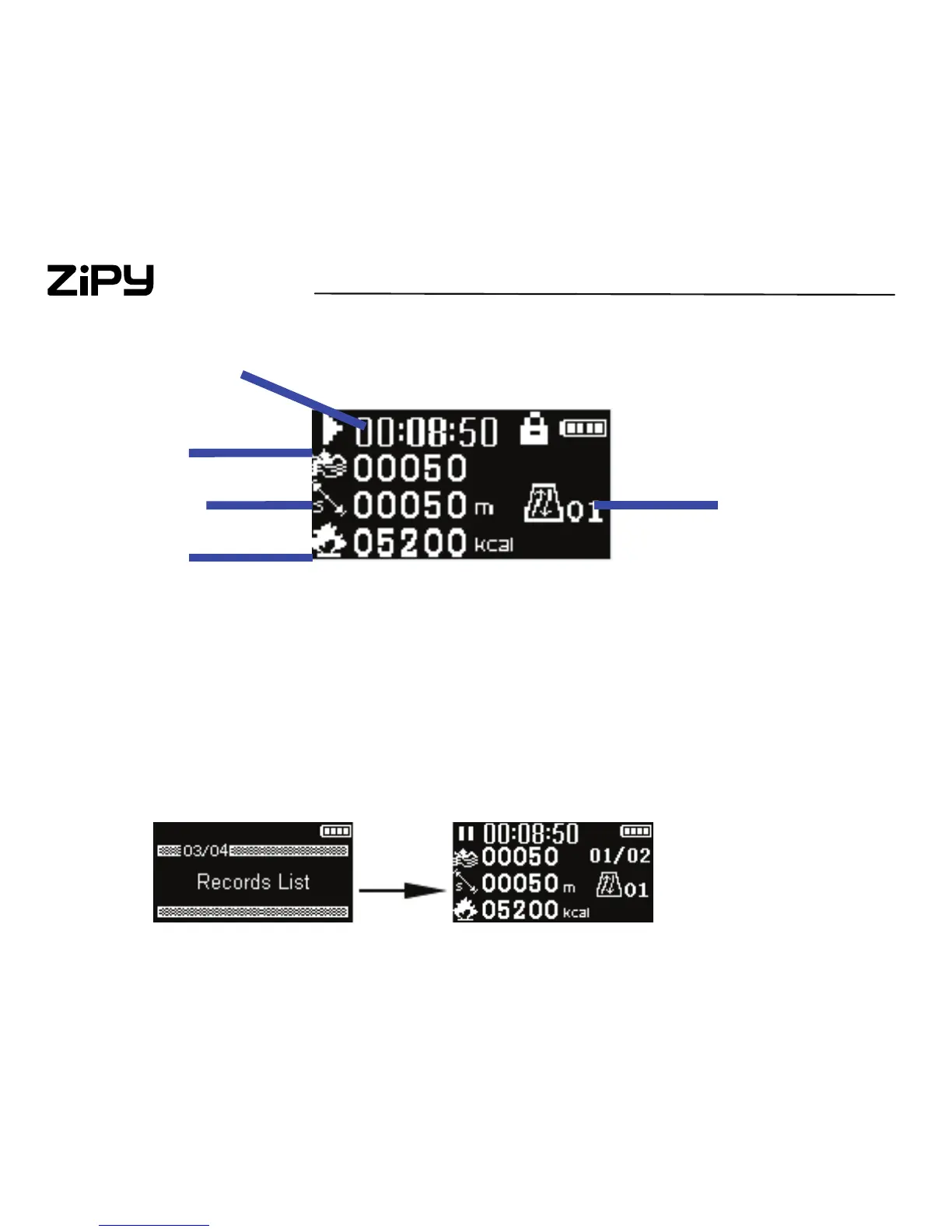
6.2 To track your records
In the home menu, press + or – to select Swim Fitness and press “Ⓘ” to e
nter into Swim Fitness screen.
Press M button into option menu and press + or – to choose the Records Li
st for detail checking. (Store up to 20 pedometer sessions.)
Lap Coun
Time
Stroke Count
Distance
Calories


 To Next Page