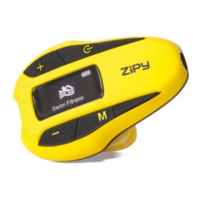
GO WAVING
1
MP3
1. General Control………………………………………………………………………………………………… 4
1.1 Turning the player on/off…………………………………………………………………………… 4
1.2 Lock/unlock control………………………………………………………………………………….. 5
1.3 Reset…………………………………………………………………………………………………….. 5
2. Using the menu………………………………………………………………………………………………… 5
2.1 Main menu (Home menu)…………………………………………………………………………… 5
2.2 Option menu…………………………………………………………………………………………… 6
2.3 Menu navigation………………………………………………………………………………………. 6
2.4 The Home menu……………………………………………………………………………………… 8
3. Music Playback………………………………………………………………………………………………… 10
3.1 Playback screen………………………………………………………………………………………. 10
3.2 Music playback controls……………………………………………………………………………. 10
3.3 Option menu (music playback)……………………………………………………………………. 11
4. Radio……………………………………………………………………………………………………………… 11
5. Pedometer………………………………………………………………………………………………………... 13
5.1 To record your running details……………………………………………………………………. 13
5.2 To track your records……………………………………………………………………………….. 14
5.3 Personal Info…………………………………………………………………………………………… 14
6. Swim Fitness……………………………………………………………………………………………………. 15
6.1 To record your swimming details………………………………………………………………… 15
6.2 To track your records……………………………………………………………………………….. 16
6.3 Personal Info…………………………………………………………………………………………… 17
7. Settings………………………………………………………………………………………………………….. 18
7.1 Changing the player’s settings……………………………………………………………………. 18


 To Next Page