38 G3 Pro User Manual
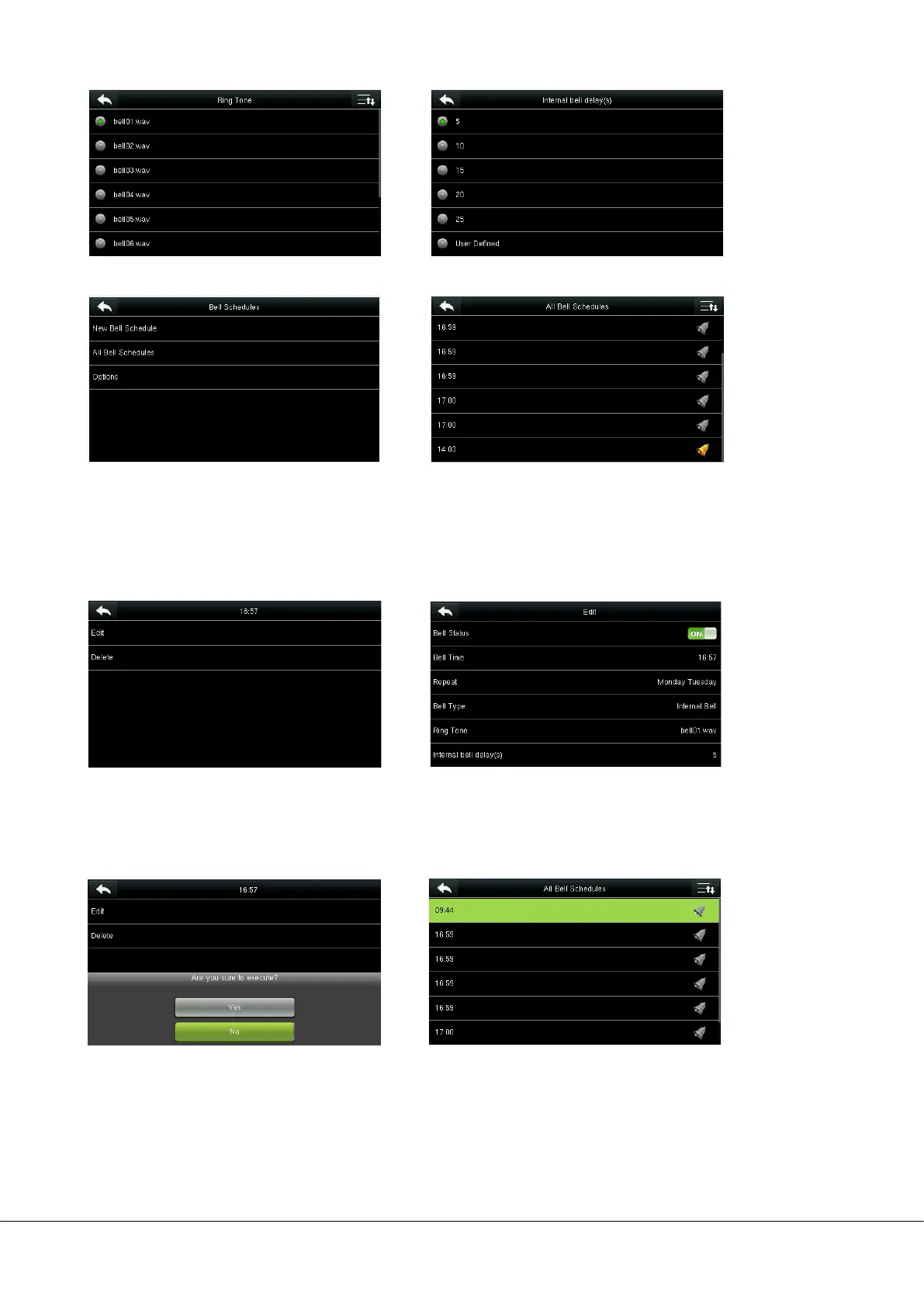
5. Select a ring tone. 6. Select the internal bell delay.
8. The added bells are displayed in a list.
8.3.2 Edit a Bell
On the All Bell Schedules interface, tap the bell item to be edited.
Tap Edit.
8.3.3 Delete a Bell
On the All Bell Schedules interface, tap a bell item to be deleted.
Tap Delete and select [Yes] to delete the bell. The bell is deleted successfully.
The editing method is the same as that of a
new bell, and not described here.
7. Return to the
interface and
tap All Bell Schedules.


 To Next Page