56 G3 Pro User Manual
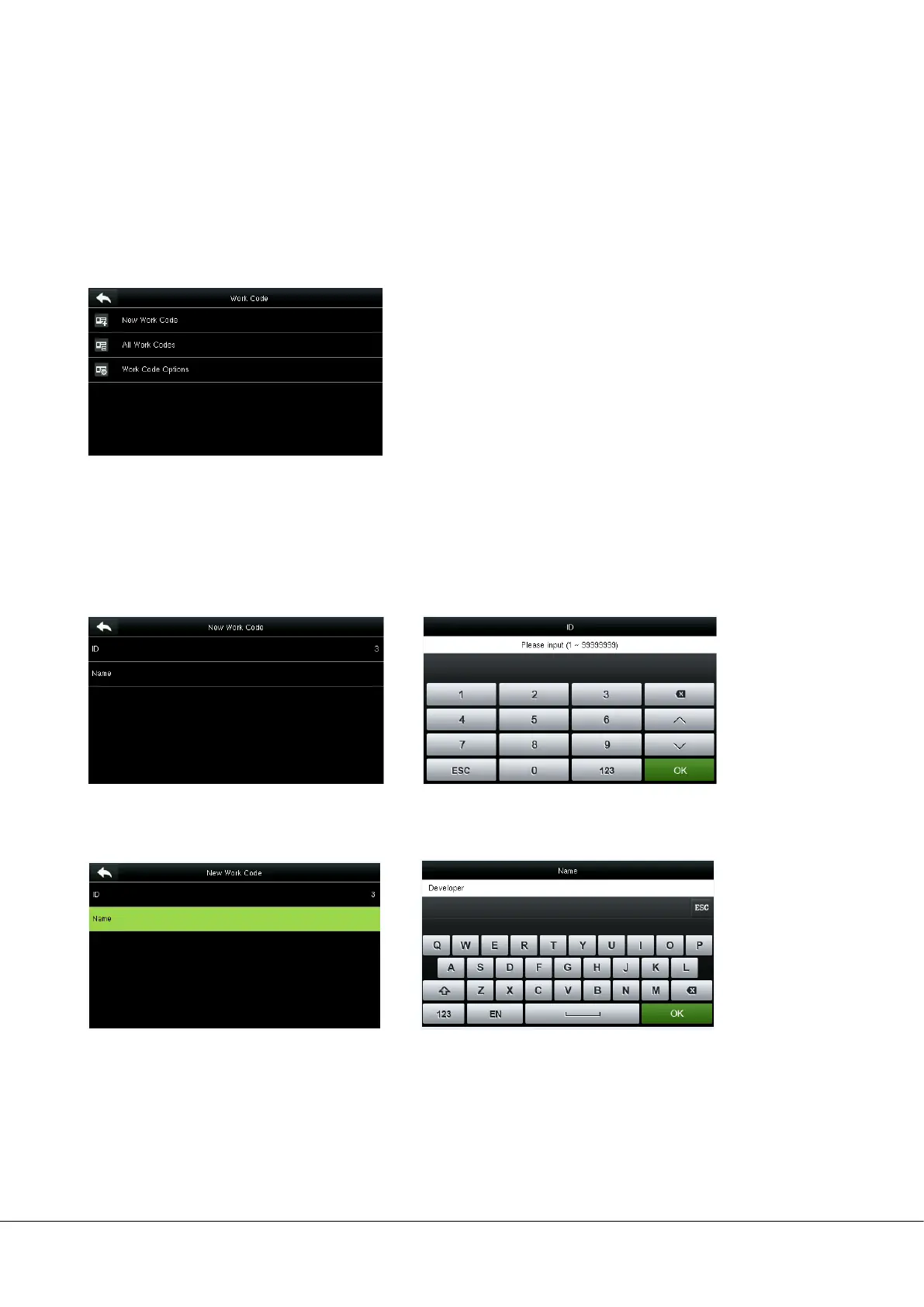
15 Work Code
Employees’ salaries are subject to their attendance records. Employees may be engaged in different types of work which
may vary with time periods. Considering the salaries vary with work types, the FFR terminal provides a parameter to
indicate the corresponding work type for every attendance record to facilitate rapid understanding of different
attendance situations during the handling of attendance data.
15.1 Add a Work Code
No.: A digital code of the work code.
Label: The meaning of the work code.
1. Editing an ID
Select ID.
2. Editing a name
Select Name. Press * to select an input method and enter a name.
Press the numeric keys to assign a number
between 1~99999999.


 To Next Page