G3 Pro User Manual 49
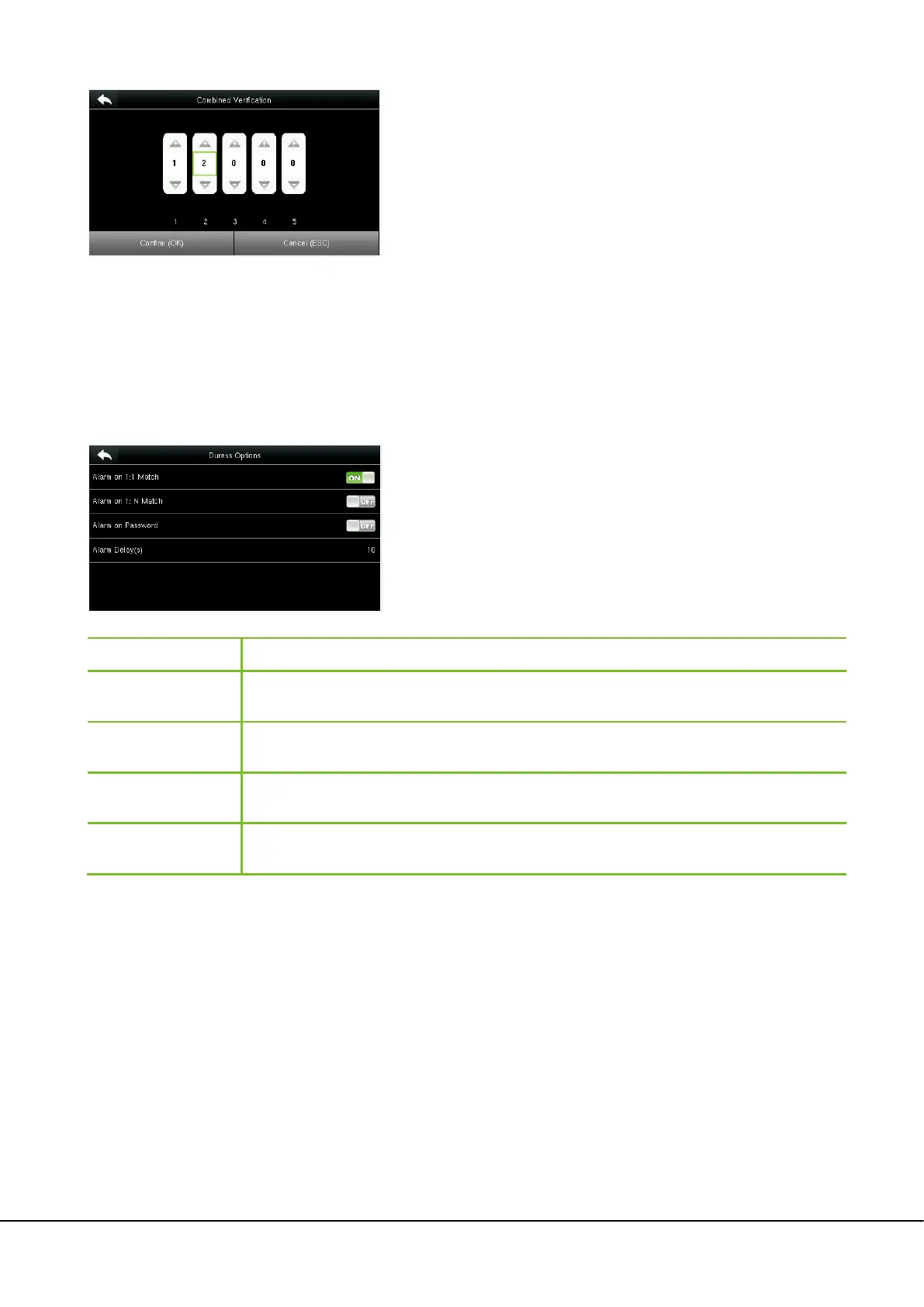
3. Tap Up and Down to enter the combination number, and then press [Confirm (OK)].
10.6 Duress Options Settings
When users come across duress, select duress alarm mode, the device will then open the door as usual and send the
alarm signal to the backstage alarm.
Tap Duress Options on the Access Control interface.
Menu Item Description
Alarm on 1:1 Match
In [ON]
state, when a user uses 1:1 Verification Method to verify any registered fingerprint,
alarm will be triggered. In [OFF] state, no alarm signal will be triggered.
Alarm on 1: N Match
In [ON] state, when a user uses 1:N Verification Method to verify any registered fingerprint,
alarm will be triggered. In [OFF] state, no alarm signal will be triggered.
Alarm on Password
In [ON] state, when a user uses password verification method, alarm will be triggered. In [OFF]
state, no alarm signal will be triggered.
Alarm Delay (s)
When duress alarm is triggered, the device will send out alarm signal after 10 seconds (default);
the alarm delay time can be changed (value ranges from 1 to 999 seconds).
Note:
In a Combined Verification, the range of user number is: 0 ≤ N ≤ 5.
If you need to delete an unlocking combination, directly set all
digits of the combination number to 0. If you need to modify a
combination, directly tap corresponding combination item to
conduct setting again.


 To Next Page