EasyManua.ls Logo

ZKTeco STP10 - User Manual

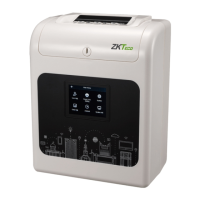
ZKTeco STP10
28 pages
Print Icon
To Next Page IconTo Next Page
Loading...
XXXX 用手 I
User Manual
STP10/20 Smart Time Recorder
Version: 1.0
Date: Jan, 2018

Questions and Answers

  • A
    Andrew KimAug 3, 2025
    What to do if my ZKTeco STP10 can't draw a card?
    • A
      Andrew CopelandAug 3, 2025
      If your ZKTeco Clock isn’t drawing cards, several things could be happening. First, there might be a power cut; in this case, wait for the power to return. Second, there could be a bad contact of power, so check the outlet. Finally, you might be putting or pulling the card vigorously. In that case, check the card size and the correct method for inserting or removing the card.
  • L
    Lisa BrownAug 9, 2025
    Why is the print position wrong on my ZKTeco STP10 Clock?
    • T
      Tina JohnsonAug 9, 2025
      If the print position is wrong on your ZKTeco Clock, it could be due to a wrong account day being set. To resolve this, set the correct account day. Alternatively, you might be using the wrong method for inserting or removing the card; in that case, check the correct method.
  • D
    David WatersAug 15, 2025
    What to do if my ZKTeco Clock beeps but doesn’t draw card?
    • M
      Michael GrossAug 15, 2025
      If your ZKTeco Clock beeps but doesn’t draw the card, the card side might be wrong. Try putting the card in the right side again. It could also be that you are putting the card in the wrong way; try putting the card in with a light stress.
  • M
    Matthew BennettAug 20, 2025
    Why is the print color too light on my ZKTeco Clock?
    • P
      Paul CarrAug 21, 2025
      If the print color is too light on your ZKTeco Clock, the ribbon is likely consumed completely. Install a new ribbon cartridge to resolve this.
  • M
    Melissa MartinezAug 27, 2025
    Why is the writing wry on my ZKTeco STP10 Clock?
    • G
      Gregory RichardsonAug 27, 2025
      If the writing is wry on your ZKTeco Clock, the method you are using might be wrong. Check the correct method for inserting or removing the card.

Summary

Main Menu

User Management

Adding User

Adding super admin and normal user.

Searching User

Enter user ID on the User List to search for a user.

Editing User

Select [Edit] to enter user editing interface after choosing a user.

Deleting a User

Select [Delete] to enter user deleting interface after choosing a user.

Clock Core Setting

Communication

System

Data Management

Delete Data

Delete all data, admin roles, attendance, or backup data.

Backup Data

Backup business or system data to the device or U disk.

Restore Data

Restore data from the device or U disk.

Attendance Search

Troubleshooting

ZKTeco STP10 Specifications

General IconGeneral
BrandZKTeco
ModelSTP10
CategoryClock
LanguageEnglish