4 Clock Core Setting
4.1 Needle Printer Setting
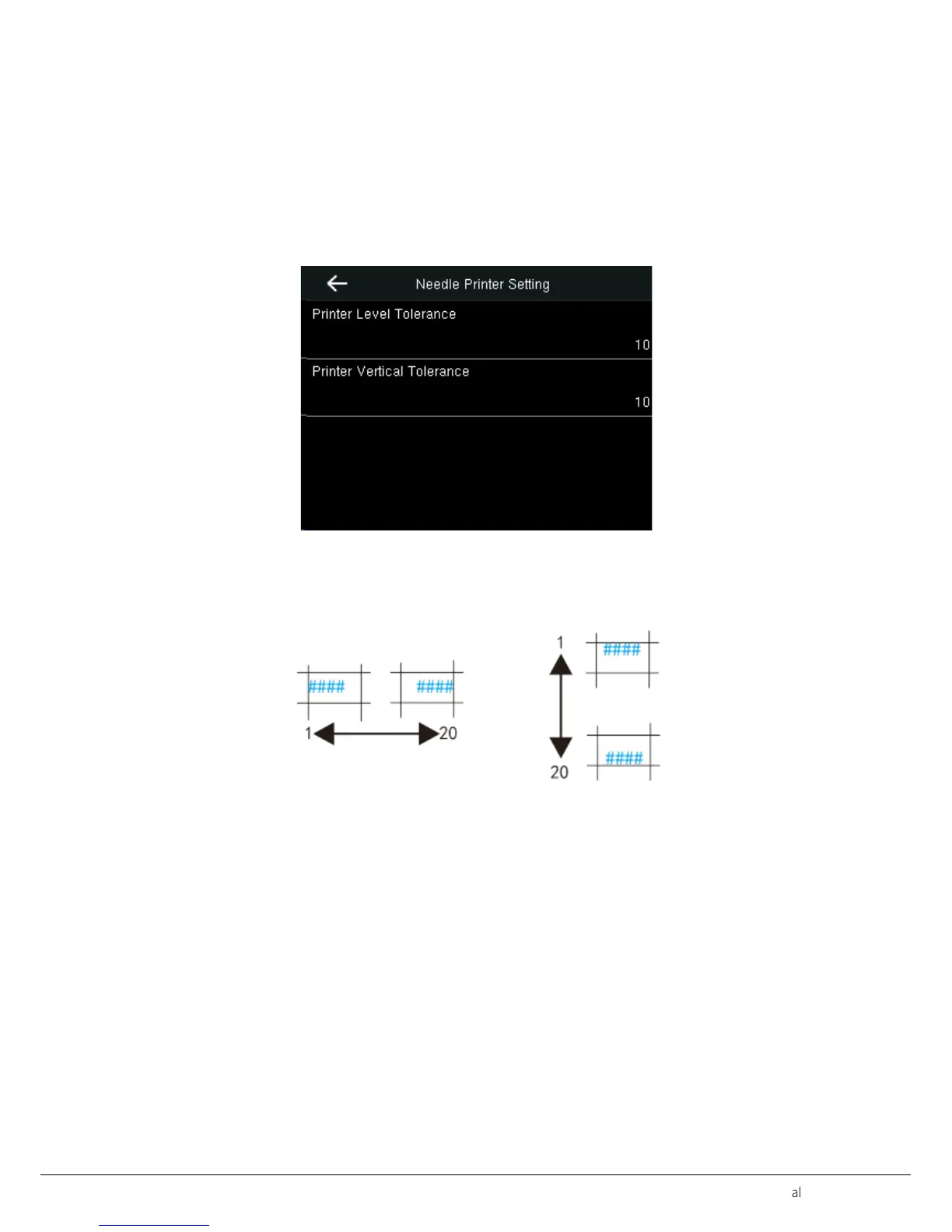
Clock Core Setting>Needle Printer Setting. Adjust the print position of the words in table cell. The adjustment range is
“1~20". The default is10.
Printer Level Tolerance
Adjust print position in level. The smaller the number is, the more left print position will be and vice-versa.
Print Vertical Tolerance
Adjust print position in vertical. The smaller the number is, the more up print position will be and vice-versa.
Level Vertical
4.2 Shifts Setting
It has two modes of shifts operation. The default mode is Assign Column.
Schedule Shifts


 To Next Page