©2017 Guangzhou ZHIYUAN Electronics
Guangzhou ZHIYUAN Electronics Co., Ltd.
Industrial high performance CAN interface card
2
Chapter
Chapter
2:
2:
Device
Device
Hardware
Hardware
Interface
Interface
USBCAN-4E-U high-performance CAN interface card is featured with small size and
plug-and-play. Users can power for the USBCAN-4E-U interface card via the PC's
USB port or use an external power supply.
2.1.1 External Power Supply Mode
External power supply mode is suitable for PCs using USB bus hubs, or connected to
multiple USB terminal devices, resulting in USB ports cannot provide enough current
to USBCAN-4E-U interface card.
Use an external power supply (DC +9 ~ +36V, 450mA) to connect to the POWER
socket of the USBCAN-4E-U interface card. At this time, the indicator PWR is yellow.
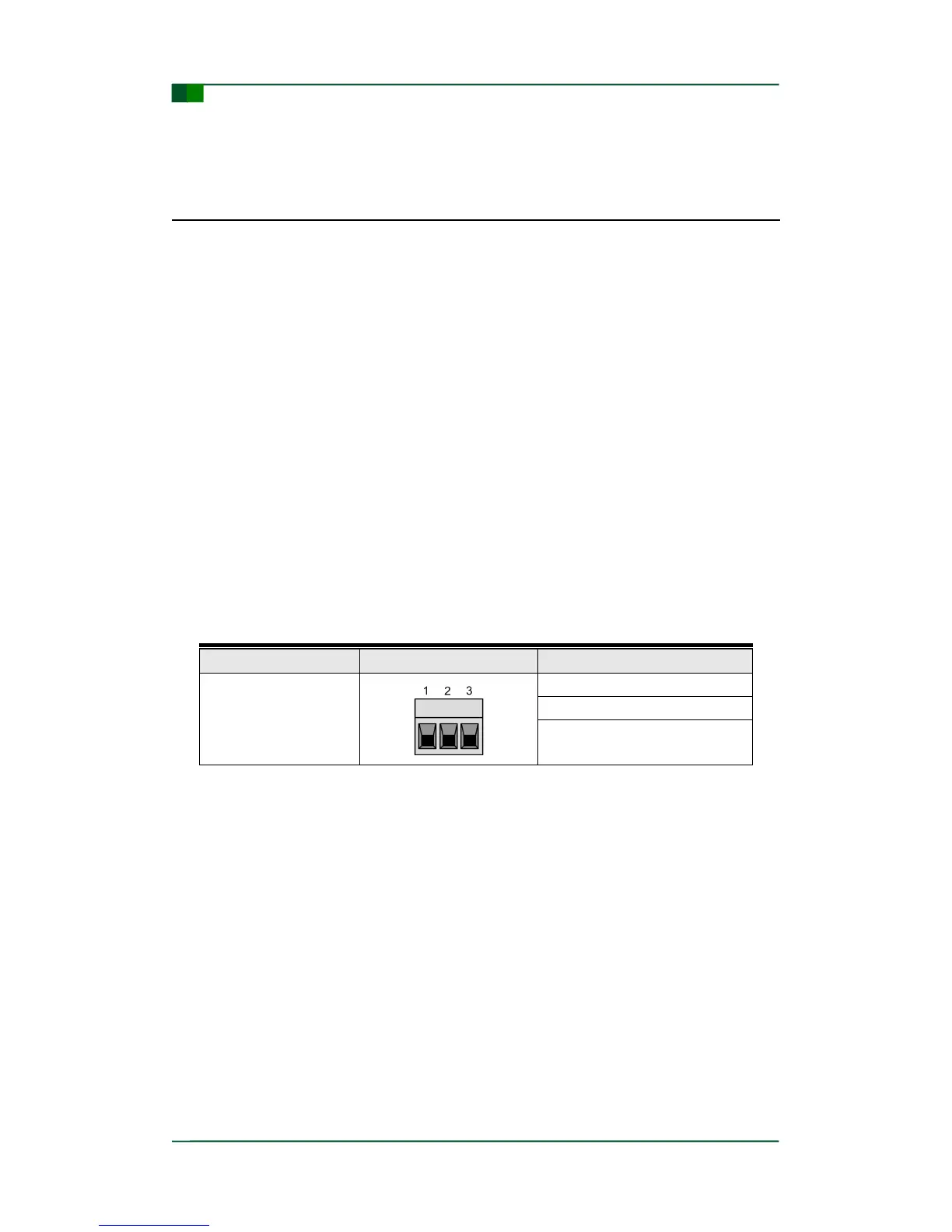
The physical form of the power interface is the OPEN3 terminal, and the connector
schematic diagram and signal definition are shown in Table 2-1.
Table 2- 1: Power Interface
2.1.2 USB Bus Power Supply Mode
The USB bus power supply mode is suitable for most applications, for example, when
the USBCAN-4E-U interface card is the only device that the USB port is connected.
The USBCAN-4E-U interface card is connected to PC directly via the USB cable, and
thus provided +5V for the USBCAN-4E-U interface card. At this time, the power
indicator PWR is lit and turns yellow; the SYS indicator is lit and turns red, and then
the green light flashes. It means that the interface card can communicate with PC.
2.2 DIP Switch of Terminal Resistance
USBCAN-4E-U uses mechanical switch mode to select the terminal resistance. The
DIP switch is shown in Figure 2-1.


 To Next Page