The following takes a PC with WinXP operating system for an example, introduces
how to correctly install the USBCAN-4E-U industrial high-performance CAN interface
card device.
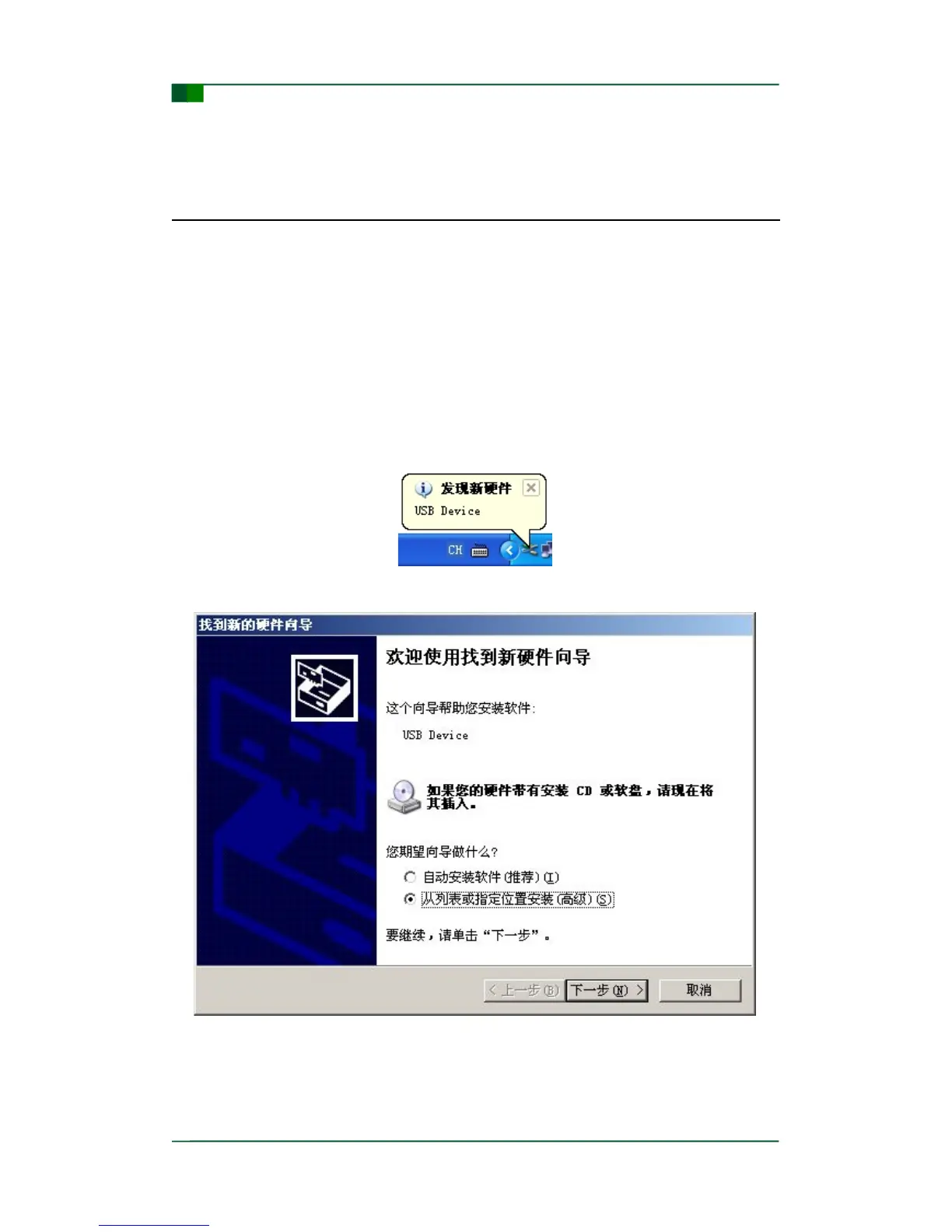
Windows XP can automatically detect a new device (as shown in Figure 3-1) and
activate the “Find new hardware” wizard to install the Plug and Play device driver (as
shown in Figure 3-2). If the system does not prompt to find a new device at this time,
please check whether the hardware is installed correctly or not.
Figure 3- 1: Windows XP find a new device
Figure 3- 2: New hardware driver installation
Select “Install from the list or specific location” and click “Next” to continue.


 To Next Page