EasyManua.ls Logo

Zodiac ClearWater LM2 - User Manual

Zodiac ClearWater LM2
10 pages
Print Icon
To Next Page IconTo Next Page
Loading...
You have chosen
a CLEARWATER
®salt chlorinator
by ZODIAC because it makes life
stress-free and relaxed.
The LM2 is a pole reversal
model. The electrodes are
self-cleaning to minimise your
maintenance time.
Processing is non-stop and
reduces maintenance to a simple
check of the water pH levels.
Thank you for purchasing
our CLEARWATER
® water
processing system, we recommend
that you read these instructions
carefully before installing
and using it.
c ontents
How does your CLEARWATER® system work ? 13
The controls on your CLEARWATER® system 13
Indicators and buttons 13
Installation
Installation of the cell 15
Installing the control box 15
How to connect the control box to the cell 15
How to connect the control box to the pump 15
Usage recommendations
Filtering times 16
Water balance 16
Standard maintenance checks 18
Maintenance of your CLEARWATER® system
Cleaning the electrodes 19
Damage caused by insects 19
Solutions to possible problems 20
Warnings 21
Your guarantee 21
Question and Answer IconNeed help?

Do you have a question about the Zodiac ClearWater LM2 and is the answer not in the manual?

Summary

How Your CLEARWATER System Works

System Operation Overview

Explains how the CLEARWATER system uses salt to produce chlorine for pool disinfection.

Control Panel and Indicators

Details on the controls, indicators, and buttons of the CLEARWATER system.

Installation Guide

Installation Safety Warnings

Crucial safety warnings and professional installation requirements.

Cell Installation

Instructions for positioning and connecting the chlorine production cell.

Control Box Installation

Guidelines for securely mounting the control box.

Connecting Control Box to Cell

Steps for wiring the control box to the chlorine cell.

Connecting Control Box to Pump

Instructions for connecting the control box to the pool pump.

Usage and Water Balance Recommendations

Optimizing Filtering Times

Guidance on setting appropriate daily filtering durations.

Maintaining Water Balance

Recommended water parameters for optimal chlorinator performance.

pH Level Management

Procedures for maintaining the desired pH level in pool water.

Total Alkalinity (TAC) Adjustment

Importance of TAC and methods for its adjustment.

Water Hardness (TH) Control

Recommended TH levels and softening processes.

Chlorine Stabilizer Importance

Role and recommended levels of chlorine stabilizer.

Maintenance and Troubleshooting

Routine Maintenance Checks

Weekly and monthly checks for system upkeep.

Electrode Cleaning Procedure

Step-by-step guide for manual cleaning of the electrodes.

Preventing Insect Issues

Advice on preventing insects from affecting the control box.

Common Problem Solutions

Troubleshooting guide for common issues and their resolutions.

Safety and Guarantee Information

Critical Operational Warnings

Essential safety warnings for operating and maintaining the system.

Product Guarantee Details

Information on warranty terms, conditions, and legal aspects.

Overview

The CLEARWATER® salt chlorinator by ZODIAC is designed to provide a stress-free and relaxed pool experience by automatically disinfecting the water. This system uses a pre-defined quantity of salt dissolved in the pool water, which is then passed through the CLEARWATER® cell to produce chlorine. The chlorine destroys microbes and is continuously replenished by the cell to counteract the effects of the sun's UV rays. The LM2 model features pole reversal, making its electrodes self-cleaning and minimizing maintenance time. The system operates non-stop during the filtering process, reducing maintenance to a simple check of the water's pH levels.

Function Description

The CLEARWATER® system works by converting salt in the pool water into active chlorine. During the filtering process, dust and residue are collected by the filter, while the chlorinator disinfects the water, making it healthy and crystalline. Users only need to regularly check the water balance, specifically pH and TAC levels.

Important Technical Specifications

  • Salt Concentration: The system requires a salt concentration of 4 kg per m³ to operate optimally.
  • pH Levels: Recommended pH range is 7.2 to 7.6 (7 for polyester pools).
  • Chlorine Stabilizer: 40 to 75 g per m³ is recommended to protect chlorine from UV rays. Exceeding 75 g per m³ can reduce chlorine power.
  • Total Alkalinity (TAC): Should be maintained between 8 and 12° (French).
  • Total Hardness (TH): Should not exceed 30° Fr (300 ppm).
  • Water Temperature: Must not exceed 40°C.
  • Water Pressure: Must not exceed 2 bars in the cell.
  • Polar Reversal Cycle: 5.8 hours, during which chlorine production temporarily stops.
  • Electrical Connection: IP24 tested and approved, must comply with local standards and regulations.
  • Control Box Placement: Must be installed on a flat, watertight panel, at least 24 cm wide and 44 cm high, within 1.5 m from the cell and 1.2 m above ground. It should be at least 3 metres from the pool edge, not enclosed, not above a heat source, and preferably in a shady, sheltered area.
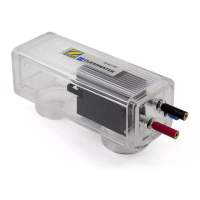
  • Cell Installation: Must be positioned horizontally after the heating and filter, as the last fitting before the inlet. Water can circulate in both directions.

Usage Features

The control box features several indicators and buttons for operation:

  • ON/OFF (H): Controls starting and stopping the chlorinator. For models without a clock, stopping with "OFF" will automatically restart the system when the pump restarts.
  • Output (F): Regulates the hourly chlorine production. Pressing the button moves a cursor from left to right (maximum production) and back to minimum.
  • Super-chlorination (G): Rapidly increases chlorine levels. When activated, the filter pump runs for 24 hours, and chlorine production is set to maximum, overriding previous settings. Can be interrupted or restarted.
  • Chlorine Output (B): Six lights indicate the production setting; lights further to the right mean higher production. This indicates the system's hourly production, not the actual chlorine level in the water, which requires a test kit.
  • Production of chlorine, first yellow diode flashing (A): Flashes for a few minutes during the pole reversal phase when chlorine production is stopped.
  • Super-chlorination (C): Lit when super-chlorination is active, goes out when finished.
  • Add salt (D): Lit when salt level is insufficient (3-4 g/litre), or if network voltage is too low or water is cold. Operating with low salt reduces electrode lifespan.
  • No flow (E): Lit when water flow in the cell is insufficient (e.g., pump stoppage), stopping chlorine production. Can also be triggered by disconnection of the blue wire on the electrode.
  • No indicators lit: Indicates the LM2 is not functioning; check fuses and switches.

Maintenance Features

  • Salt Addition: Extra salt may be needed periodically, especially before summer or after prolonged stoppage. Salt should be added directly to the pool, not skimmers, and the filtering system run for 4-6 hours (24 hours for complete dissolution) before restarting the chlorinator.
  • pH Adjustment:
    • Low pH (irritates eyes, corrodes metal): Use pH+ to increase.
    • High pH (lime deposits, cloudy water, hinders disinfectant): Use pH- or hydrochloric acid to lower.
  • TAC Adjustment:
    • Low TAC (pH fluctuates): Add TAC equalizer or sodium bicarbonate to increase.
    • High TAC (deposits on electrodes/pool walls): Add pH- or hydrochloric acid to reduce.
  • TH Adjustment (Dealkalization): For hard water (above 30° Fr), fill pool to maximum, add pH+ or sodium carbonate to bring pH to 9.5-10, use non-filtering circulation, allow precipitation for 12-24 hours, then vacuum deposits and lower pH.
  • Chlorine Stabilizer: Maintain 40-75 g per m³ to protect chlorine from sun.
  • Weekly Checks:
    • Visual inspection of electrodes: Remove foreign bodies, avoid deforming/scratching.
    • Check free chlorine level, pH, sand filter (backwash if needed), and pump's pre-filter.
  • Monthly Checks:
    • Check salt level, TAC, and chlorine stabilizer level.
  • Backwash Recommendation: Set electrolyzer production to minimum during backwash. If turning off and isolating, disconnect the blue wire on the sensor to prevent accidental restarts, and reconnect afterwards.
  • Electrode Cleaning: In hard water regions, manual cleaning may be needed.
    1. Stop CLEARWATER® system and filter pump.
    2. Disconnect blue wire from electrode.
    3. If present, close valves to isolate cell (ensure system is stopped to prevent explosion).
    4. Disconnect power cable.
    5. Unscrew pipe unions, remove cell, lay flat with openings upwards.
    6. Pour cleaning solution (1 part hydrochloric acid to 10 parts water, always add acid to water) into cell to cover electrodes.
    7. Allow 10 minutes for scale to dissolve.
    8. Remove solution, rinse electrodes with running water.
    9. Reassemble, tighten unions, check for leaks.
    10. Open stop valves.
    11. Replace electrical connections.
    12. Restart filter pump and LM2.
    13. Verify chlorine production setting.
  • Insect Damage Prevention: The LM2 control box has openings for cooling. To prevent insects from causing problems, spray insecticide near openings.

Zodiac ClearWater LM2 Specifications

General IconGeneral
BrandZodiac
ModelClearWater LM2
CategorySwimming Pool Filter
LanguageEnglish

Related product manuals