EasyManua.ls Logo

Zodiac MX6 - Removing Inlet Throat Adaptor (MX8 only)

Zodiac MX6
10 pages
Print Icon
To Next Page IconTo Next Page
To Previous Page IconTo Previous Page
Loading...
English
8 8
Care and Maintenance
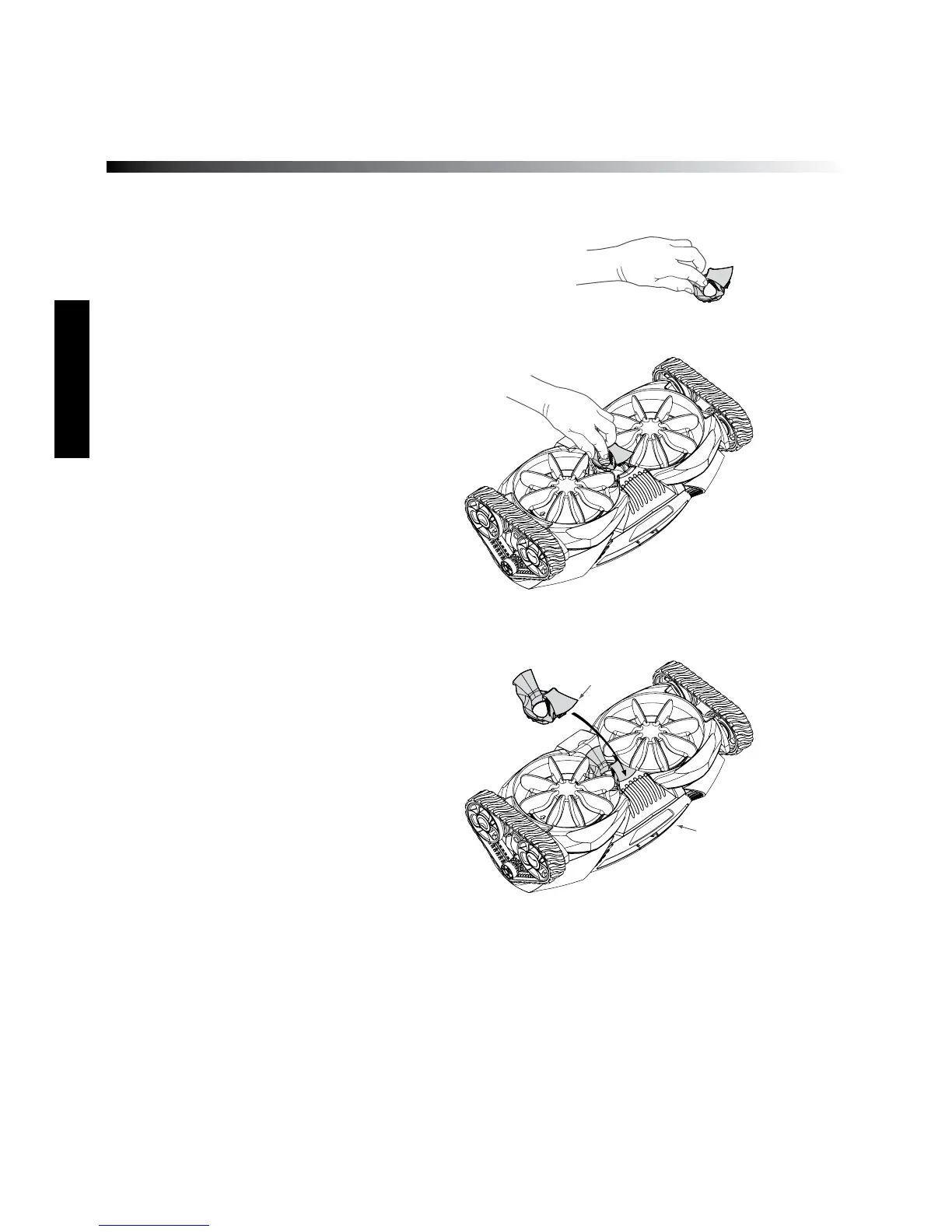
Removing Inlet Throat Adaptor (MX8 only)
If you are experiencing high levels of larger
debris that clog the throat of the cleaner
simply remove the inlet throat adaptor to
enhance the size of the Zodiac MX8’s throat
inlet, thus allowing larger debris to be picked
up by the cleaner.
1) Grasp adapter as shown, inserting finger
into adapter hole.
2) Remove by lifting up rear edge first.
3) To re-install simply click the front edge
first then push rear into place.

1. Grasp adapter as shown,
inserting finger into
adapter hole.
Properly installed
adapter
Front edge
3. Install by clicking
front edge first then
push rear into place.

2. Remove by lifting up
rear edge first.
Front of cleaner
H0362100 Rev -
1. Grasp adapter as shown,
inserting finger into
adapter hole.
Properly installed
adapter
Front edge
3. Install by clicking
front edge first then
push rear into place.
2. Remove by lifting up
rear edge first.
Front of cleaner
H0362100 Rev -
1. Grasp adapter as shown,
inserting finger into
adapter hole.
Properly installed
adapter
Front edge
3. Install by clicking
front edge first then
push rear into place.
2. Remove by lifting up
rear edge first.
Front of cleaner
H0362100 Rev -
Figure 1: Removal of inlet throat adaptor
Figure 2: Installation of inlet throat adaptor

Other manuals for Zodiac MX6

Related product manuals