EasyManua.ls Logo

Zodiac RV 5480 iQ - User Manual

Zodiac RV 5480 iQ
13 pages
Print Icon
To Next Page IconTo Next Page
Loading...
© ZPCE - EXPERT PARTNER PROGRAM 2017-2018
RV 5480 iQ
ZODIAC
®
is a registered trademark of Zodiac International, S.A.S.U., used under license.

Other manuals for Zodiac RV 5480 iQ

Questions and Answers

  • C
    Carrie ClarkAug 2, 2025
    What to do if all LEDs are off on my Zodiac Vacuum Cleaner?
    • C
      Christopher AndersonAug 2, 2025
      If all the LEDs are off on your Zodiac Vacuum Cleaner, several factors could be responsible. First, very bright light may be interfering with the sensors; cover the appliance to shield it from the sun's rays and see if the lights turn on. Also, ensure the control box is properly connected. A power cut could also be the cause; check that the circuit breaker has power and verify the socket is working by plugging in another appliance. Finally, check your internet connection, as a network outage can also cause this issue.
  • M
    mboltonAug 7, 2025
    Why are the LAN/WEB LEDs not lit on my Zodiac Vacuum Cleaner?
    • S
      Selena PrinceAug 7, 2025
      If the LAN/WEB LEDs on your Zodiac Vacuum Cleaner are not lit, the issue might be related to your internet connection or Wi-Fi signal strength. Check your internet connection to ensure the network is active. Also, verify that you have a sufficiently strong Wi-Fi signal. Try unplugging your home Wi-Fi router and plugging it back in. Use a laptop to check the state of your network connections in the Configuration Panel, and monitor the wireless network signal strength while observing the control box. Alternatively, install the iAquaLink™ app on a smartphone or tablet to check the wireless network signal strength near the control box.
  • M
    Michelle ThompsonAug 11, 2025
    What to do if LAN/WEB LEDs are lit but the Wi-Fi connection is non-existent on my Zodiac Vacuum Cleaner?
    • Y
      Yvonne PopeAug 12, 2025
      If the LAN/WEB LEDs are lit but the Wi-Fi connection is non-existent or spotty, and a 'Connection Error' message appears in the iAquaLink™ app, it could be due to a lost internet connection or a weak Wi-Fi signal. For initial setup, place the cleaner's control box as close as possible to your home Wi-Fi router, avoiding power extension cables, and then repeat the configuration steps. Once the LAN/WEB LEDs light up, plug the control box in near the pool. If the LAN/WEB LEDs do not light up, plug the control box in again as close to the router as possible.
  • M
    Melissa BarrettAug 16, 2025
    What to do if the LAN/WEB LEDs are on but the connection is unsuccessful on my Zodiac Vacuum Cleaner?
    • D
      David MoralesAug 16, 2025
      If the LAN/WEB LEDs are on but the connection is unsuccessful, and only one LED (LAN or WEB) is lit, the issue might be that your smartphone hasn't properly disconnected from the 'RoboticCleaner-***' Wi-Fi. Manually disconnect from this Wi-Fi. If the connection is not made automatically, manually connect your smartphone to your home Wi-Fi or 3G/4G network. Also, check your internet connection to ensure the network is active. Try disconnecting your home Wi-Fi router for 10 seconds, then reconnect it to see if the LEDs come back on.
  • A
    Alexander GardnerAug 21, 2025
    How to fix if the control box is too far from the home Wi-Fi router for Zodiac Vacuum Cleaner?
    • N
      Nicole CoxAug 21, 2025
      If the control box is too far from the home Wi-Fi router, and the Wi-Fi network is weak, consider installing a Wi-Fi extender. You can also use an app dedicated to analyzing the Wi-Fi connection to diagnose and improve signal strength.
  • T
    Travis WilsonAug 27, 2025
    What does it mean when the LAN/WEB LEDs are flashing on my Zodiac Vacuum Cleaner?
    • C
      Corey CollinsAug 27, 2025
      If the LAN/WEB LEDs are flashing on your Zodiac Vacuum Cleaner, it indicates that a software update is in progress. The LEDs may continue to flash for up to 10 minutes until the update is complete.

Summary

The concept

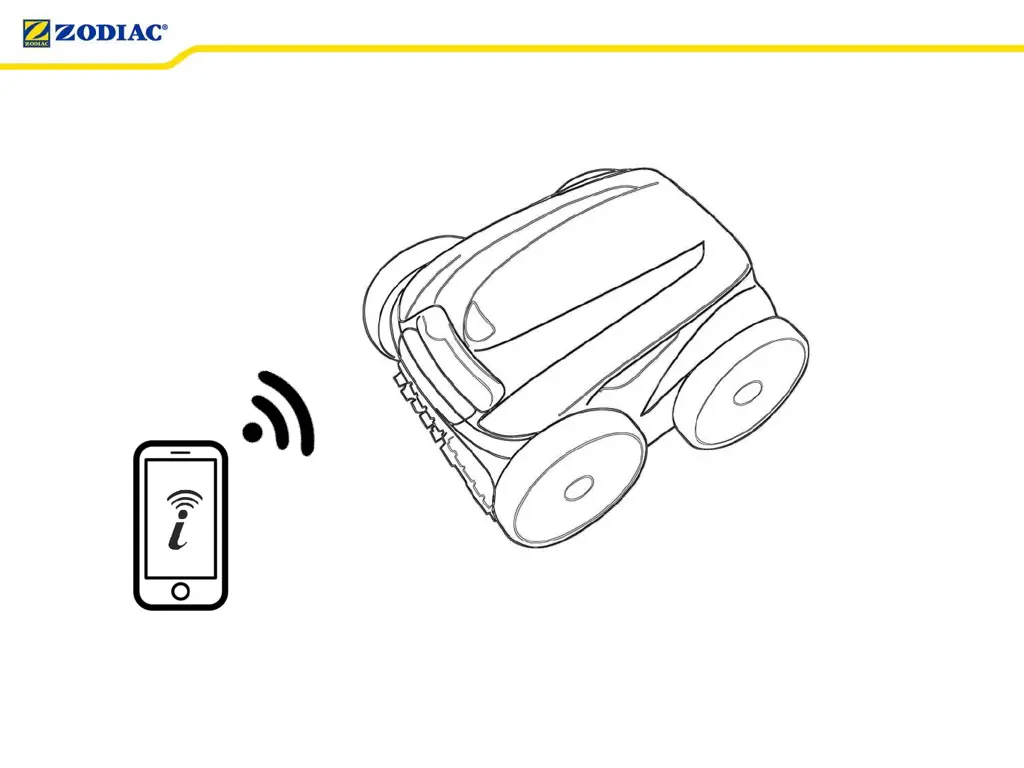
The connected cleaner

Explains the robot's connectivity via smartphone app and Wi-Fi.

First connection

Launch the iAquaLink app

Instructions for downloading and opening the iAquaLink application on a mobile device.

Wi-Fi to Phone connection

Describes adding a cleaner via direct Wi-Fi or invitation code for initial setup.

Basic setup

Guides through essential initial configuration steps like timezone and pool shape selection.

Domestic Wi-Fi connection

Explains the process of connecting the cleaner to the home Wi-Fi network.

Connection complete

Indicates the successful establishment of the Wi-Fi connection and control box LED status.

Use

iAquaLink control

Details the functions and controls available within the iAquaLink mobile application.

Control box control

Explains the operational features and controls accessible directly from the robot's control box.

Troubleshooting guide

All LEDs are off

Troubleshooting steps for when all control box LEDs are not illuminated.

LAN;WEB LEDs not lit

Solutions for when the LAN/WEB LEDs on the control box are not illuminated.

Wi-Fi connection issues

Addresses scenarios with spotty Wi-Fi or connection errors in the iAquaLink app.

Connection unsuccessful

Troubleshooting for unsuccessful connections or when only one LED is lit on the control box.

Software update in progress

Guidance for when control box LEDs flash during a software update process.

Zodiac RV 5480 iQ Specifications

General IconGeneral
TypeRobotic
Pool TypeIn-ground
Drive System4-Wheel Drive
Smart Phone AppYes
Wi-Fi ConnectivityYes
Remote ControlNo
Warranty2 years
Cleaning AreaFloor, walls, and waterline
Filtration100 Micron
Cable Length60 feet

Related product manuals