Operating 6
3 OPERATING
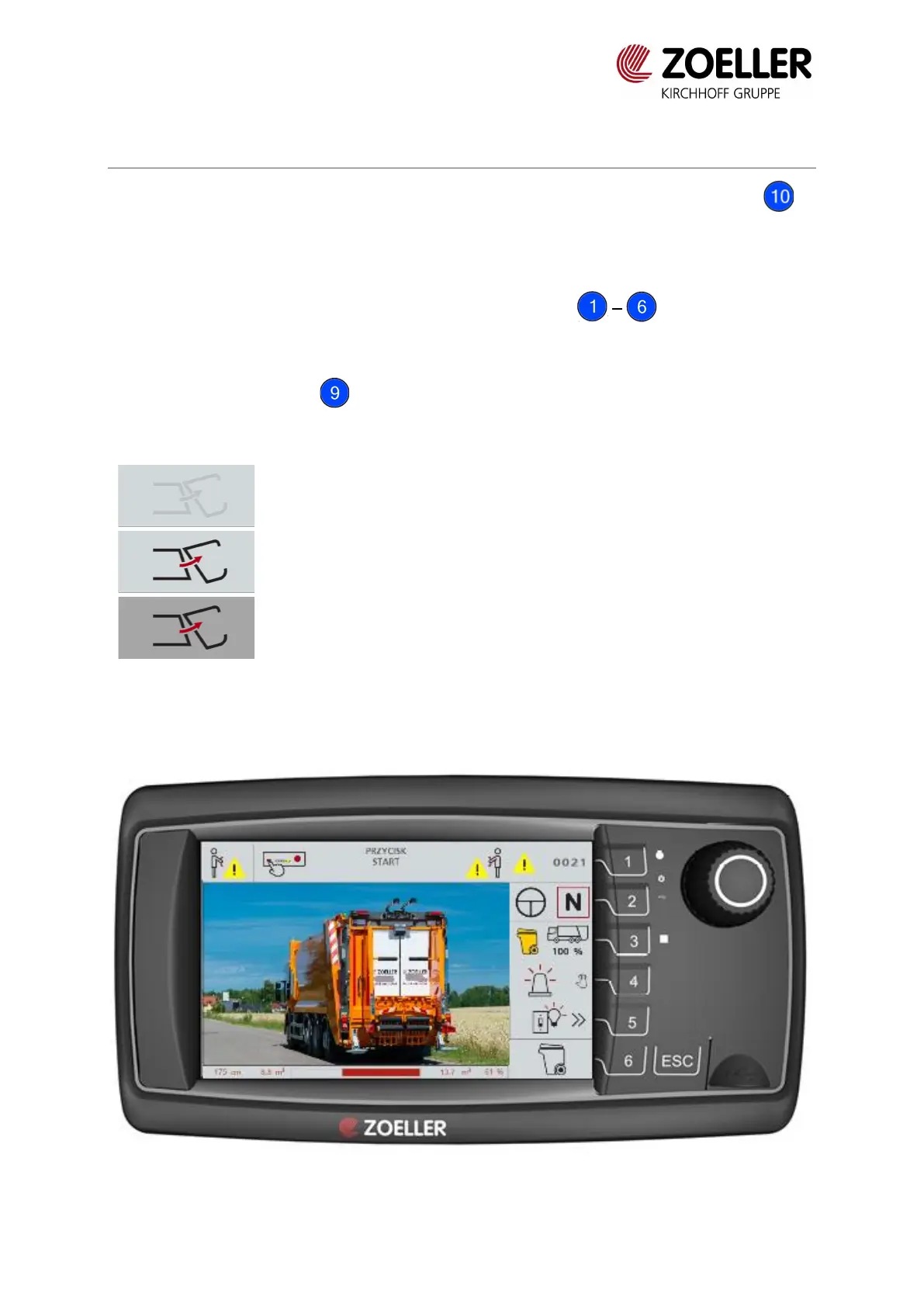
Terminal turns on automatically with the ignition. To start work, press START button on
ZCS-Command module after turning on the terminal.
Selection and confirming functions:
1. Function can be selected by pressing function buttons
or
2. By turning the knob and pressing it to confirm the choice.
Function status indications:


 To Next Page