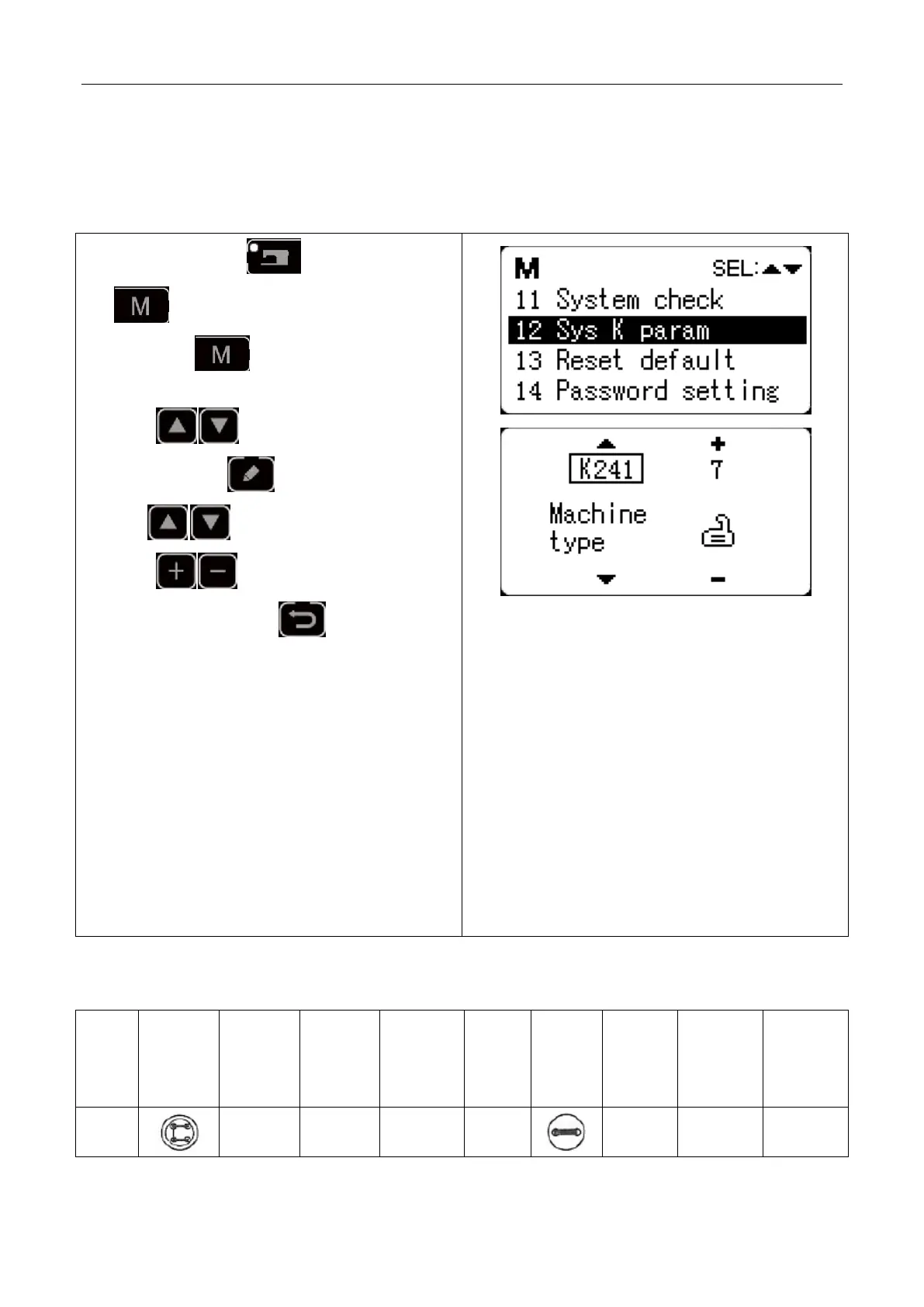
1、 When sewing LED is off, hold pressing
key for 3 seconds until the buzzer rings,
and release key to activate service
parameter medication;
2、 Press key to select “12 system K
parameter”, press key to enter and then
press key to select parameter K241;
3、 Press key to change the parameter
value into “7” and press key to confirm
the change. At this time, the panel will hint
“operation executing, please do not turn off the
machine”, and user must not cut off the power
supply. When the panel hint “please turn off the
machine” after a while, user can cut off the power
supply.
4、 Then power the machine again and the function
changes into button sewing.
Note: the button sewing function of the machine
requires special presser foot and other auxiliary
external devices. For more information, please
contact your machine manufacturer or its agents.



 To Next Page