13
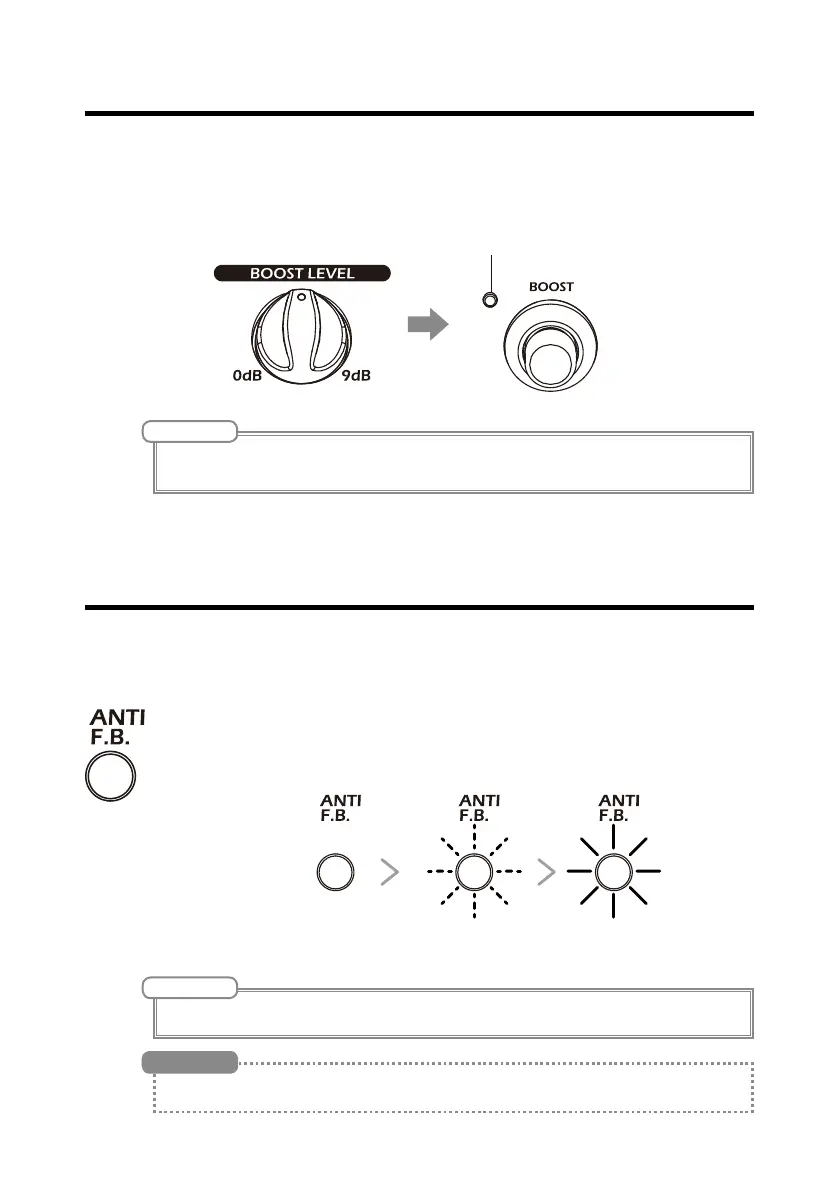
Using the boost function
Using the anti-feedback function
Turn the BOOST LEVEL knob to amplify the volume during solos or to change
the volume when switching between strumming and fingerpicking. Use the
BOOST switch to turn the boost ON and OFF.
Press the anti-feedback switch to find and cut the frequency band that is caus-
ing feedback to reduce it.
The feedback switch will blink while the feedback frequency band is
being found. When the frequency band has been found, it will light
and the anti-feedback function will become active.
NOTE
• The volume can be amplied by up to +9 dB.
• If the sound distorts when BOOST is ON, turn the VOLUME knob to adjust the volume.
NOTE
Press the anti-feedback switch again to turn the anti-feedback function off.
If an FS01 footswitch is connected, you can also turn the anti-feedback function on and off with your foot.
HINT


 To Next Page