18
Updating the rmware
To download the latest firmware, visit the ZOOM website (http://www.zoom.
co.jp/).
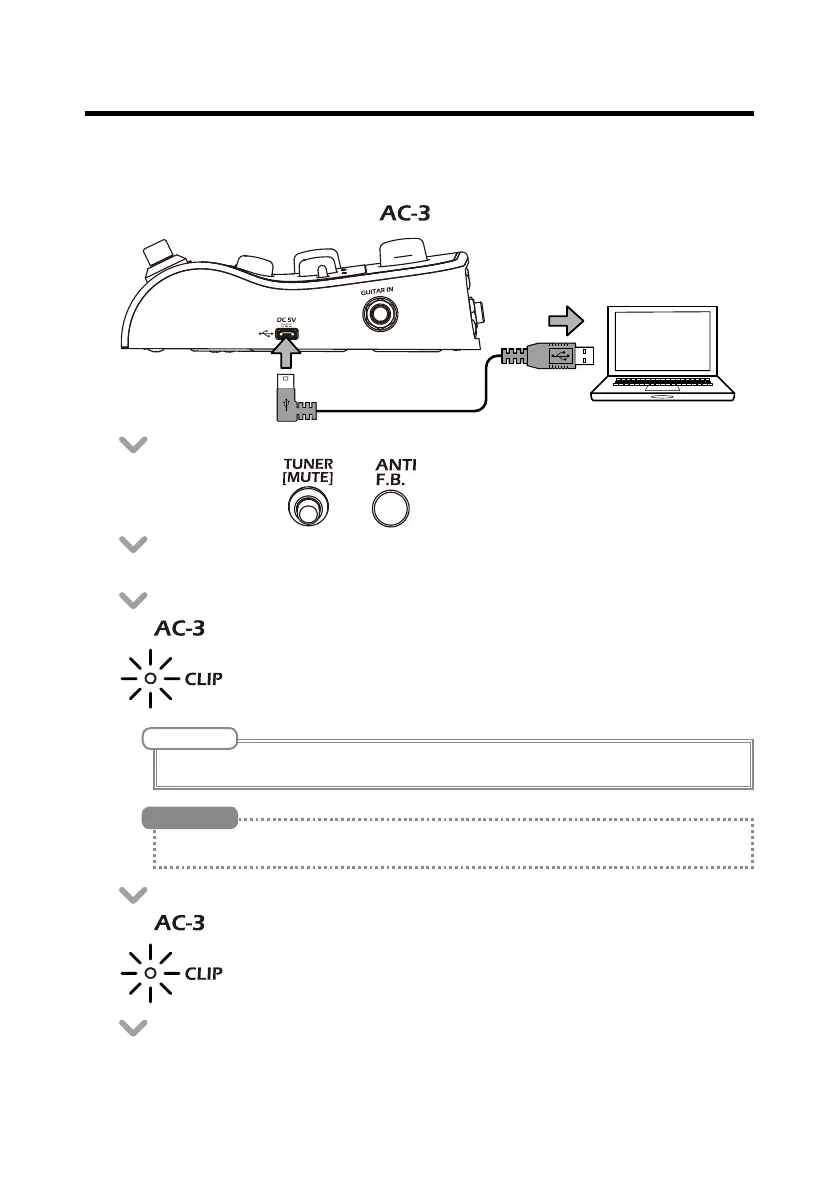
• Use a USB cable to connect the
to a computer.
• While pressing both and , turn the POWER switch ON.
• Launch the rmware update application on the computer and start the update.
• The clipping indicator lights orange while the update is being executed.
• The clipping indicator lights green when the update completes.
• Set the power switch to OFF.
NOTE
Do not disconnect the USB cable during a rmware update.
See the ZOOM website (http://www.zoom.co.jp/) for rmware update application instructions.
HINT


 To Next Page