17
Connecting audio equipment
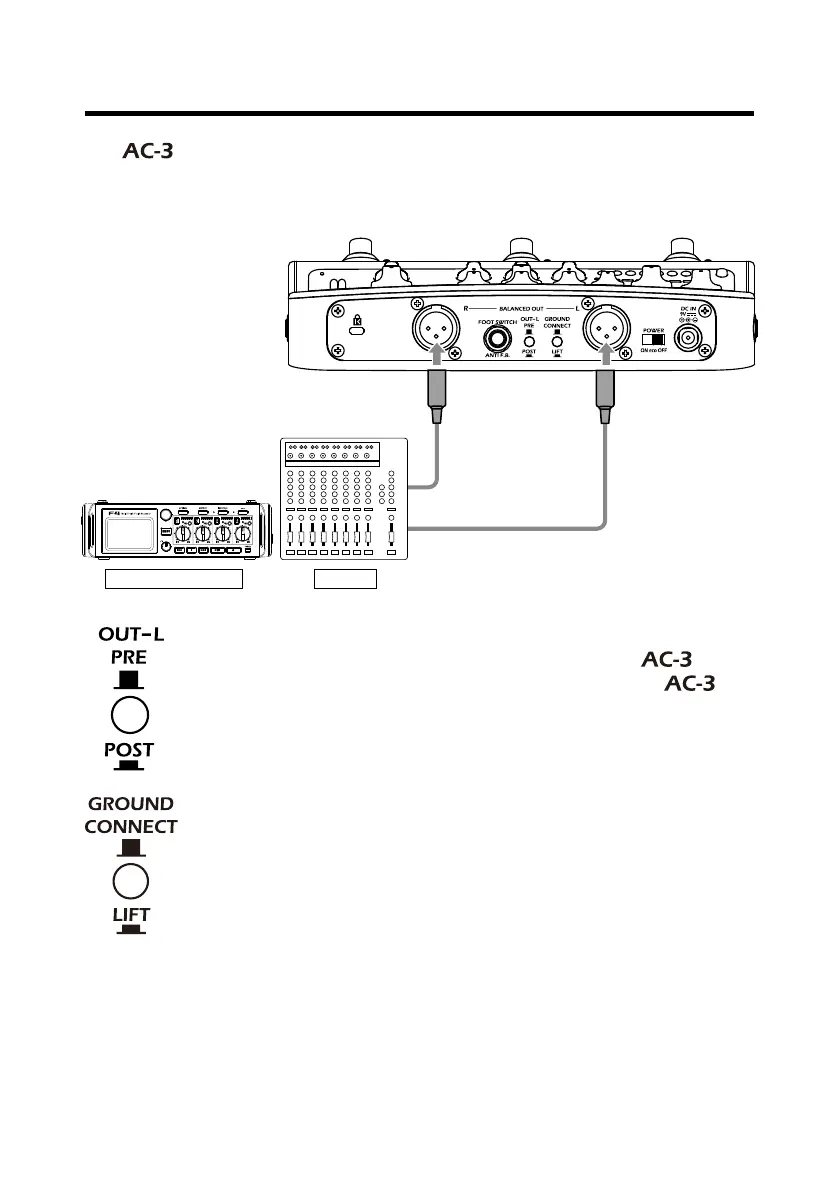
The can be connected to a mixer, recording device or other audio equip-
ment that adjusts the sound balance. When using in mono, connect the equip-
ment only to the BALANCED OUT-L jack.
Set when the signal is output from the BALANCED OUT-L jack.
• PRE (button up): Output before processing by the
.
• POST (button down): Output after processing by the
.
The BALANCED OUT jack can be connected or disconnected
from the ground.
• CONNECT (button up): Connect to the ground pin.
• LIFT (button down): Disconnect the grounding pin from the
ground. This is effective if noise is caused by a ground loop.


 To Next Page