12 Global Village Cable Modem User’s Guide
2
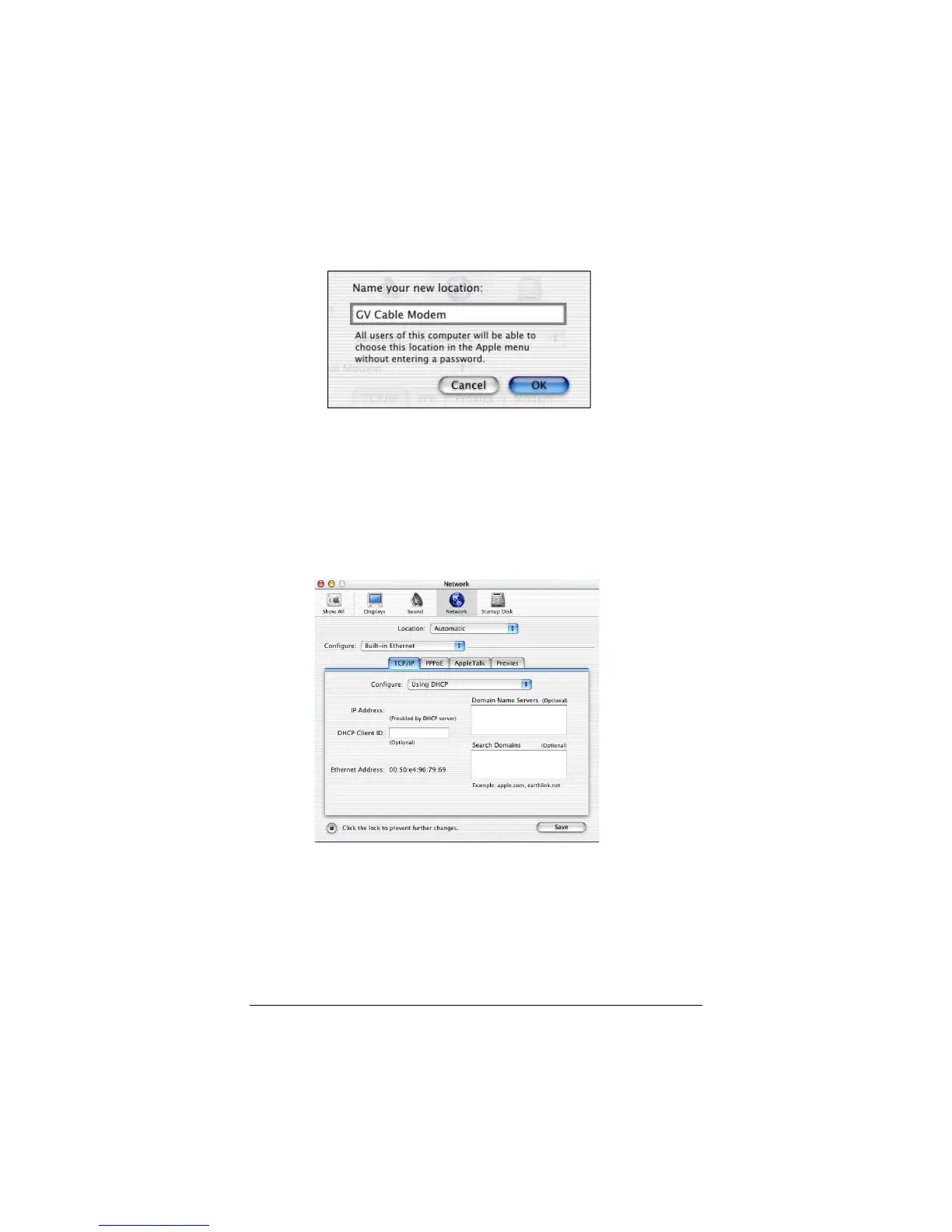
From the
Location:
drop-down list box, select
New
Location…
. In the dialog box, type a name of your
choosing, such as “
GV Cable Modem
,” and click
OK
.
3
Under the
Configure
drop-down tab, choose
Built-in
Ethernet
or
Ethernet
.
4
Make sure that the
TCP/IP
tab is foremost and make
sure that
Using DHCP
is highlighted in its
Configure:
drop-down list box. Do not enter anything into the
DHCP Client ID
field.
5
Click
Save
and close the
Network
pane.
You have configured your Macintosh network settings successfully.
Now continue below with
Connecting Your Modem
.



 To Next Page