36
Updating the fi rmware
To download the latest fi rmware
Updating the fi rmware
• VisittheZOOMWebsite(http://www.zoom.co.jp).
•
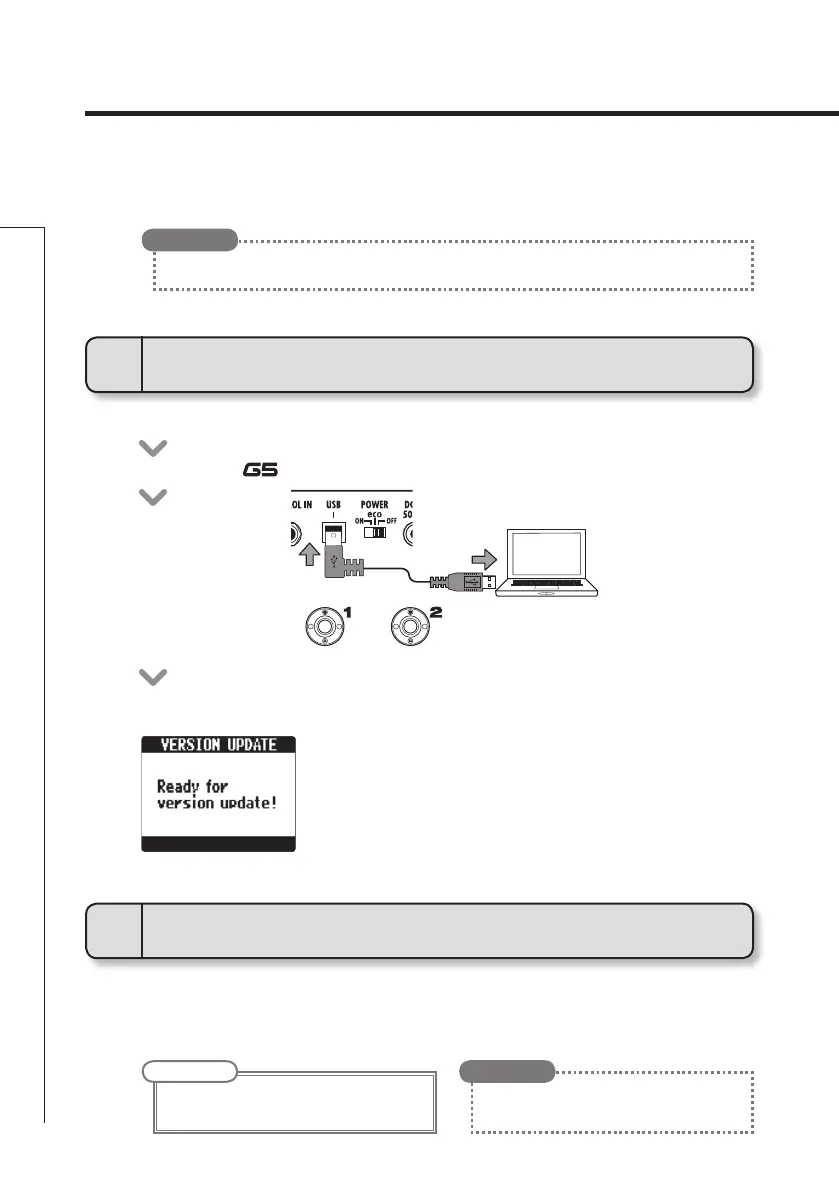
Confi rm that the POWER switch is set to OFF and the AC adapter is connected.
• Connectthe to a computer using a USB cable.
• Launchthe version update application on yourcomputer, and executethe
update.
• TheVERSIONUPDATEscreenappears.
• Whilepressingboth
and , set the POWER switch to ON.
1
To use the version updating function
2
To update the firmware
• OpentheGLOBALmenutocheckthecurrentfirmwareversions.(Seepage23.)
HINT
• SeetheZOOMwebsiteforinstructionsabout
how to use the application.
HINT
NOTE
• Do not disconnect the USB cable while the
fi rmware is being updated.



 To Next Page