7
7.
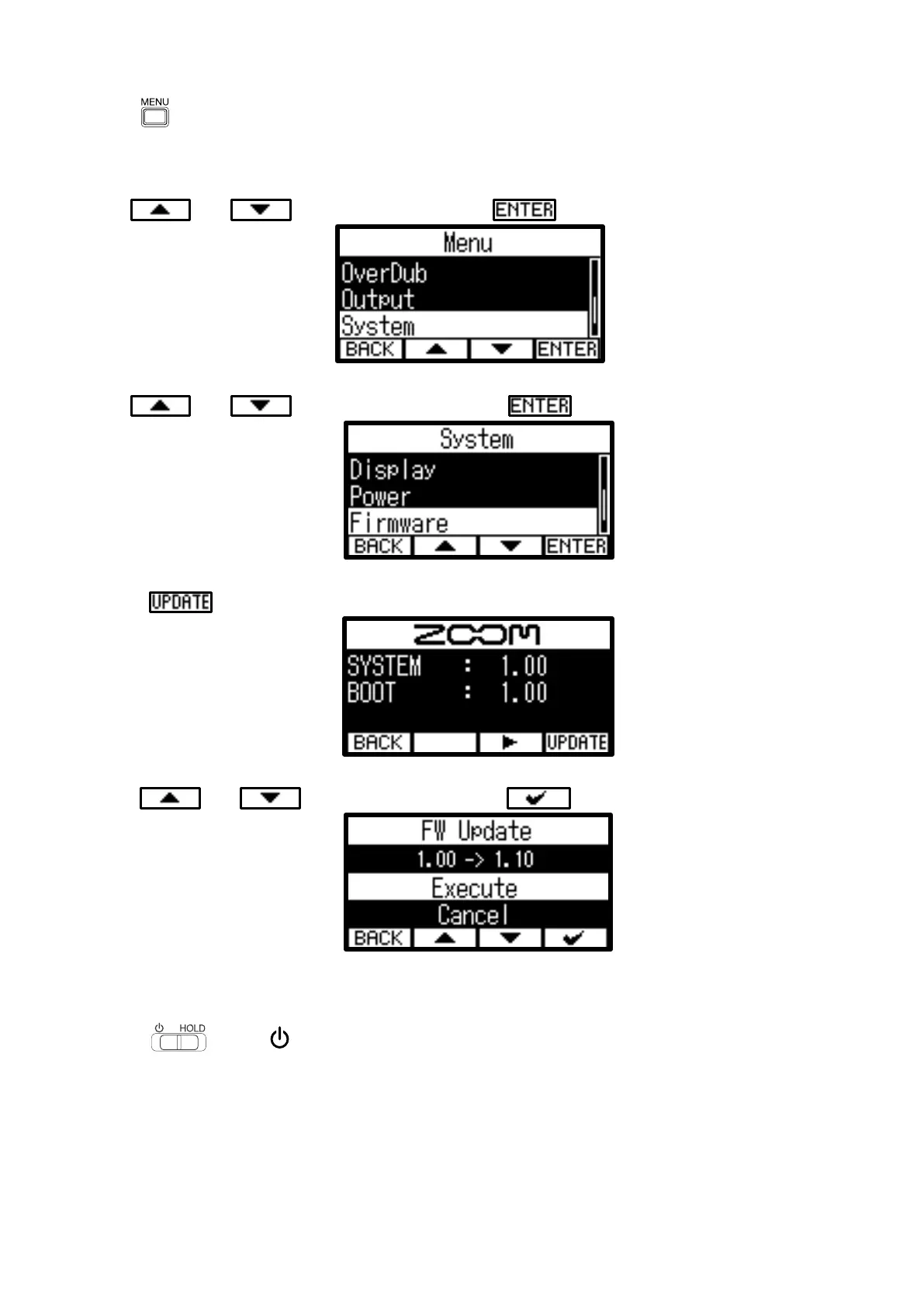
Press .
This opens the Menu Screen on the display.
8.
Use and to select “System” and press to confirm.
9.
Use and to select “Firmware” and press to confirm.
10.
press to confirm.
11.
Use and to select “Execute” and press
to execute.
12.
Slide toward until “Goodbye! See You!” appears on the display.
The display will become empty, and the power will turn off.



 To Next Page
 Loading...












