15
Effect settings
■
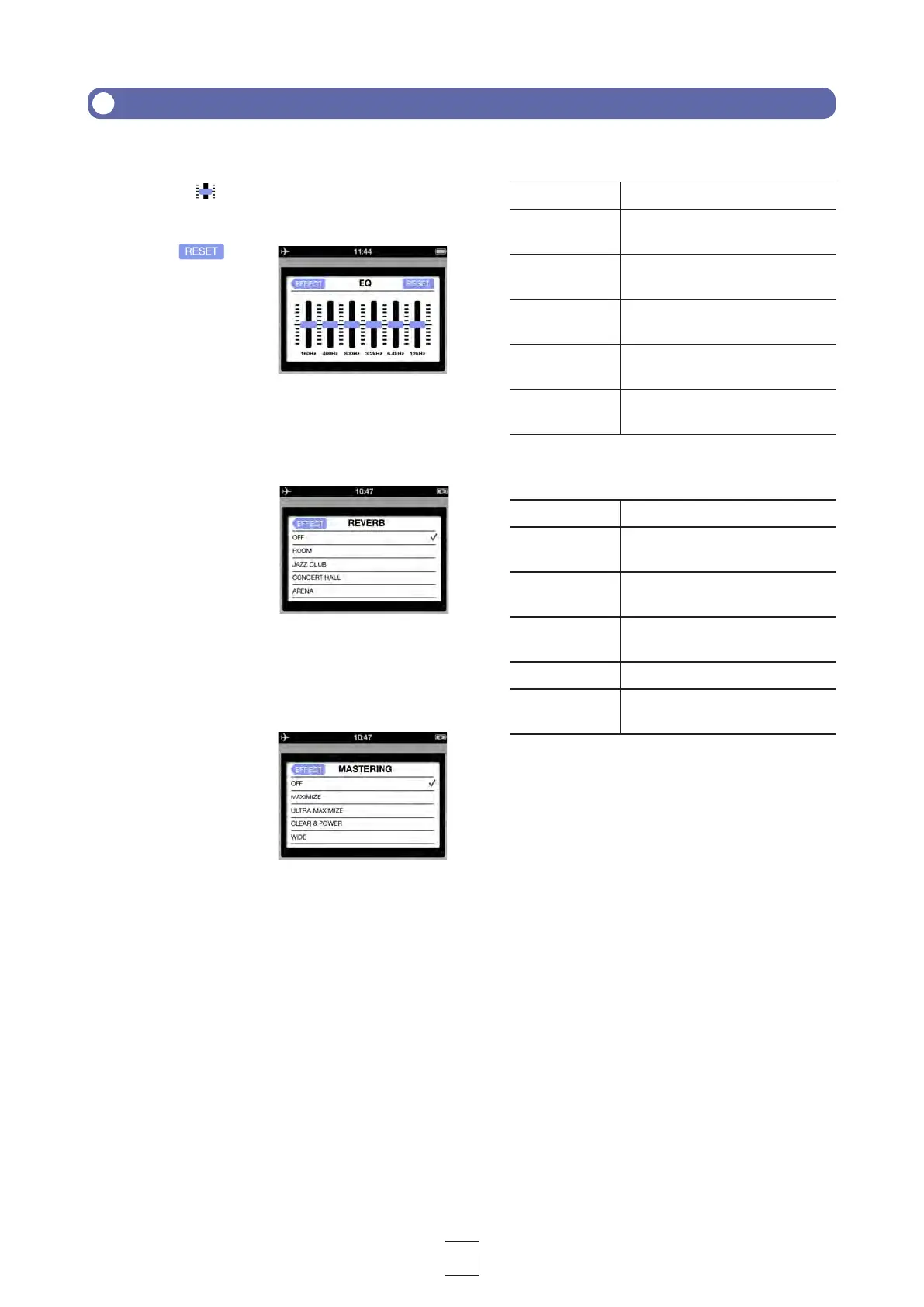
EQ (adjust/correct sound quality)
Slide the faders on the frequency bands
to adjust the sound quality.
Touch
to
restore sound to its
REVERB
OFF Off
ROOM Simulates the reverberations of a
room
JAZZ CLUB
Simulates the reverberations of a
CONCERT
HALL
Simulates the reverberations of a
concert hall
ARENA
Simulates the reverberations of an
arena
STADIUM
Simulates the reverberations of a
domed stadium
MASTERING
OFF Off
MAXIMIZE
compression
ULTRA
MAXIMIZE
strong compression
CLEAR &
POWER
WIDE
MONO Centers all sound dispersed to
the left or right
■
REVERB (add sound reverberations)
This is OFF by default.
Touch ROOM,
JAZZ CLUB
, CONCERT
HALL, ARENA or STADIUM.
■
MASTERING (increase impact)
This is OFF by default.
Touch MAXIMIZE, ULTRA MAXIMIZE,
CLEAR & POWER, WIDE or
MONO
.



 To Next Page