EasyManua.ls Logo

Zoom iQ5 - Locking Device Controls

Zoom iQ5
30 pages
Print Icon
To Next Page IconTo Next Page
To Previous Page IconTo Previous Page
Loading...
28
3.
Touch
4.
When “Update version?” appears, touch Continue
An “Updating...” message appears.
Touch Cancel to stop the update.

the standard screen reappears.
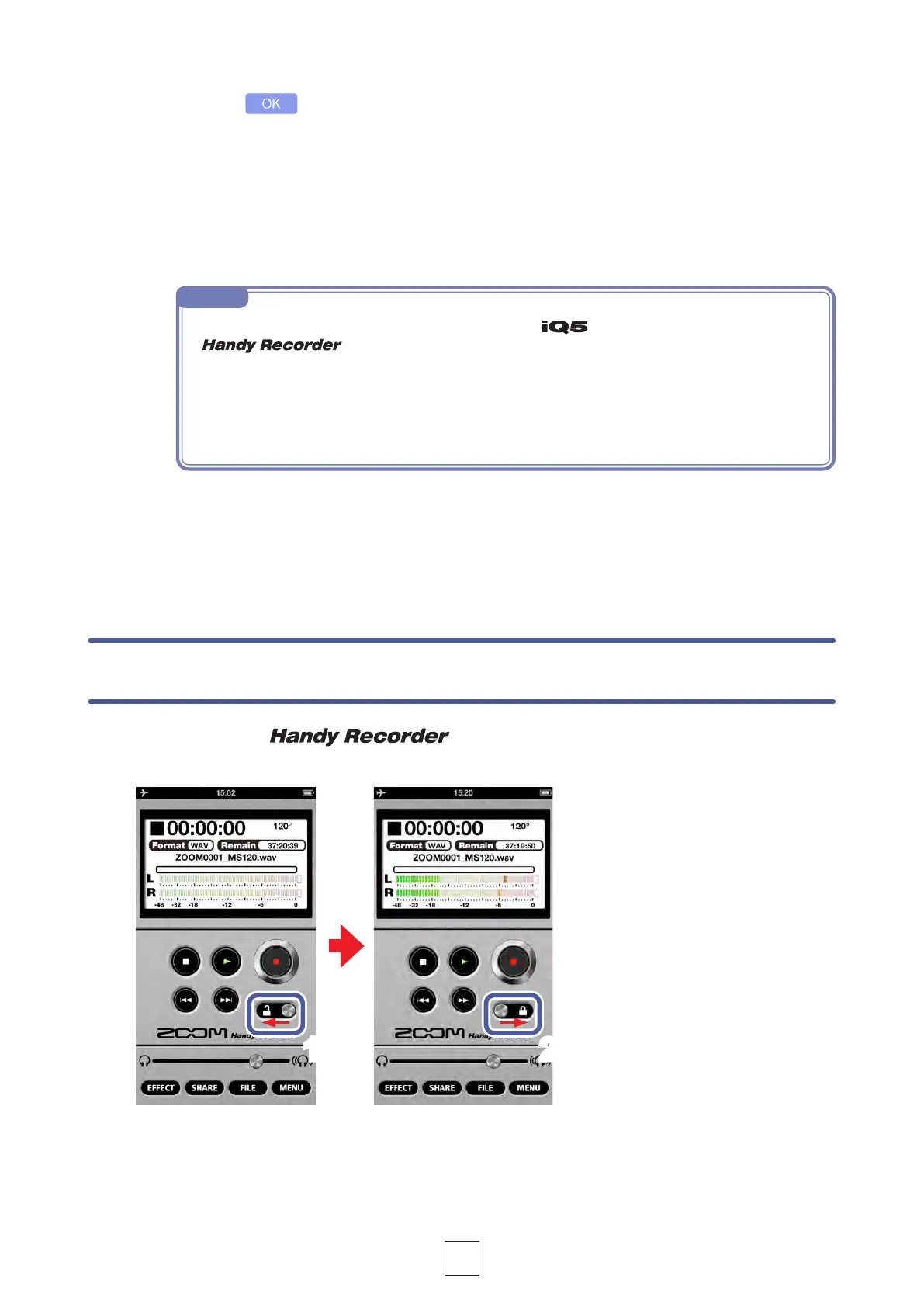
You can disable the controls by activating the lock.
Locking the controls
1.
Slide left
This locks the controls.
2.
Slide right
This unlocks the controls.
1 2
NOTE
  from the iOS device or quit the
app.
 

the iOS device into Airplane Mode and turn off any alarms.

 


Related product manuals